
Introduction
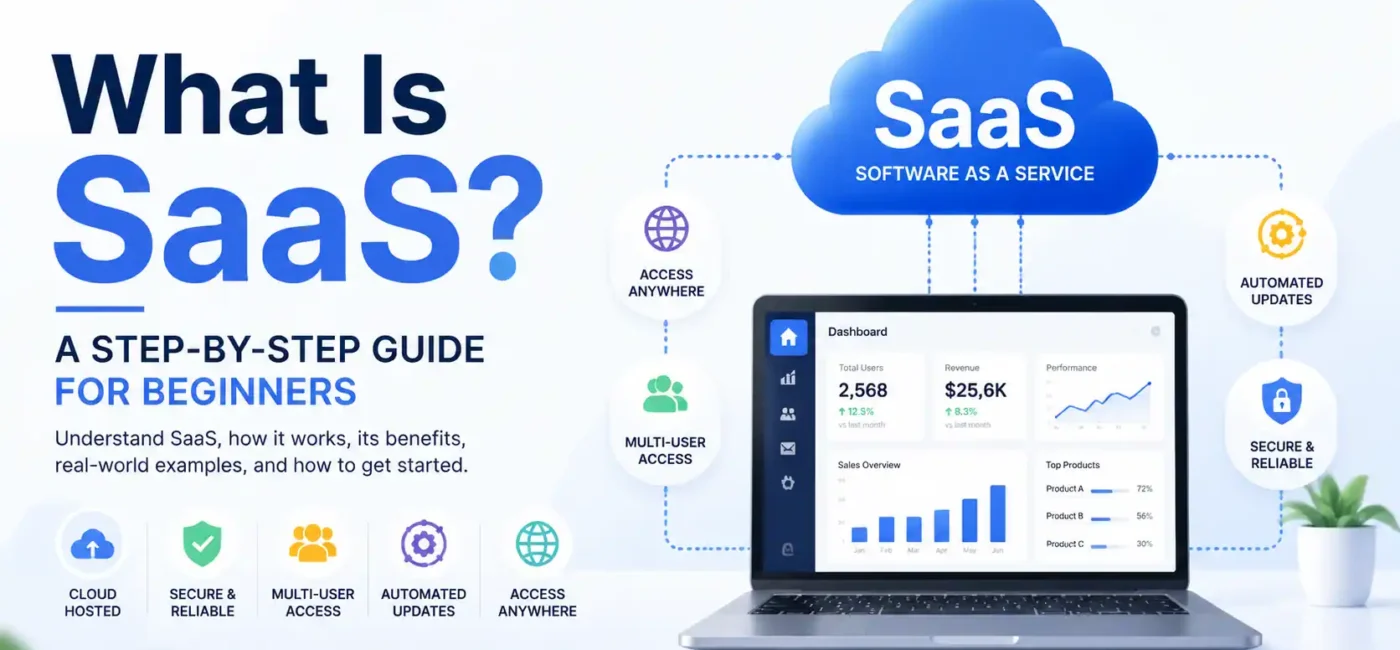
SaaS — Software as a Service — has completely transformed the way we use software. A decade ago, using a new program meant buying a license, installing it on your computer, and crossing your fingers that everything would work correctly. Updates were manual, compatibility issues were constant headaches, and scaling software for multiple users meant a lot of extra time, cost, and technical headaches. Today, the process couldn’t be simpler: you open a browser, log in, and the software is ready to use. That’s mostly it.
By 2026, this shift is essentially complete. Almost every tool you rely on — from email platforms and cloud file storage to CRM systems, accounting software, and collaboration tools — operates in the cloud and follows a subscription-based model. You no longer worry about installing patches, handling server updates, or managing software licenses. The vendor takes care of all the maintenance, security, and feature updates automatically.
The true appeal of SaaS lies in its accessibility and democratization of technology. With just a device and an internet connection, even small businesses or solo entrepreneurs can access the same enterprise-grade software that Fortune 500 companies use. Workflows that once required expensive IT infrastructure are now accessible from any laptop, tablet, or smartphone. This convenience has leveled the playing field, allowing organizations of all sizes to innovate, collaborate, and compete more effectively.
SaaS doesn’t just simplify software usage; it fundamentally changes the business landscape by reducing costs, accelerating workflows, and enabling scalability. Whether you’re a startup founder trying to manage a team, a marketing professional juggling multiple campaigns, or a student managing projects across devices, SaaS makes technology accessible, powerful, and incredibly easy to use. The shift isn’t just technological — it’s cultural, reshaping expectations about how software should be delivered, used, and maintained.
What Exactly Is SaaS?
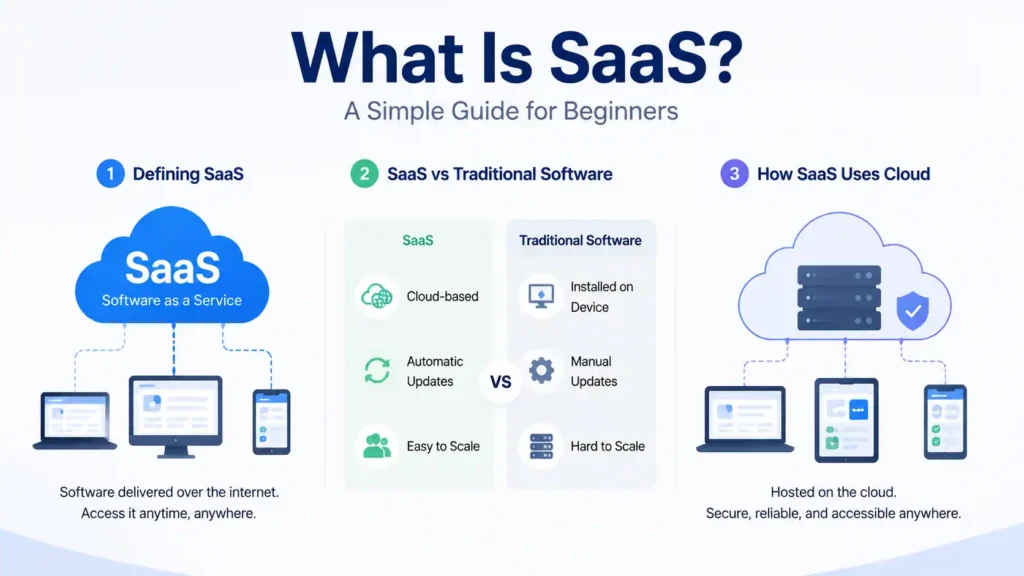
SaaS stands for Software as a Service. Instead of buying software and installing it on your machine, you pay a subscription and access it through a browser from any device, anywhere.
The vendor takes care of the backend. Servers, security patches, system updates none of that is your problem. If something breaks on their end, they fix it. If they push a new version, you get it automatically the next time you log in. You don’t do anything.
This matters most for businesses. A company with 200 employees doesn’t need an IT team managing software installations across 200 machines. Everyone gets the same version, from wherever they’re working, on whatever device they have.
Defining SaaS
SaaS vs Traditional Software
Unlike traditional software, which often requires installation, local storage, and manual updates, SaaS operates entirely in the cloud. Users subscribe to a service, gain access to an online platform, and let the provider manage updates, security, and infrastructure. This approach eliminates the need for expensive hardware or IT specialists, giving businesses more freedom to focus on strategy and growth.
Traditional software models came with limitations — you could only access the application from the device it was installed on, updates often disrupted workflows, and scaling required purchasing additional licenses. SaaS solves these problems by centralizing management, providing instant updates, and making it easier to scale user accounts up or down based on needs.
How SaaS Uses Cloud Technology
SaaS applications run on cloud servers maintained by the service provider. Users interact with these applications through the internet, allowing access on multiple devices like laptops, smartphones, or tablets. Cloud computing ensures data is stored safely, updated automatically, and accessible anywhere, creating a seamless experience for both individual users and teams.
For instance, think of Google Docs. You don’t need to install heavy software — you log in, and your documents are instantly available online. The cloud handles everything, from storage to collaboration, allowing multiple people to edit in real-time without worrying about software conflicts or version issues.
How SaaS Works
Subscriptions and Access
SaaS applications typically operate on a subscription model. Users pay monthly or annually for access to the software, often with different pricing tiers depending on features or the number of users. This reduces upfront costs and allows users to try software before committing long-term.
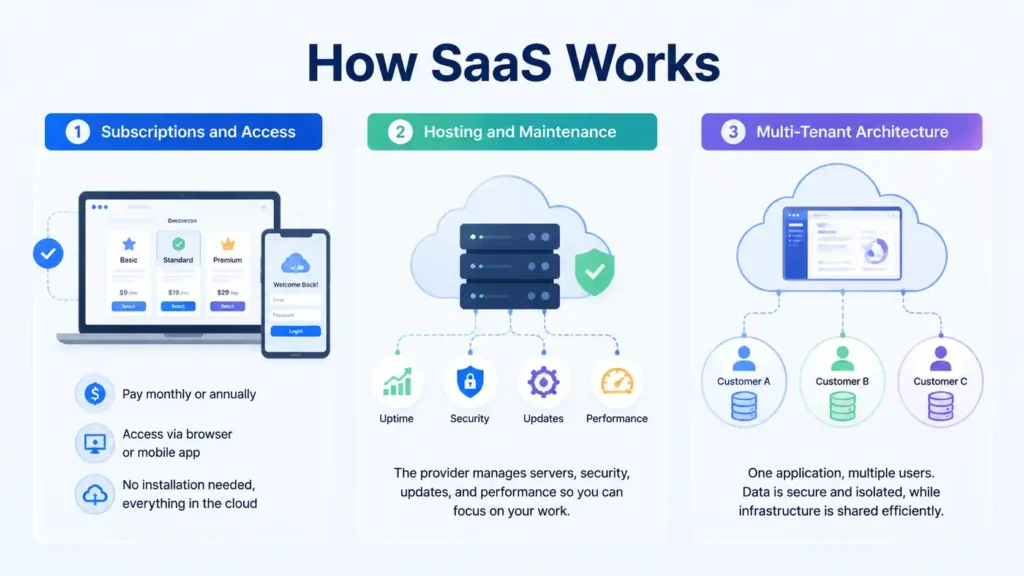
Once subscribed, you access the platform through a web browser or a dedicated mobile app. You don’t need to download or install any heavy software, and your settings, preferences, and data are stored securely in the cloud.
Hosting and Maintenance
All SaaS applications are hosted on the provider’s servers. The provider is responsible for maintaining uptime, performance, and security. This model frees users from the burden of managing hardware, performing updates, or troubleshooting issues, which is particularly beneficial for businesses without dedicated IT departments.
Multi-Tenant Architecture
Most SaaS platforms use a multi-tenant architecture, where a single software instance serves multiple users. Each customer’s data is isolated and secure, but the software infrastructure is shared. This structure allows providers to efficiently manage resources, deploy updates, and scale the platform without affecting individual users.
Core Features of SaaS
Accessibility Across Devices
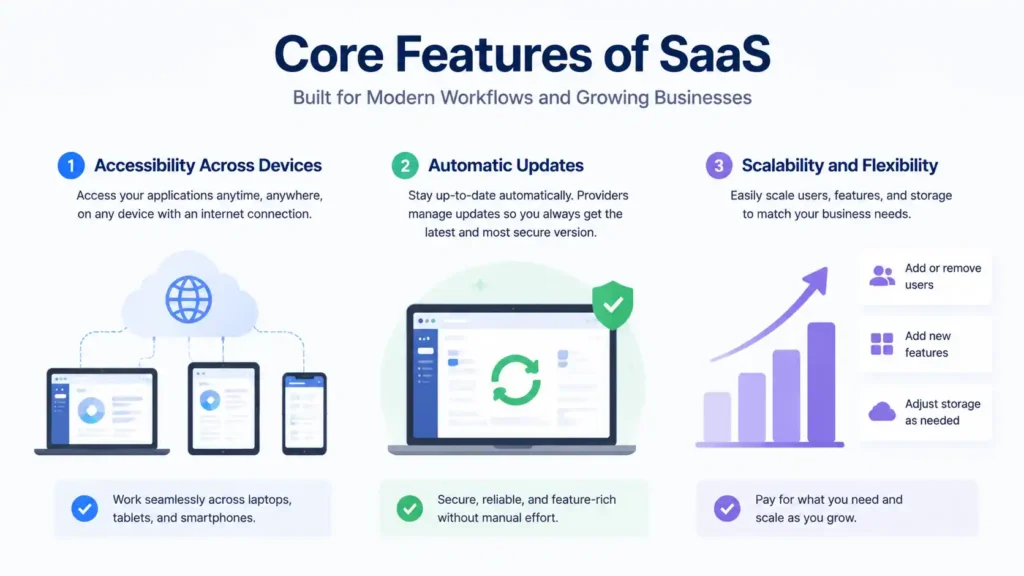
SaaS applications are accessible on any device with internet connectivity, making them ideal for remote work, mobile teams, and cross-device collaboration. Employees can seamlessly switch between laptops, tablets, and smartphones without losing productivity.
Automatic Updates
SaaS providers handle updates in the background, so users always experience the latest version with minimal disruption. This ensures software is secure, up-to-date, and feature-rich without requiring manual intervention.
Scalability and Flexibility
SaaS platforms are highly scalable. Businesses can easily increase or decrease user accounts, add new features, or adjust storage as needed. This flexibility allows companies to pay only for what they need while expanding capabilities as the organization grows.
SaaS Pricing Models
Subscription Plans
Most SaaS applications operate on subscription models. You pay recurring fees — monthly, quarterly, or yearly — based on the number of users or features. Subscription pricing is predictable, helps manage budgets, and reduces the burden of high upfront costs.
Tiered and Usage-Based Pricing
Some SaaS providers offer tiered plans with increasing features or benefits. Others charge based on usage, such as the number of API calls, storage used, or transactions processed. This approach ensures you only pay for what you actually need, making SaaS highly efficient for small and large businesses alike.
Advantages of SaaS
Cost Efficiency
With SaaS, there’s no need to invest in expensive hardware or software licenses. Subscription-based pricing allows businesses to scale costs with usage and avoid large upfront expenditures, making powerful software accessible to startups and small enterprises.
Reduced Technical Burden
Users don’t need to worry about maintaining servers, installing updates, or handling security patches. The provider manages all technical tasks, letting teams focus on actual business goals instead of IT maintenance.
Enhanced Collaboration
Many SaaS platforms are built with collaboration in mind, allowing teams to work together in real-time. Shared documents, project management boards, and communication tools are centralized, improving workflow efficiency and reducing delays caused by scattered files or miscommunication.
Disadvantages of SaaS
Dependence on Internet
Since SaaS runs in the cloud, a stable internet connection is essential. Users with limited connectivity may experience interruptions, and offline access is often limited or unavailable.
Limited Customization
Some SaaS platforms offer limited customization compared to on-premise software. Companies with very specific needs may find some platforms restrictive, although many providers allow integrations and API access to extend functionality.
Popular SaaS Tools
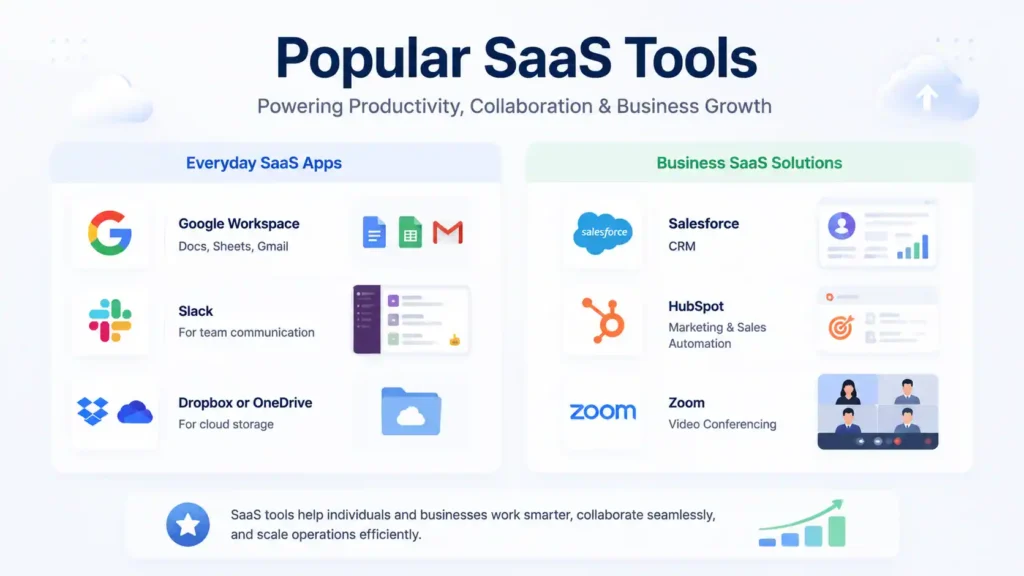
Everyday SaaS Apps
- Google Workspace (Docs, Sheets, Gmail)
- Slack for team communication
- Dropbox or OneDrive for cloud storage
Business SaaS Solutions
- Salesforce (CRM)
- HubSpot (marketing & sales automation)
- Zoom (video conferencing)
These examples demonstrate the variety and flexibility SaaS offers to both individuals and enterprises, covering productivity, collaboration, and business operations.
How to Get Started With SaaS
- Identify your business or personal needs.
- Research SaaS tools in your industry.
- Sign up for free trials to test the software.
- Choose a subscription plan that fits your workflow.
Starting with SaaS is simple and requires minimal setup, making it beginner-friendly and accessible for teams of all sizes.
Future Trends in SaaS
The future of SaaS is becoming increasingly intertwined with artificial intelligence (AI), machine learning (ML), and advanced automation, creating smarter, more adaptive software ecosystems. Modern SaaS platforms are not just tools for performing tasks—they are evolving into intelligent systems capable of understanding user behavior, predicting needs, and delivering actionable insights. Features like predictive analytics allow businesses to anticipate trends and customer behavior, while automated reporting eliminates manual data crunching, freeing teams to focus on strategy and innovation. Smart recommendations embedded within SaaS applications can guide users toward more effective actions, from optimizing workflows to improving customer engagement.
Moreover, SaaS providers are developing industry-specific solutions tailored to the unique needs of sectors such as healthcare, finance, education, and creative industries. For example, healthcare SaaS platforms can now analyze patient data to provide personalized treatment suggestions, while finance-focused SaaS can detect anomalies and improve risk management. Educational SaaS tools leverage AI to adapt content to individual learners, making online learning more effective, and creative platforms offer AI-assisted design and content generation, accelerating productivity for designers and marketers.
Looking forward, the integration of AI into SaaS is expected to drive hyper-personalization, intelligent automation, and decision-making support at an unprecedented scale. Organizations will increasingly rely on AI-enabled SaaS to not just perform tasks but to strategically enhance efficiency, uncover hidden insights, and drive innovation. As automation becomes more sophisticated, repetitive and time-consuming processes will be handled seamlessly by AI, enabling human teams to focus on creativity, problem-solving, and high-level strategy.
The next wave of SaaS is not just about cloud access; it’s about turning data into decisions, insights into actions, and software into an intelligent partner for every business function. This evolution positions SaaS as a central pillar in digital transformation initiatives, ensuring companies can remain competitive in an increasingly fast-paced and data-driven world.
FAQs
1. What does SaaS mean?
SaaS stands for Software as a Service, a cloud-based model where applications are hosted online and accessed via the internet.
2. How do SaaS subscriptions work?
Users pay a recurring fee, usually monthly or annually, to access the software without installing it locally.
3. Is SaaS secure?
Reputable providers use encryption, backups, and security protocols to protect user data, though users must also follow best practices.
4. Can SaaS work offline?
Most SaaS platforms require an internet connection, but some offer limited offline functionality.
5. Why is SaaS so popular?
It’s cost-effective, scalable, easy to use, and reduces the technical burden on individuals and businesses.