
In today’s fast-paced academic world, where research papers pile up faster than they can be read, finding a smarter way to study is no longer optional—it’s essential. That’s exactly where the Scholarcy AI Tool steps in like a game-changer. Imagine turning a dense 30-page research paper into a clean, structured, easy-to-scan summary in just seconds, without losing the core meaning. For students struggling with assignments and researchers drowning in literature reviews, Scholarcy feels like having a personal research assistant that never sleeps, never gets tired, and always highlights what truly matters. It doesn’t just save time—it transforms the way you read, understand, and organize academic knowledge in 2026 and beyond.
What is the Scholarcy AI Tool?
Scholarcy AI Tool is an academic reading assistant built to help students, researchers, librarians, and serious learners understand long documents faster. Instead of forcing you to read a 25-page research paper from start to finish before you even know whether it is useful, Scholarcy turns that paper into a structured summary. Think of it like a smart research companion that sits beside you and says, “Here are the key findings, here is the method, here are the important points, and here is why this paper matters.” That is exactly why Scholarcy has become popular among people dealing with PDFs, journal articles, textbook chapters, reports, and literature review material.
The main idea behind the Scholarcy AI Tool is simple: academic reading should not feel like walking through a foggy forest without a map. Research papers often feature dense language, long introductions, complicated methods, and results that are not easy to digest on first reading. Scholarcy helps by breaking the document into interactive flashcards, highlights, key concepts, tables, figures, references, and exportable notes. For a student preparing an assignment or a researcher screening dozens of papers, this can save a lot of mental energy.
Unlike general AI chatbots, Scholarcy is designed specifically for academic documents. That makes it more focused for tasks like summarizing papers, extracting key claims, organizing references, creating bibliographies, and comparing studies. It does not replace careful reading, critical thinking, or proper citation checking, but it gives you a faster starting point. In simple words, Scholarcy is not a shortcut for avoiding research; it is a tool for making research less overwhelming and more organized.
How Does Scholarcy Work?
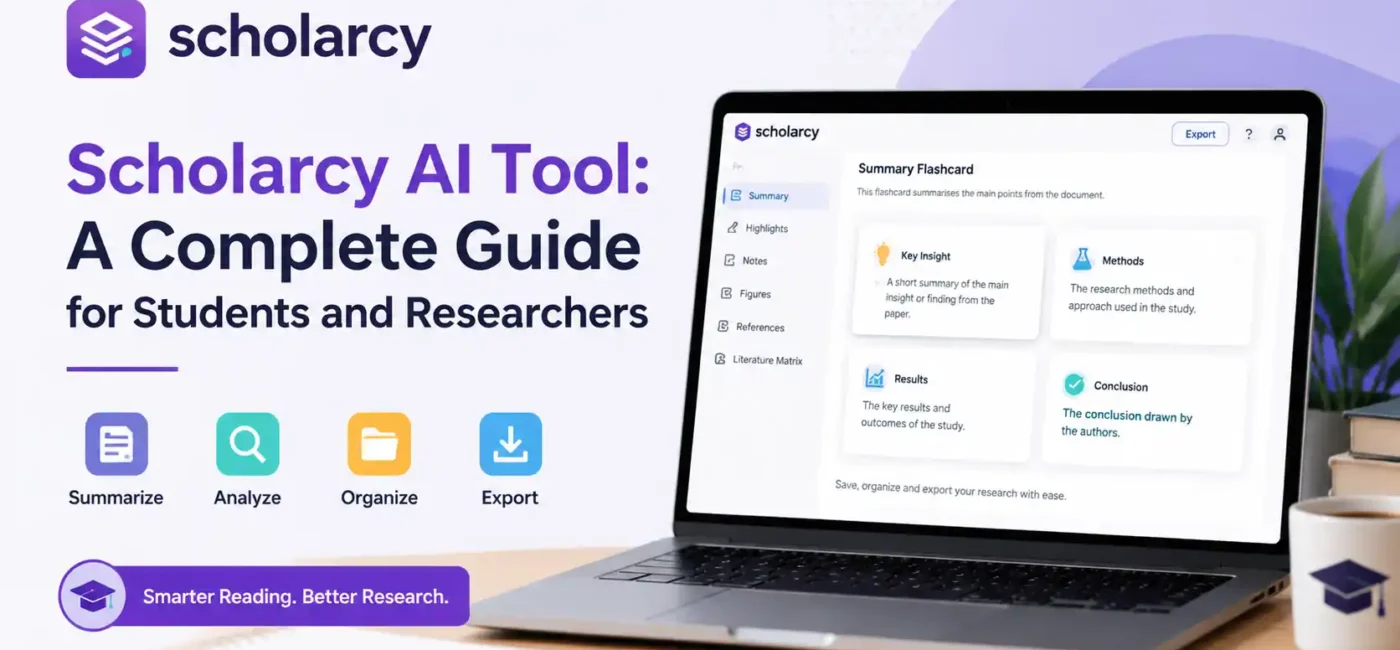
Scholarcy works by taking a document and converting it into a more readable, structured format. You can import files such as PDFs, articles, book chapters, plain text, and in some cases content from tools like Zotero or Google Drive. After processing the document, Scholarcy generates what it calls a summary flashcard. This flashcard is not just a random paragraph summary. It usually organizes the document into sections that help you understand the purpose, key points, methods, findings, references, and important terminology.
The process is useful because academic documents are not always reader-friendly. One paper may hide its main contribution in the discussion section, another may bury key results in a table, and another may use technical language that slows you down. Scholarcy tries to pull those important pieces into a predictable format. That consistency is powerful. When every paper is transformed into a similar flashcard structure, you can compare papers more easily and avoid wasting time just figuring out where the useful information is.
A good way to understand Scholarcy is to imagine a messy desk full of printed papers. Scholarcy does not write your essay for you, and it does not magically make every paper perfect. Instead, it sorts the pile, labels the important pages, highlights the useful parts, and gives you a clean reading map. That is exactly what students and researchers often need at the beginning of a project.
Flashcard Summaries Explained?
The flashcard summary is the heart of the Scholarcy AI Tool. It takes a long research document and turns it into a structured academic card that is easier to scan, review, and save. Instead of reading a full paper line by line, you can first look at the flashcard to understand the main argument, findings, study design, and relevance. This is especially helpful when you are working on a literature review and need to decide quickly whether a paper belongs in your final source list.
Flashcards also reduce the anxiety that comes with complex reading. Many students open a research article and immediately feel stuck because the abstract is technical, the introduction is long, and the methods section looks unfamiliar. Scholarcy gives you a more manageable entry point. It is like reading the menu before ordering the full meal. You still need the full paper for serious academic work, but the flashcard helps you decide whether it’s worth your time.
For researchers, flashcards can become part of a screening workflow. You can summarize several papers, save the useful cards, organize them into collections, and export them later. This makes Scholarcy valuable not only for reading but also for building a research database. When used consistently, flashcards can help you remember why a paper mattered, what evidence it provided, and how it connects to your topic.
Enhanced Summaries and Spotlight
Scholarcy’s enhanced summaries are useful because not every reader needs the same level of detail. Sometimes you want a quick one-sentence overview because you are only checking relevance. Other times, you need a deeper researcher-level summary because the paper is central to your thesis, dissertation, or manuscript. Scholarcy gives users more control over how summaries are presented, which makes it more flexible than basic article summarizers.
The Spotlight-style features are also important because they help you jump toward key information. In academic reading, the most valuable point is not always the first sentence or the abstract. Sometimes the real value is hidden in a limitation, a comparison with previous work, a table, or a short sentence in the results section. Scholarcy helps surface important points so you do not have to dig blindly.
This does not mean you should trust every AI-generated summary without checking. A smart reader uses Scholarcy as a guide, not as the final authority. If Scholarcy highlights a key finding, open the original paper and verify it. If the tool points to a limitation, read the surrounding context. Used this way, Scholarcy becomes a reading accelerator instead of a risky replacement for academic judgment.
Core Features of Scholarcy
Scholarcy includes several features that support different stages of the research process. Some features help you understand a document quickly, while others help you organize, export, and reuse information later. The strongest part of the tool is that it brings many research-reading tasks into one place. Instead of using one app for summaries, another for notes, another for references, and another for spreadsheets, Scholarcy tries to connect these steps inside a single workflow.
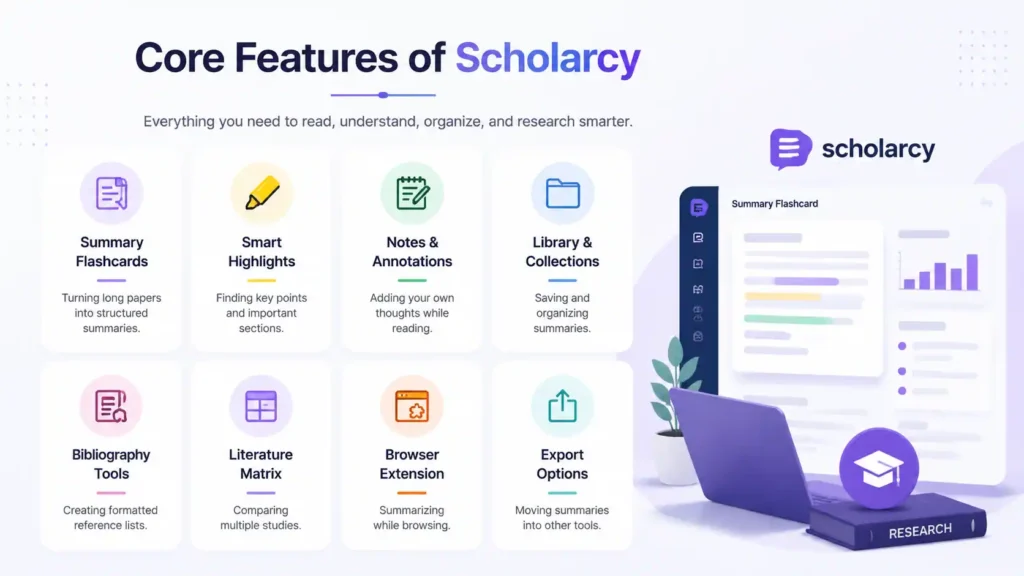
| Feature Area | What It Helps With | Best For |
|---|---|---|
| Summary Flashcards | Turning long papers into structured summaries | Students and researchers |
| Smart Highlights | Finding key points and important sections | Fast reading |
| Notes and Annotations | Adding your own thoughts while reading | Literature reviews |
| Library and Collections | Saving and organizing summaries | Long-term projects |
| Bibliography Tools | Creating formatted reference lists | Assignments and manuscripts |
| Literature Matrix | Comparing multiple studies | Systematic reviews |
| Browser Extension | Summarizing while browsing | Quick paper screening |
| Export Options | Moving summaries into other tools | Research writing workflows |
The value of these features depends on how you use them. If you only paste one article and copy the summary, you will get limited benefit. But if you use Scholarcy as part of a repeatable workflow—import, summarize, verify, annotate, organize, compare, export—it becomes much more powerful. Like any good academic tool, its real strength appears when it becomes a habit.
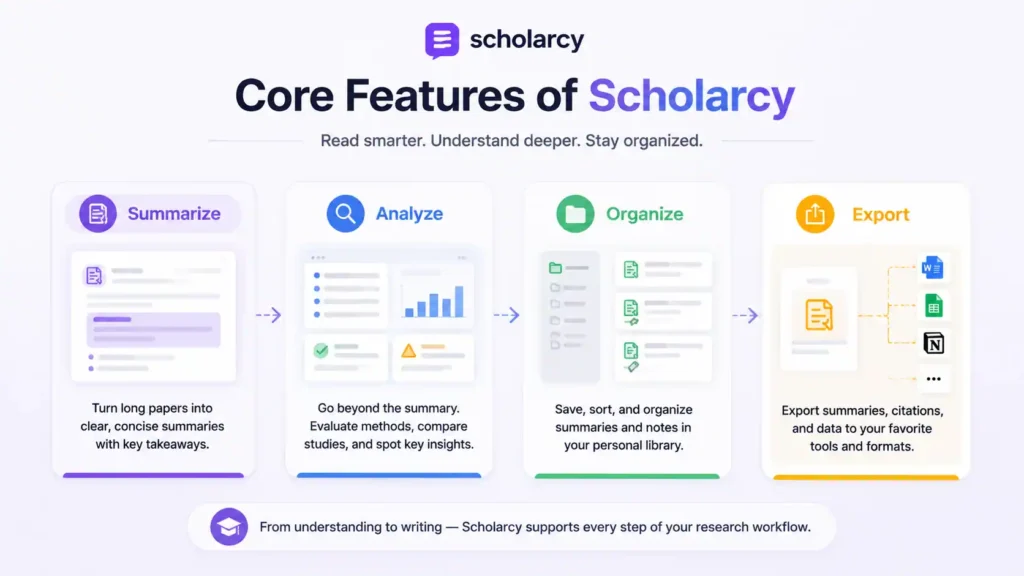
Summarize
The summarize feature is the first reason most people try Scholarcy. It can take a long academic text and turn it into a shorter, clearer version that highlights the key ideas. This is helpful for students who need to understand journal articles quickly, especially when the language is technical or the topic is new. It is also useful for researchers who need to screen a large number of papers before choosing the most relevant ones.
A strong summary does not simply shorten the text. It helps you see the structure of the argument. Scholarcy tries to pull out the main points, contributions, findings, and important concepts so the reader can understand the paper more efficiently. This is different from randomly cutting paragraphs or producing a vague overview. The goal is to make the paper easier to navigate.
The best way to use the summarize feature is as a first-pass reading tool. Read the Scholarcy summary, identify the important claims, then return to the original paper to check details. This habit keeps your work accurate and academically safe. Remember, the summary is the map, but the original paper is still the land.
Analyze
The analysis features make Scholarcy more useful for serious academic reading. A normal summary tells you what a paper says, but analysis helps you think about how the paper works. Scholarcy can help identify important points, highlight study comparisons, show limitations, and guide you toward research quality indicators. That matters because academic work is not just about collecting sources; it is about evaluating them.
For example, two papers may discuss the same topic but use very different methods. One may be a small exploratory study, while another may be a large systematic review. If you treat both equally, your literature review may become weak. Scholarcy’s analysis tools can help you notice these differences faster, giving you a better foundation for critical evaluation.
Still, you should not treat AI analysis as a final verdict. No tool can fully replace your own academic judgment, supervisor feedback, or subject expertise. Scholarcy can point you toward important questions: Is this study reliable? What are its limitations? How does it compare with previous work? But you still need to answer those questions carefully.
Organize
Organization is one of the most underrated parts of research. Many students do not struggle because they cannot find sources; they struggle because they cannot remember which source said what. After reading ten articles, everything starts blending together. Scholarcy helps solve this problem by letting users save summaries, organize flashcards into collections, and keep important information in one searchable place.
This is especially useful for long-term academic projects. If you are writing a thesis, dissertation, systematic review, or research proposal, you may collect sources over weeks or months. Without a system, you may waste hours reopening PDFs and trying to remember why you downloaded them. Scholarcy’s library feature helps you keep your reading organized from the beginning.
A good research workflow is like a clean kitchen. If every tool has a place, cooking becomes easier. If every paper has a clear summary, note, and folder, writing becomes easier. Scholarcy’s organization features help you build that clean workspace for academic reading.
Export
Exporting is important because research does not end inside Scholarcy. Eventually, you need to move your ideas into Word, Google Docs, Notion, Obsidian, Excel, a citation manager, or your final manuscript. Scholarcy supports export options that help users transfer summaries, bibliographies, and structured data into other tools. This is useful because it reduces repetitive copying and pasting.
The literature matrix feature is especially helpful for comparing studies. A literature matrix can help you track authors, year, methods, findings, participants, limitations, and research gaps. For students writing literature reviews, this can be a huge time-saver. Instead of manually building a comparison table from scratch, you can use Scholarcy to support the early structure.
Export features also make Scholarcy more practical for researchers. If you are preparing a manuscript, grant proposal, or review article, you need clean notes and references. Scholarcy can help create a bridge between reading and writing. It does not write the final argument for you, but it gives you organized material that can make writing less chaotic.
Scholarcy for Students and Researchers
Scholarcy is useful for both students and researchers, but each group uses it slightly differently. Students often need help understanding difficult readings, preparing assignments, reviewing lecture material, and managing deadlines. Researchers usually need help screening literature, comparing studies, extracting key findings, and organizing references. The same tool can serve both groups because the underlying problem is similar: too much information and too little time.
For students, Scholarcy feels like a study helper. It can make a long article less scary and help you understand what to focus on before class or before writing. For researchers, it feels more like a literature management assistant. It helps reduce the time spent on first-pass reading and makes it easier to decide which papers deserve deeper analysis.
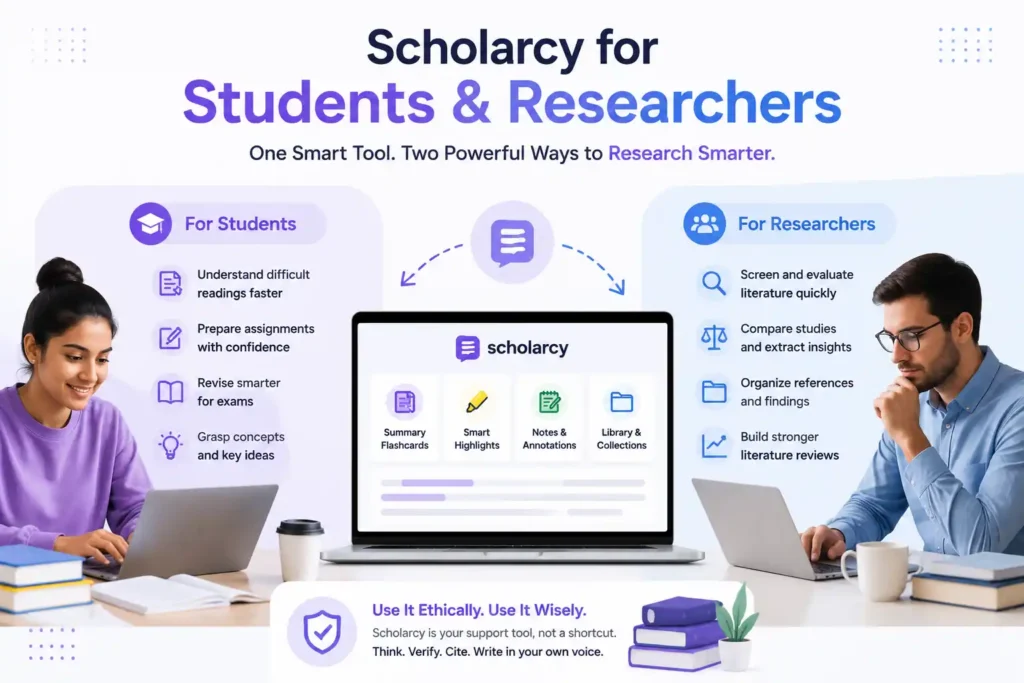
The key is to use Scholarcy ethically. Students should not use it to avoid learning, and researchers should not use it to replace proper critical review. The best users treat it as a support tool. It helps you move faster, but you still need to think, verify, cite, and write in your own voice.
Student Use Cases
Students can use Scholarcy AI Tool for reading lists, essay preparation, exam revision, and concept understanding. Imagine your professor assigns five journal articles before next week’s seminar. Reading all five deeply may take hours, especially if you are new to the topic. Scholarcy can help you preview each article, identify the main argument, and decide which sections need careful reading.
It is also useful when writing assignments. Before starting an essay, you can summarize your sources and compare their key points. This helps you avoid one of the biggest student mistakes: writing from random quotes instead of understanding the source. When you know what each paper actually argues, your writing becomes clearer and stronger.
For exam revision, Scholarcy can help turn dense readings into reviewable notes. Flashcards are easier to revisit than full PDFs, especially when you need quick reminders before a class, meeting, or test. But students should always check their institution’s AI policy. Using AI to understand sources is usually different from submitting AI-generated work, and that difference matters.
Researcher Use Cases
Researchers can use Scholarcy for literature reviews, paper screening, reference tracking, and early-stage synthesis. If you are beginning a new project, the first challenge is often figuring out what has already been published. Scholarcy can help you summarize papers quickly so you can decide which ones are central, which are background reading, and which are not relevant.
For literature reviews, Scholarcy’s value increases when you process multiple papers and export structured information. A researcher can compare methods, findings, limitations, and research gaps across several studies. This makes it easier to identify patterns and build a strong argument. Instead of treating every PDF as an isolated document, you begin to see the research landscape.
Scholarcy can also help when preparing for supervisor meetings, journal clubs, or grant writing. A saved flashcard gives you a quick refresher before discussion. That is useful when you read a paper two months ago and need to remember its main contribution. Research is not only about reading more; it is about remembering and connecting what you already read.
Scholarcy Pricing and Plans
Scholarcy offers a free option and paid plans, but exact prices can depend on location, currency display, and the current checkout page. The free article summarizer is useful for testing the tool, but it comes with limits. It is best for someone who wants to try Scholarcy before committing. If you are only summarizing occasional articles, the free option may be enough to understand the basic experience.
The paid plans are aimed at users who need Scholarcy regularly. These plans include unlimited summarization, saved flashcards, enhanced summaries, notes, highlighting, collections, bulk export, literature matrix creation, and bibliography tools. For students working on a dissertation or researchers handling many papers, these features can be worth considering. The 7-day trial is also useful because you can test the workflow with your own real documents.
| Plan Type | Main Benefit | Best For |
| Free Article Summarizer | Try Scholarcy with limited summaries | Occasional users |
| Monthly Plan | More features with monthly billing | Students with short projects |
| Scholarcy Plus Yearly | More complete research workflow with annual discount | Researchers and heavy users |
Before paying, upload a few real papers from your own field and test whether the summaries are useful. A tool may look good in theory but feel different with your actual material. The smartest buying decision is based on your workflow, not only the feature list.
Free vs Paid Features
The free version is good for exploring Scholarcy, but it is limited. You can use it to understand how summary flashcards work and decide whether the tool fits your study or research style. If your needs are light, that may be enough. But if you are dealing with dozens of articles, you will likely need a paid plan to unlock the full value.
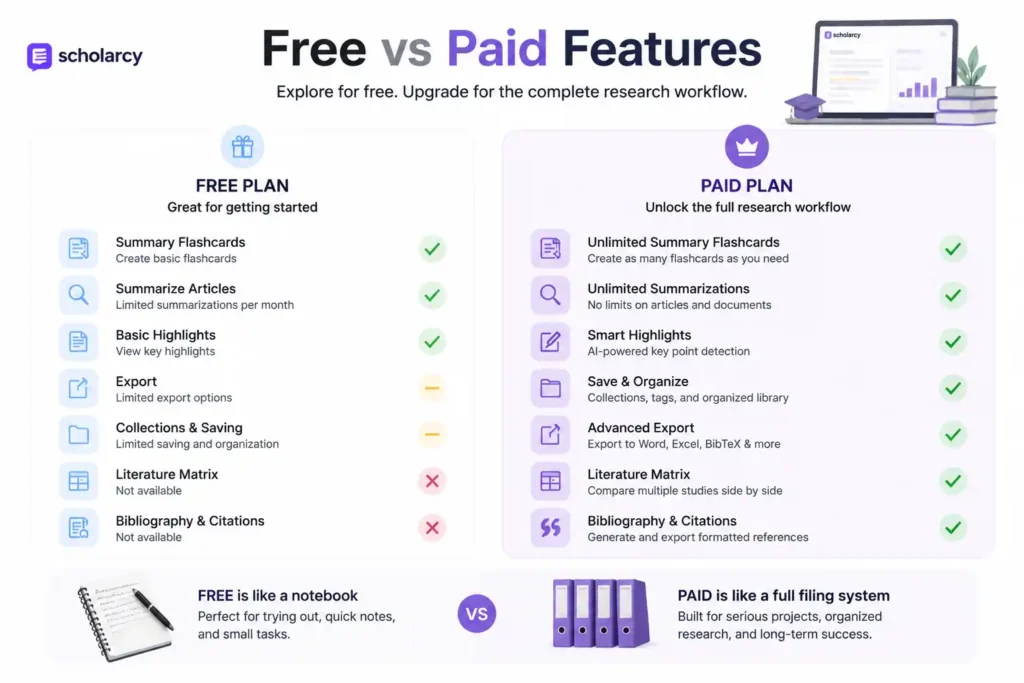
Paid features are more useful for serious academic projects because they support continuity. Saving flashcards, organizing collections, exporting multiple summaries, creating literature matrices, and generating bibliographies are not just “extra” features. They are the features that turn Scholarcy from a simple summarizer into a research workflow tool.
The difference is similar to using a notebook versus using a full filing system. A notebook is fine for a few notes, but a filing system is better when your project grows. If you are writing a thesis, preparing a manuscript, or conducting a literature review, the paid features may save enough time to justify the cost.
Pros and Cons of Scholarcy
Scholarcy has strong advantages, but it is not perfect. Its biggest strength is that it is built for academic reading, not casual content summarization. This makes it especially useful for students and researchers who need structured summaries, references, study comparisons, notes, and export options. It can reduce reading overload and help users approach complex papers with more confidence.
| Pros | Cons |
| Built specifically for academic papers | Free plan has limits |
| Creates structured flashcard summaries | Summaries still need verification |
| Helps with literature reviews and paper screening | Not a replacement for deep reading |
| Supports notes, highlights, collections, and exports | Pricing may vary by region or checkout display |
| Browser extension supports quick reading while browsing | Some features are more useful only for regular users |
| Can support bibliography and literature matrix workflows | AI may miss nuance in complex papers |
The main limitation is that Scholarcy cannot replace critical thinking. AI tools can misunderstand context, simplify too much, or miss a subtle argument. That is not a reason to avoid them; it is a reason to use them wisely. A calculator helps with math, but you still need to know what problem you are solving. Scholarcy works the same way for academic reading.
Best Scholarcy Workflow
The best way to use the Scholarcy AI Tool is to build a repeatable workflow. Start by collecting your papers from databases, Google Scholar, Zotero, or your university library. Then upload or open them with Scholarcy and generate flashcard summaries. Do not immediately copy the summary into your assignment. First, read the flashcard, identify the key points, and decide whether the original paper is relevant.
Next, verify the important claims in the original document. If Scholarcy says the paper found a major result, go to the results or discussion section and check the context. Add your own notes while reading. This step is important because your own interpretation is what turns AI-assisted reading into real learning. Without your own notes, you are only collecting machine summaries.
After that, organize useful papers into collections. For a literature review, group them by theme, method, year, theory, or research question. Then export summaries or create a literature matrix to compare studies. Finally, use your organized notes to write in your own words. This workflow keeps you safe, efficient, and academically honest.
FAQs
1. What is the Scholarcy AI Tool used for?
Scholarcy AI Tool is used to summarize academic papers, articles, book chapters, reports, and research documents. It creates structured flashcard summaries that help readers identify key findings, important points, references, and useful sections faster than reading the full document from the beginning.
2. Is Scholarcy good for students?
Yes, Scholarcy is useful for students who need help understanding long readings, preparing assignments, reviewing lecture material, and managing research sources. It is especially helpful when students have many papers to read and need a quick way to understand which sources are most relevant.
3. Can researchers use Scholarcy for literature reviews?
Yes, researchers can use Scholarcy for literature review screening, study comparison, bibliography creation, and literature matrix preparation. It helps organize multiple papers and makes it easier to compare methods, findings, limitations, and research gaps across studies.
4. Is Scholarcy free?
Scholarcy offers a free article summarizer with limits, along with paid plans for users who need more features. Paid options are more suitable for regular users because they include unlimited summarization, saved flashcards, enhanced summaries, collections, exports, bibliography tools, and literature matrix features.
5. Can Scholarcy replace reading research papers?
No, Scholarcy should not replace reading the original paper. It is best used as a first-pass reading assistant that helps you understand structure, relevance, and key points. For academic writing, you should always verify important claims in the source before citing or discussing them.