
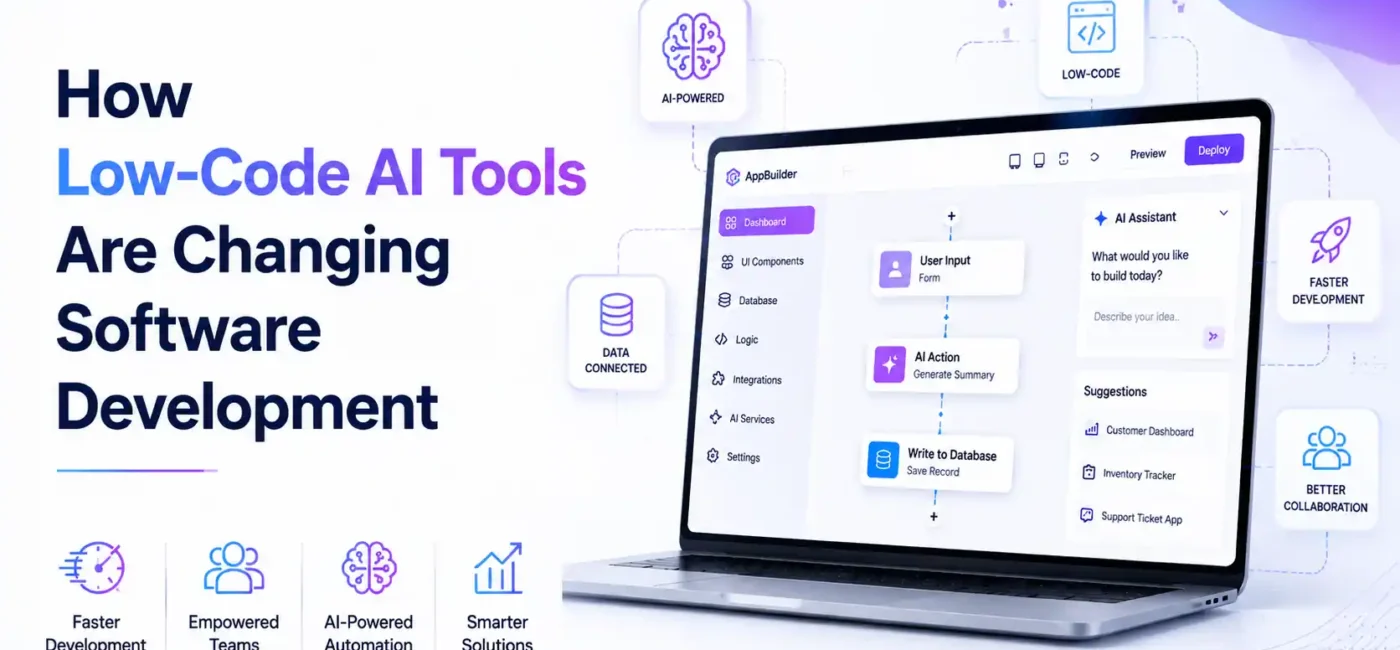
In 2026, the software development landscape is changing faster than ever before. Businesses are under intense pressure to innovate, deliver new applications, and stay ahead of competitors in a digital economy where speed determines success. Yet traditional software development — writing code manually line by line, managing long project timelines, handling frequent revisions, and coordinating development teams — continues to be costly, complex, and time-consuming. Many organizations find themselves struggling to keep up with market demand while balancing limited technical resources.
This is precisely where low-code AI tools come into play. These modern platforms empower users to build software much more quickly than traditional coding methods allow, often without writing a single line of code. For both business leaders and beginners, this shift isn’t just helpful — it’s transformative. Low-code AI tools eliminate barriers that once kept non-technical teams from bringing ideas to life. Instead of relying on scarce developer resources or long engineering cycles, teams can now build applications, workflows, dashboards, and automation tools with intuitive visual interfaces and AI-assisted features.
At its core, a low-code AI platform combines visual design tools with artificial intelligence automation, enabling organizations to accelerate the software creation lifecycle. From rapid prototyping to full production deployment, these tools let users translate business requirements directly into functioning applications. According to Gartner projections, by the end of 2026, more than 70% of new enterprise applications will be developed using low-code and no-code platforms, underscoring how mainstream and essential this technology has become in modern business strategy.
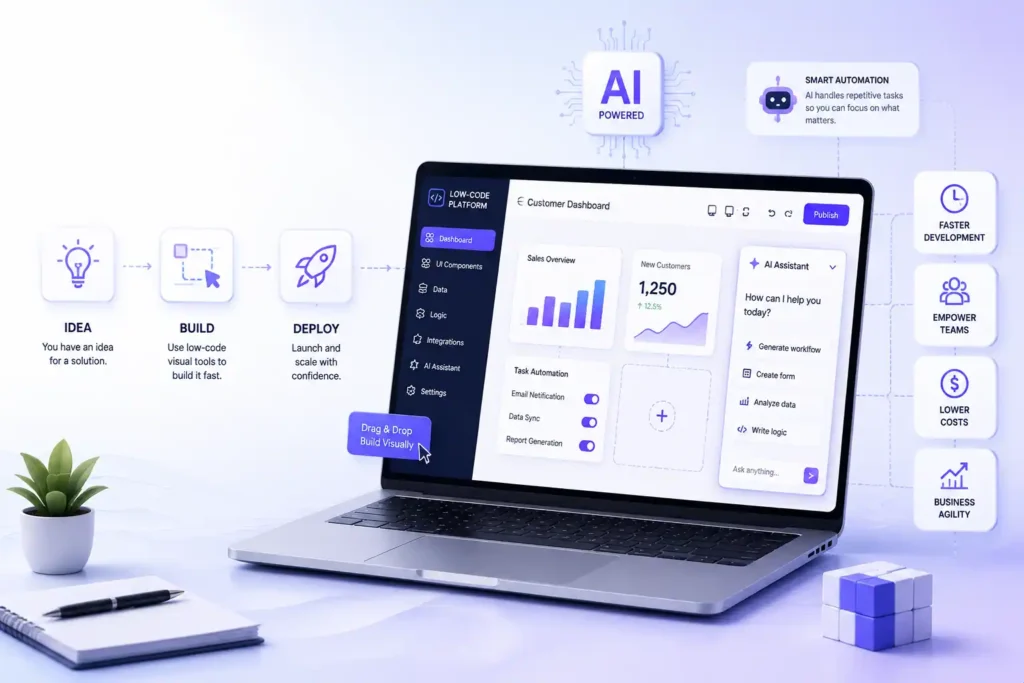
This represents a profound shift — one that allows team members without formal software development experience to participate in digital transformation initiatives. Marketing managers can build customer engagement apps. HR teams can create internal portals without waiting weeks for developer availability. Operations leads can automate repetitive tasks with drag-and-drop workflows instead of lengthy coding sprints. Even executives can prototype ideas and test value quickly before committing major budget and engineering resources.
With low-code AI, organizations gain more than speed — they gain innovation at scale, cost efficiency, and business agility. Team members who were once dependent on engineering support can now design workflows, automate processes, and launch software that drives real business results. In this article, we’ll explore exactly how these tools work, their tangible benefits, the challenges involved, and what the future holds for software development in an increasingly AI-driven world.
What Are Low-Code AI Tools?
Low-code AI tools are modern platforms that merge visual development environments with artificial intelligence capabilities. These tools are designed to simplify software creation, making it accessible to both technical and non-technical users. Essentially, they provide a bridge between business ideas and executable applications, allowing organizations to innovate faster and more efficiently than traditional software development methods.
At their core, low-code AI tools let you:
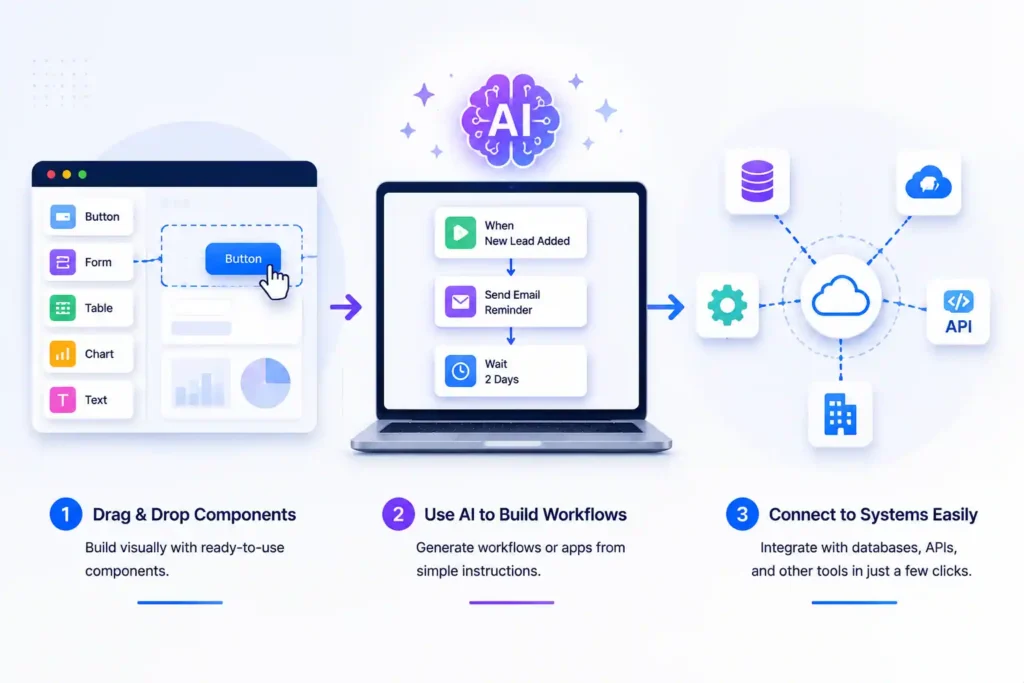
- Drag and drop components instead of writing code manually: Platforms like OutSystems, Mendix, and Appgyver let you visually place buttons, forms, dashboards, and workflows exactly where you need them. This approach reduces the learning curve for beginners and speeds up development for professionals.
- Use AI to generate workflows or even complete applications: Tools such as Microsoft Power Apps, Zoho Creator, and Pega can take plain-language instructions like, “Create a workflow to send automated reminders to clients,” and turn them into working app logic. This means non-developers can actively contribute to building solutions without relying entirely on IT teams.
- Connect apps to databases, APIs, and other systems easily: Integrating multiple data sources is often a complex part of software development. Low-code platforms like Betty Blocks or Quick Base provide pre-built connectors, making it simple to sync your app with enterprise systems, cloud services, and third-party APIs without breaking a sweat.
For beginners, think of low-code AI tools like building with LEGO blocks. You don’t have to mold or carve each piece individually; you just assemble pre-made blocks to construct a final product. Each block can represent a button, a workflow, a database integration, or a report. For business leaders, this approach offers a strategic advantage: it allows teams to rapidly prototype, test, and deploy solutions without being bottlenecked by traditional IT processes.
Moreover, low-code AI platforms often include analytics dashboards, automation capabilities, and AI-driven insights, which enable organizations to continuously optimize their applications after deployment. This ensures that solutions are not only quickly developed but also adaptable and aligned with evolving business needs.
How Low-Code AI Tools Work
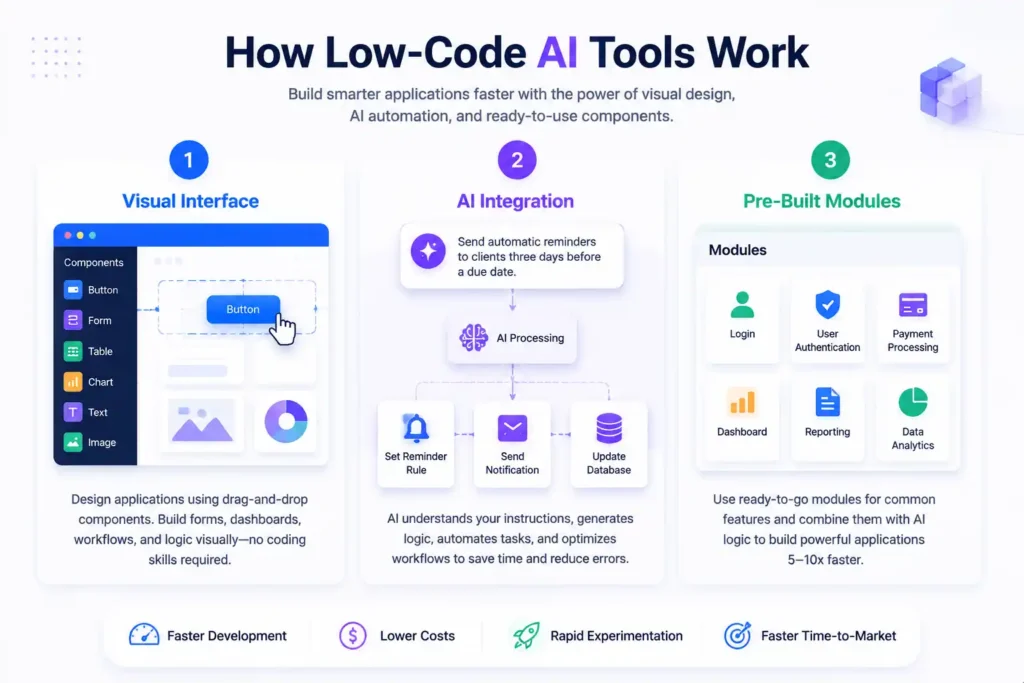
The functionality of low-code AI tools can be summarized in three main areas, each designed to accelerate application development while maintaining flexibility:
1. Visual Interface
The visual interface allows users to design applications using graphical components instead of manually typing code. Users can configure forms, dashboards, buttons, workflows, and business logic with simple drag-and-drop actions. This approach eliminates the steep learning curve of traditional programming and empowers non-technical users to participate actively in application development. It also improves collaboration because stakeholders can visualize workflows and provide feedback in real time.
2. AI Integration
Artificial intelligence enhances low-code platforms in several ways. AI can automate repetitive tasks, generate code snippets, or optimize workflows to improve efficiency and reliability. Some advanced platforms even allow users to describe requirements in plain English, and the AI interprets them into working application logic. For example, an operations manager could type, “Send automatic reminders to clients three days before a due date,” and the platform will generate the necessary rules, notifications, and database interactions. This feature significantly reduces human error and accelerates development timelines.
3. Pre-Built Modules
Most low-code AI platforms come with pre-built modules for common functionalities such as login screens, user authentication, payment processing, reporting dashboards, and data analytics. These modules save significant time because developers and business users don’t need to reinvent the wheel for routine tasks. Combining pre-built modules with AI-generated logic allows businesses to build applications 5–10x faster than traditional coding methods while retaining the flexibility to customize features according to unique business requirements.
By combining visual design, AI-driven automation, and pre-built modules, low-code AI platforms empower organizations to create complex, scalable, and intelligent applications efficiently. This not only reduces development costs but also enables rapid experimentation, iterative improvements, and faster time-to-market — critical factors for maintaining a competitive edge in today’s fast-paced business environment.
Benefits for Business Leaders and Beginners
Faster App Development
Low-code AI tools drastically reduce development cycles. An application that might take months using traditional coding can now be built in days or even hours. Rapid prototyping allows organizations to test ideas quickly and adjust based on user feedback, reducing time-to-market. For non-technical users, this means ideas can move from concept to execution without waiting for IT approvals, helping companies stay agile in a competitive landscape.
Cost Reduction and ROI
By automating routine coding and using AI-assisted development, businesses save on developer salaries, operational costs, and project delays. ROI improves as digital initiatives are launched faster and maintained more efficiently. Startups benefit the most—they can deliver minimum viable products (MVPs) with minimal investment, test market reactions, and scale intelligently.
Empowering Non-Technical Teams
Low-code AI tools democratize software creation. Marketing managers, operations staff, or HR professionals can build apps tailored to their departmental needs without relying on developers. This increases productivity, encourages innovation, and reduces bottlenecks in project execution.
Real-World Applications in Enterprises
Enterprises across industries are leveraging low-code AI tools for:
- Customer Relationship Management (CRM): AI-driven dashboards and workflows help track leads and automate follow-ups.
- Supply Chain Management: Logistics apps can be created to optimize inventory, predict delays, and automate procurement.
- Employee Productivity Tools: HR and operations teams build internal apps for onboarding, performance tracking, or scheduling.
- Healthcare: Rapid creation of patient intake systems, scheduling apps, and reporting dashboards.
By integrating AI, these tools don’t just automate tasks—they also provide insights that inform decision-making, enhance efficiency, and improve user experience.
Role of Citizen Developers
Citizen developers are non-technical employees who use low-code AI tools to create applications without deep coding knowledge. Their rise is reshaping traditional IT departments:
- IT teams now focus on governance, integration, and security.
- Citizen developers handle departmental app creation, boosting productivity.
- Collaboration between IT and business teams ensures apps meet both technical and business standards.
This shift accelerates innovation, reduces IT backlogs, and encourages experimentation.
Improving Collaboration Across Departments
Visual interfaces and AI suggestions make collaboration easier:
- Product managers can prototype ideas with real data.
- Marketing teams can automate campaigns without developers.
- HR teams can design internal workflows and approvals.
Everyone works in the same platform, bridging communication gaps and increasing alignment between business goals and technical execution.
Challenges and Risks
Despite the benefits, low-code AI tools present challenges:
- Quality and Security: AI-generated code may have vulnerabilities. Regular testing and governance are essential.
- Technical Debt: Rapid development without planning can lead to difficult-to-maintain systems.
- Overreliance: Teams may lose coding skills if too dependent on AI tools.
- Integration Complexity: Connecting low-code apps with legacy systems can be challenging.
Awareness and proper management of these risks are critical to ensure sustainable benefits.
Future Trends in Low-Code AI Development
Looking ahead, 2026–2030 trends include:
- Conversational Development: Apps built using natural language prompts.
- Autonomous AI Agents: Agents that can design, code, test, and deploy apps independently.
- Hybrid Workflows: Mixing citizen developer initiatives with traditional IT teams.
- AI-Powered App Optimization: Continuous monitoring and automatic improvements without human intervention.
The future of software development will be collaborative, faster, and more accessible than ever before.
FAQs
1. What exactly are low-code AI tools?
Low-code AI tools are platforms that help you build software applications with minimal hand-coding by using visual interfaces, drag-and-drop components, and AI-assisted features. Instead of writing every line of code manually, you visually assemble features and logic, and smart AI helps generate or suggest code where needed.
2. How are low-code and no-code tools different?
While both let you build apps without traditional coding:
- Low-code still allows you to add custom code and is more flexible for complex apps.
- No-code requires zero code and is simpler but sometimes less customizable.
Think of low-code as a hybrid where you can write some code if needed, while no-code hides all coding entirely.
3. Do I need to know programming to use low-code AI tools?
No, not necessarily. Beginners and non-technical users can use low-code AI tools to build apps because the interface is visual and guided. But basic tech understanding helps when working with integrations or more advanced features like external databases or APIs.
4. Can low-code AI tools replace software developers?
Low-code tools greatly speed up development and empower non-technical contributors. But they do not fully replace professional developers, especially for complex systems, performance-critical apps, or deep architectural work. Instead, they enable developers to work more efficiently and focus on higher-value tasks.