
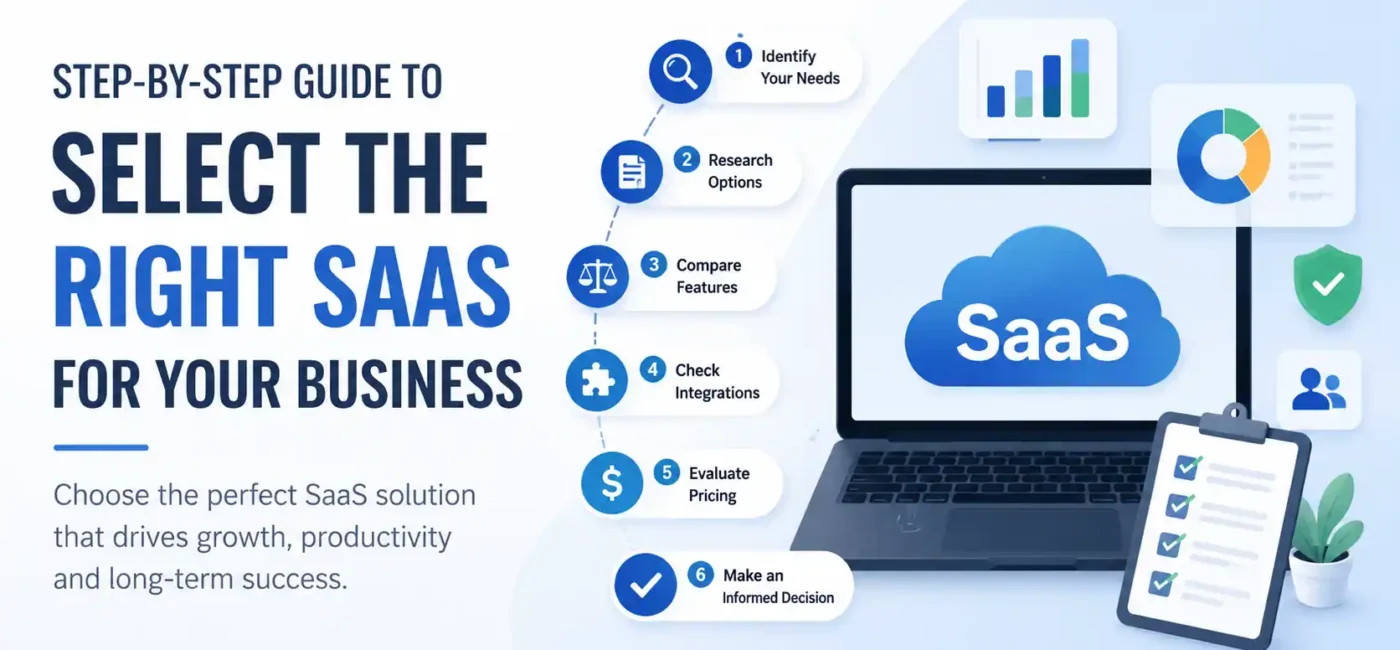
In today’s digital-first business environment, choosing the right Software-as-a-Service (SaaS) platform can be one of the most important decisions a company makes. Whether you’re running a startup, a small business, or a large enterprise, the software tools you select directly influence productivity, collaboration, customer experience, and profitability. The challenge is that the SaaS market has exploded with thousands of options across every category imaginable, from CRM and accounting to project management, HR, AI automation, and marketing.
The global SaaS market continues to grow rapidly, with organizations relying more heavily on cloud-based solutions than ever before. Recent industry reports indicate that SaaS now accounts for a major share of enterprise software spending, and businesses are increasing their investments in cloud applications as they pursue automation, scalability, and AI-driven innovation.
The question isn’t whether your business should use SaaS. The real question is: How do you choose the right SaaS solution that delivers long-term value without wasting money, time, and resources? This guide will walk you through everything you need to know to make a confident and strategic decision.
Understanding SaaS and Why It Matters
SaaS refers to software applications delivered over the internet instead of being installed locally on company servers or individual computers. Rather than purchasing software outright, businesses typically pay a monthly or annual subscription fee to access cloud-hosted services.
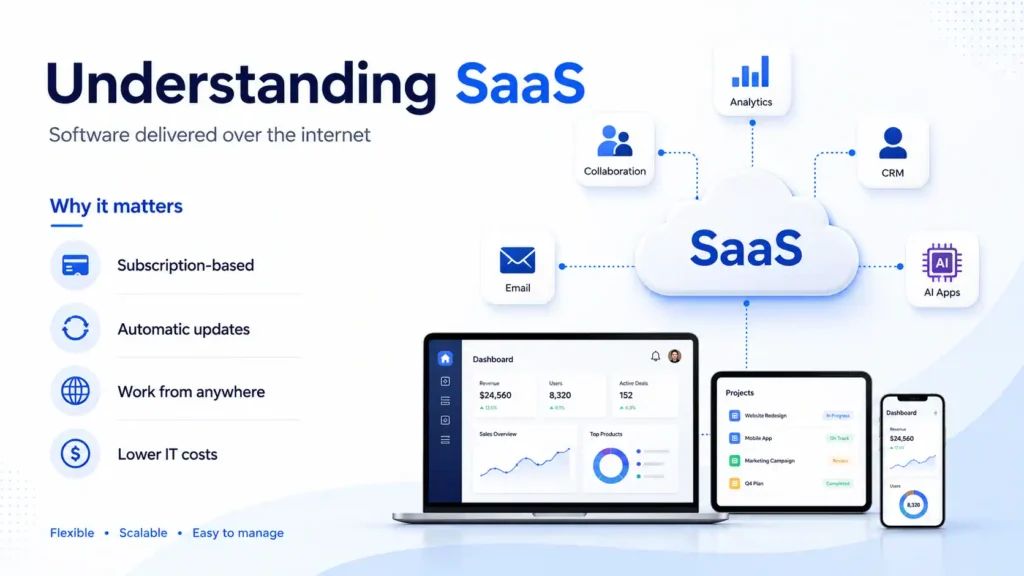
Think about popular tools such as CRM systems, email marketing platforms, accounting software, collaboration tools, and AI assistants. Most of these operate on the SaaS model because it offers convenience, accessibility, and lower upfront costs.
The beauty of SaaS lies in its simplicity. Updates happen automatically. Teams can work from anywhere. Businesses avoid expensive hardware investments. Technical maintenance is handled by the software provider. As a result, companies can focus on growth instead of managing complex IT infrastructure.
The increasing popularity of remote work has accelerated SaaS adoption even further. Modern businesses need solutions that allow employees to collaborate seamlessly regardless of location. SaaS platforms provide exactly that, making them essential components of digital transformation strategies across industries.
The Growing Importance of SaaS in 2026
Current SaaS Market Trends
The SaaS industry is experiencing remarkable growth. Industry research shows that approximately 85% of software deployments are expected to be SaaS-based, while SaaS spending continues to rise across organizations worldwide. Businesses are increasingly adopting cloud applications due to their flexibility, scalability, and integration capabilities.
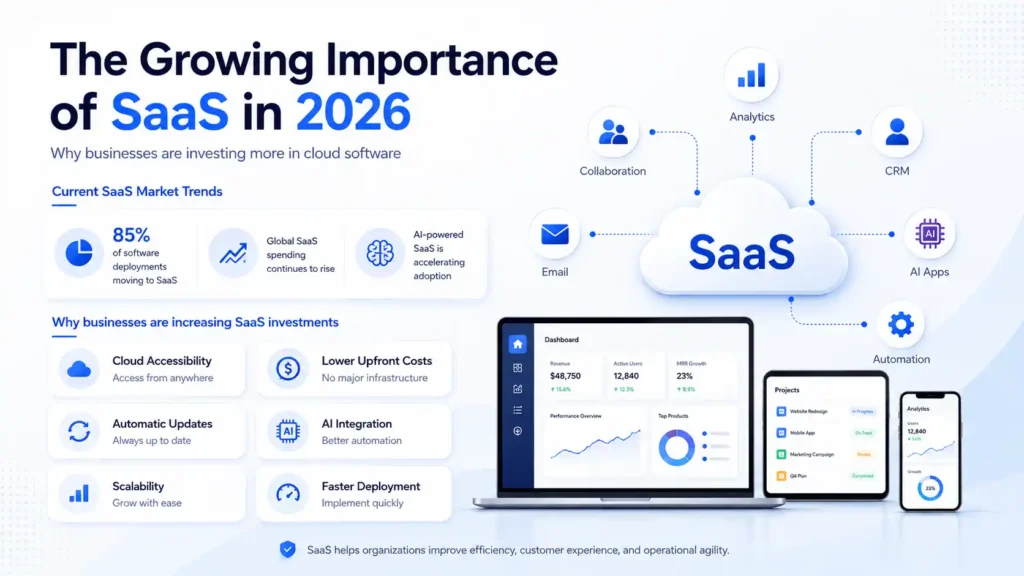
AI-powered SaaS tools are particularly driving market expansion. Enterprise demand for AI-enabled software has surged as companies seek automation, predictive analytics, content generation, customer service enhancements, and workflow optimization. Enterprise AI adoption has moved beyond experimentation and has become part of daily operations for many organizations.
Why Businesses Are Increasing SaaS Investments
Several factors explain this growth:
| Factor | Benefit |
| Cloud Accessibility | Access software from anywhere |
| Lower Upfront Costs | No major infrastructure investments |
| Automatic Updates | Always use the latest version |
| AI Integration | Improved automation and productivity |
| Scalability | Grow without replacing systems |
| Faster Deployment | Implement solutions quickly |
Organizations increasingly recognize that choosing the right SaaS platform can create competitive advantages through efficiency gains, improved customer experiences, and streamlined operations.
Identify Your Business Needs First
Define Business Goals
Before comparing software vendors, start by examining your business objectives. Many companies make the mistake of falling in love with flashy features before understanding their actual needs.
Ask yourself:
- What problem are we trying to solve?
- Which processes consume the most time?
- What tasks could be automated?
- What growth goals do we want to achieve?
Imagine buying a vehicle. You wouldn’t purchase a sports car if you need to transport construction materials every day. The same principle applies to SaaS selection. Your choice should align with your business objectives rather than market hype.
Analyze Existing Challenges
Create a detailed assessment of current pain points. Perhaps your sales team struggles with lead tracking. Maybe your accounting process involves excessive manual work. Or your customer support department experiences slow response times.
Document these challenges and rank them by priority. This exercise helps narrow your search and ensures you focus on solutions that deliver measurable business value.
Companies that begin with business needs instead of features are more likely to achieve successful SaaS implementations.
Key Features to Look for in a SaaS Solution
Ease of Use
A sophisticated platform is worthless if employees refuse to use it. User adoption remains one of the biggest factors influencing software success.
Look for intuitive interfaces, simple navigation, clear dashboards, and minimal training requirements. Request demonstrations and allow team members to test the software before committing.
Remember that every additional hour spent learning software translates into productivity costs.
Automation Capabilities
Automation is no longer optional. Modern SaaS solutions should eliminate repetitive tasks and streamline workflows.
Examples include:
- Automated email sequences
- Invoice generation
- Customer support routing
- Sales pipeline updates
- Report creation
Automation saves time while reducing human error, allowing employees to focus on strategic activities.
Customization Options
Every business operates differently. Your chosen SaaS solution should adapt to your processes rather than forcing you into rigid workflows.
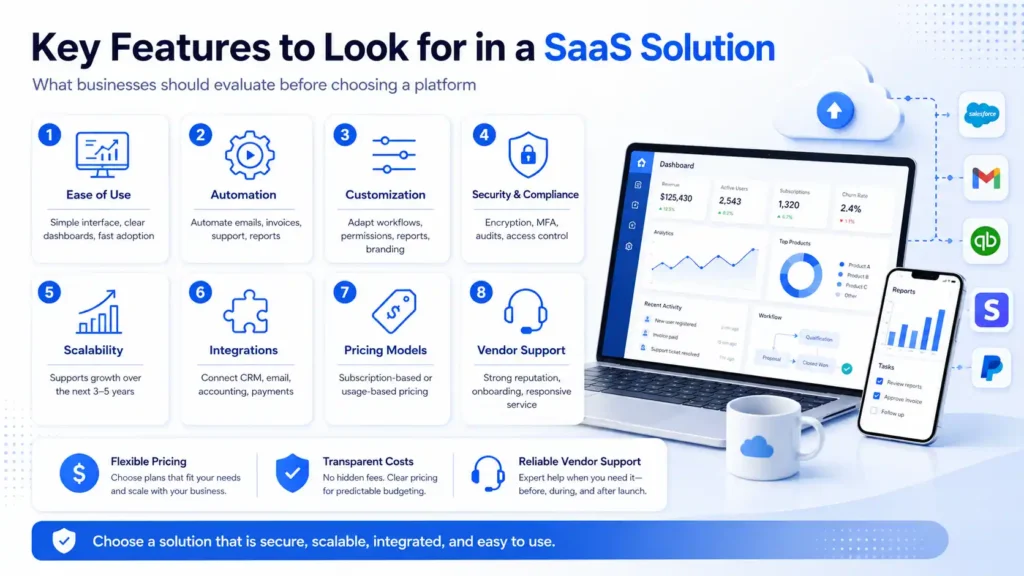
Look for customizable dashboards, workflows, reports, user permissions, and integrations. Flexibility ensures the software remains valuable as your organization evolves.
Evaluating Security and Compliance
Data security has become one of the most critical aspects of SaaS selection. Businesses store sensitive customer information, financial records, employee data, and proprietary intellectual property within cloud applications.
A trustworthy SaaS vendor should provide:
- Data encryption
- Multi-factor authentication
- Regular security audits
- Role-based access controls
- Disaster recovery plans
Compliance requirements vary by industry. Healthcare organizations may require HIPAA compliance. Financial companies may need advanced regulatory safeguards. European businesses often prioritize GDPR compliance.
Industry experts consistently highlight governance, security, and compliance as major considerations when adopting modern SaaS platforms, especially AI-enabled solutions.
Never treat security as an afterthought. A single data breach can cause financial losses, reputational damage, and legal complications.
Assessing Scalability for Future Growth
One of SaaS’s greatest advantages is scalability. However, not every platform scales equally well.
Consider your plans:
- Will employee numbers double?
- Will customer volume increase significantly?
- Will you expand internationally?
- Will additional departments need access?
The software you choose today should support tomorrow’s growth.
Many organizations outgrow their initial software choices because they focus solely on current requirements. Migrating data, retraining staff, and rebuilding workflows later can become expensive and disruptive.
Select a platform capable of supporting your business over the next three to five years rather than only meeting immediate needs.
Integration with Existing Tools
No software operates in isolation. Most businesses use multiple applications across sales, marketing, accounting, HR, customer support, and operations.
Your SaaS solution should integrate seamlessly with your existing technology stack.
Common integrations include:
- CRM systems
- Email platforms
- Accounting software
- Payment gateways
- Communication tools
- Marketing automation platforms
Poor integration creates data silos and duplicate work. Strong integration creates a connected ecosystem where information flows automatically between systems.
When evaluating vendors, ask for a complete list of available integrations and API capabilities. Future flexibility can save substantial costs later.
Understanding SaaS Pricing Models
Subscription-Based Pricing
Traditional SaaS pricing involves fixed monthly or annual subscriptions. Businesses pay predictable fees based on user count, features, or service tiers.
Advantages include:
- Predictable budgeting
- Simple billing
- Easy cost forecasting
This model remains popular because it provides financial clarity and simplifies procurement decisions.
Usage-Based Pricing
An increasing number of SaaS providers now use consumption-based pricing models. Companies pay according to actual usage rather than fixed subscriptions.
Research shows that usage-based pricing adoption continues to increase across the SaaS industry.
While this model offers flexibility, businesses must monitor costs carefully. Unexpected usage spikes can increase expenses significantly.
When comparing pricing models, calculate:
- Monthly costs
- Annual costs
- Setup fees
- Training expenses
- Integration costs
- Upgrade costs
The cheapest option is not always the most cost-effective solution.
Vendor Reputation and Customer Support
Software selection isn’t just about technology. You’re also choosing a long-term business partner.
Investigate:
- Customer reviews
- Case studies
- Industry reputation
- Financial stability
- Customer retention rates
Reliable support can make the difference between successful implementation and frustrating failure.
Ask questions such as:
- Is support available 24/7?
- Are onboarding services included?
- What response times are guaranteed?
- Is live chat available?
A vendor with excellent customer service often delivers greater long-term value than a competitor offering more features but poor support.
Comparing Top SaaS Evaluation Criteria
| Evaluation Factor | Importance Level |
| Business Fit | Very High |
| Security | Very High |
| Ease of Use | High |
| Scalability | High |
| Integration | High |
| Pricing | Medium |
| Customer Support | High |
| Vendor Reputation | High |
| AI Features | Medium |
| Reporting & Analytics | High |
Use this framework to score potential vendors objectively rather than relying on marketing claims.
Common Mistakes Businesses Make
Many SaaS implementations fail because organizations repeat the same mistakes.
Common errors include:
- Choosing software based solely on price.
- Ignoring employee feedback.
- Overlooking scalability.
- Failing to evaluate integrations.
- Underestimating training requirements.
- Neglecting security assessments.
- Signing long contracts without testing.
Another growing issue is SaaS sprawl. Research indicates that businesses increasingly struggle with managing too many disconnected applications.
The goal isn’t to accumulate software. The goal is to build an efficient technology ecosystem.
Step-by-Step SaaS Selection Process
Follow this proven process:
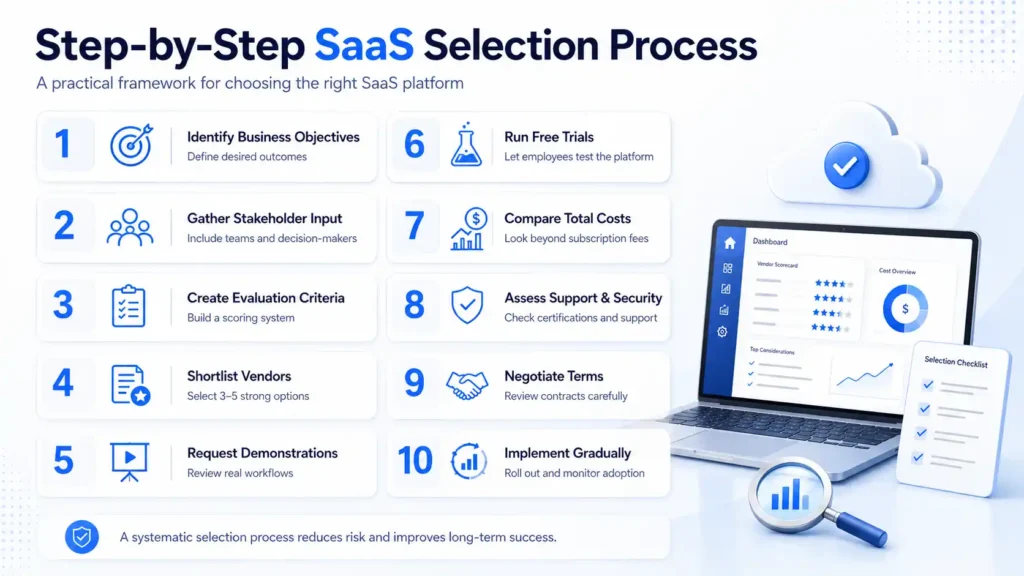
Step 1: Identify Business Objectives
Clearly define the outcomes you want to achieve.
Step 2: Gather Stakeholder Input
Include managers, employees, IT teams, and decision-makers.
Step 3: Create Evaluation Criteria
Develop a scoring system based on business priorities.
Step 4: Shortlist Vendors
Narrow options to three to five strong candidates.
Step 5: Request Demonstrations
Observe real-world workflows instead of marketing presentations.
Step 6: Run Free Trials
Allow employees to test the platform.
Step 7: Compare Total Costs
Evaluate long-term expenses, not just subscription fees.
Step 8: Assess Support and Security
Verify certifications, service agreements, and support quality.
Step 9: Negotiate Terms
Review contracts carefully before signing.
Step 10: Implement Gradually
Roll out the software strategically and monitor adoption.
This systematic approach significantly reduces implementation risks while improving long-term satisfaction.
FAQs
1. What is the best SaaS software for small businesses in 2026?
The best SaaS software for small businesses depends on your specific needs and industry. Popular SaaS categories include CRM software, project management tools, accounting platforms, email marketing software, and AI automation solutions. When selecting a SaaS platform, focus on ease of use, scalability, integrations, customer support, and pricing to ensure long-term business growth and efficiency.
2. How do I choose the right SaaS platform for my business?
To choose the right SaaS platform, start by identifying your business goals, operational challenges, and budget. Compare software features, security standards, integration capabilities, customer reviews, and pricing plans. Always take advantage of free trials and product demos before making a final decision. Businesses that carefully evaluate SaaS solutions often achieve higher productivity and better return on investment (ROI).
3. What features should I look for in a SaaS solution?
The most important SaaS features include cloud accessibility, automation tools, data security, customizable dashboards, reporting and analytics, third-party integrations, mobile access, and scalability. Modern businesses should also look for AI-powered features that help automate repetitive tasks and improve decision-making.
4. What is the best SaaS software for small businesses in 2026?
The best SaaS software depends on your business needs, but tools like HubSpot CRM, Trello, and QuickBooks Online are widely used for CRM, project management, and accounting.
5. Why is SaaS better than traditional software?
SaaS software offers several advantages over traditional software, including lower upfront costs, automatic updates, cloud-based access, improved collaboration, faster deployment, and easier scalability. Unlike traditional software that requires expensive hardware and manual maintenance, SaaS solutions allow businesses to access the latest features and security updates from anywhere with an internet connection.
6. What are the biggest mistakes businesses make when buying SaaS software?
Common mistakes include choosing software based only on price, ignoring customer reviews, failing to test the platform through free trials, overlooking integration requirements, and underestimating employee training needs. Businesses should also avoid purchasing software with features they do not need, as this can increase costs without delivering additional value.
7. Is SaaS software secure for storing business data?
Most leading SaaS providers invest heavily in cybersecurity and offer advanced protection measures such as data encryption, multi-factor authentication, role-based access controls, and regular security audits. Before selecting a platform, verify compliance certifications, privacy policies, backup procedures, and security protocols to ensure your business data remains protected.
8. What is the ROI of implementing SaaS solutions?
The return on investment (ROI) of SaaS software comes from increased productivity, reduced operational costs, improved customer experiences, and workflow automation. Businesses often save significant time by automating repetitive processes, reducing manual errors, and enabling teams to collaborate more effectively through cloud-based systems.
9. Can SaaS software grow with my business?
Yes. One of the biggest advantages of SaaS is business scalability. Most SaaS platforms allow companies to add users, upgrade plans, access advanced features, and expand operations without replacing existing systems. This flexibility makes SaaS an ideal choice for startups, small businesses, and growing enterprises.
10. Which SaaS trends should businesses watch in 2026?
The biggest SaaS trends in 2026 include AI-powered automation, predictive analytics, no-code and low-code platforms, enhanced cybersecurity solutions, customer experience optimization, and industry-specific SaaS applications. Businesses that adopt innovative SaaS technologies early can improve efficiency, gain competitive advantages, and accelerate digital transformation.