
Artificial intelligence has completely changed the way we work, learn, create, and manage our daily responsibilities. A few years ago, AI was mostly associated with futuristic technology, research laboratories, and complex automation systems. Today, AI productivity tools have become practical solutions used by millions of professionals, businesses, students, freelancers, and creators around the world.
In 2026, productivity is no longer about working longer hours. It is about working intelligently. The biggest challenge for modern professionals is not a lack of information or tools; it is managing too much information, too many tasks, endless communication, and constant distractions. AI productivity apps help solve this problem by acting as intelligent assistants that organize information, automate repetitive tasks, generate ideas, analyze data, and improve decision-making.
Imagine having a digital assistant that can summarize a 50-page report in seconds, prepare meeting notes automatically, write your first draft of an article, create professional designs, manage your calendar, or even help you write computer code. This is no longer science fiction. These capabilities are available today through advanced AI-powered applications.
The demand for AI productivity software has increased rapidly because companies and individuals want to achieve better results with fewer resources. Small businesses use AI tools to compete with larger organizations, marketers use them to create campaigns faster, developers use them to build software efficiently, and students use them to learn and research more effectively.
This guide covers the best AI productivity tools in 2026, including more than 50 AI apps for writing, research, communication, project management, design, automation, coding, business operations, and personal organization.
Whether you want to save hours every week, improve your workflow, or discover new ways to use artificial intelligence, this complete list will help you find the right AI productivity tools for your needs.
Best Research and Knowledge Management AI Tools in 2026
The amount of information available today is enormous. Researchers, students, entrepreneurs, and professionals often spend countless hours searching, reading, and organizing information. AI research tools solve this challenge by helping users discover relevant information, summarize complex materials, and extract valuable insights.
Instead of manually going through hundreds of pages, AI-powered research assistants can quickly identify important concepts, organize notes, and help users make better decisions. These tools are especially valuable in education, business research, scientific work, and content development.
Benefits of Using AI Productivity Apps
Saving Time Through Automation
One of the biggest reasons people adopt AI productivity tools is automation. Many daily activities require repeated actions that consume valuable time.
For example, professionals spend hours writing emails, preparing documents, scheduling meetings, organizing information, and creating reports. AI tools can automate many of these processes.
A business owner can use AI to generate marketing content. A researcher can use AI to summarize scientific papers. A manager can use AI to organize project updates. A student can use AI to create study notes.
Automation does not simply make work faster; it reduces mental exhaustion. When AI handles repetitive tasks, users can dedicate more energy to important decisions.
Best AI Writing and Content Creation Tools in 2026
Content creation is one of the areas where AI has created the biggest impact. Writers, marketers, businesses, and creators now use AI writing assistants to generate ideas, improve language, optimize SEO, and create professional content.
Below are some of the most powerful AI writing productivity tools available in 2026.
1. ChatGPT
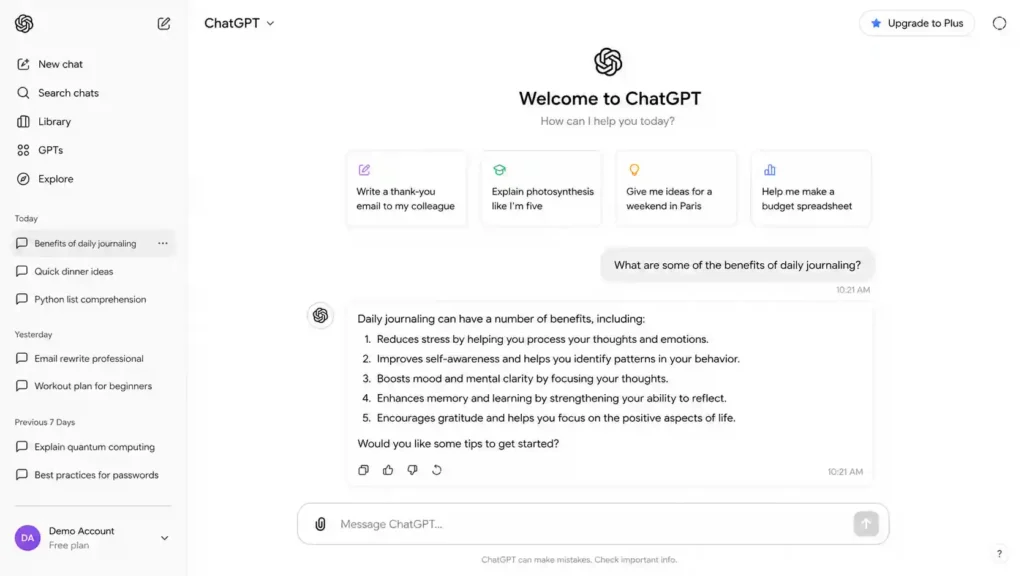
Best For: Writing, research, brainstorming, coding, and general productivity
ChatGPT is one of the most widely used AI productivity tools in the world. Developed as an advanced conversational AI assistant, it helps users write articles, create emails, generate ideas, summarize documents, analyze information, and solve complex problems.
Professionals use ChatGPT for business communication, marketers use it for content creation, developers use it for programming assistance, and students use it for learning support.
Key Features:
- AI writing assistant
- Content brainstorming
- Research support
- Code generation
- Data analysis
- Document summarization
- Personalized assistance
ChatGPT works like an all-purpose digital assistant that can support almost any professional workflow.
View ChatGPT details
2. Claude AI
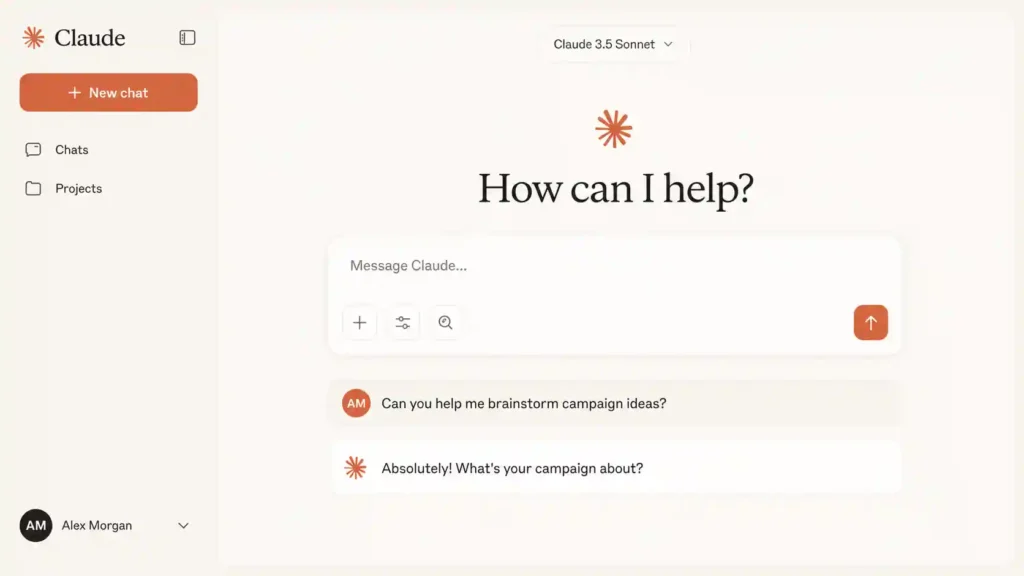
Best For: Long documents, analysis, and professional writing
Claude AI is an advanced artificial intelligence assistant designed for natural conversations and complex information processing. It is especially useful for analyzing long documents, creating detailed reports, and handling professional writing tasks.
Researchers, writers, and businesses use Claude because it can understand large amounts of text and provide structured responses.
Key Features:
- Long document analysis
- Professional writing support
- Research assistance
- Summarization
- Data interpretation
Claude is a strong choice for users who frequently work with large amounts of information.
View Claude AI details
3. Google Gemini
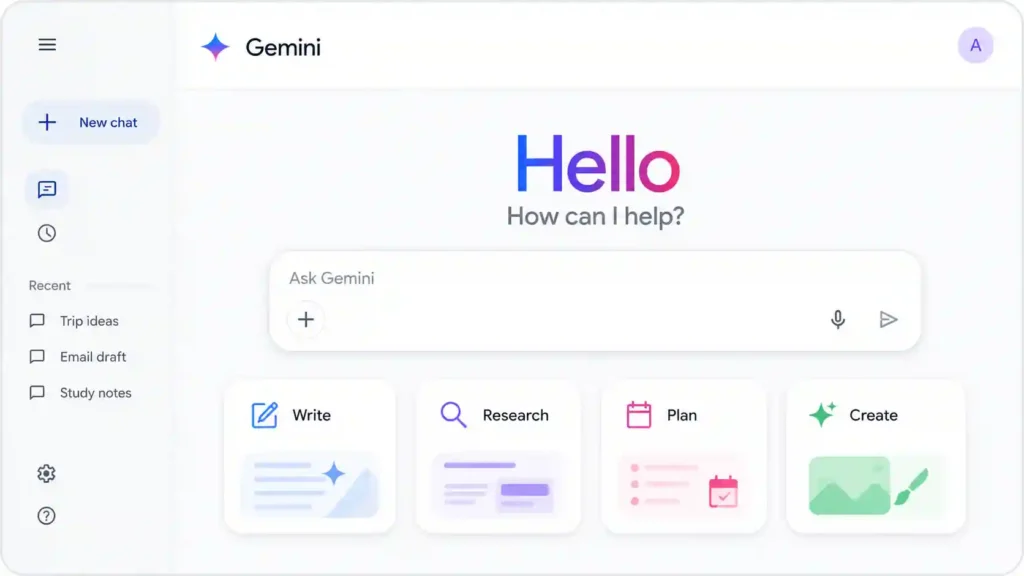
Best For: Google Workspace users and AI-powered productivity
Google Gemini is Google’s AI assistant designed to integrate with Google services such as Gmail, Docs, Sheets, and Drive.
It helps users write emails, analyze documents, generate content ideas, and improve workplace productivity.
Key Features:
- Gmail assistance
- Document creation
- Spreadsheet analysis
- AI search capabilities
- Google Workspace integration
Gemini is especially useful for professionals already using Google’s ecosystem.
View Google Gemini details
4. Jasper AI
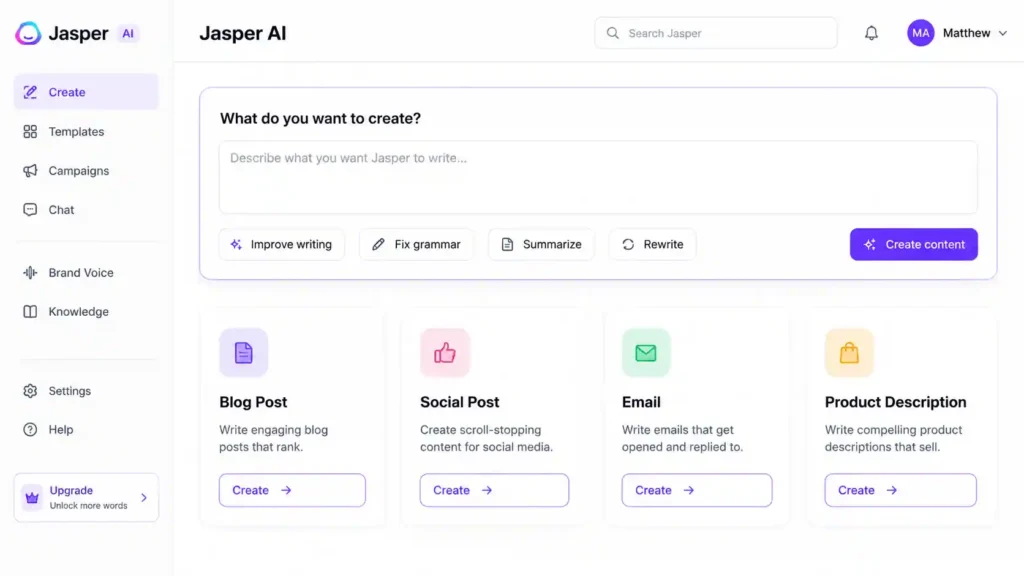
Best For: Marketing teams and business content creation
Jasper AI is an AI writing platform focused on marketing and brand content. It helps companies create advertisements, blog posts, product descriptions, social media content, and email campaigns.
Unlike general AI assistants, Jasper provides marketing-focused templates and brand voice customization.
Key Features:
- Marketing copy generation
- Brand voice control
- Blog writing
- Social media content
- Campaign creation
Jasper is ideal for businesses that need consistent marketing content.
View Jasper AI details
5. Copy.ai
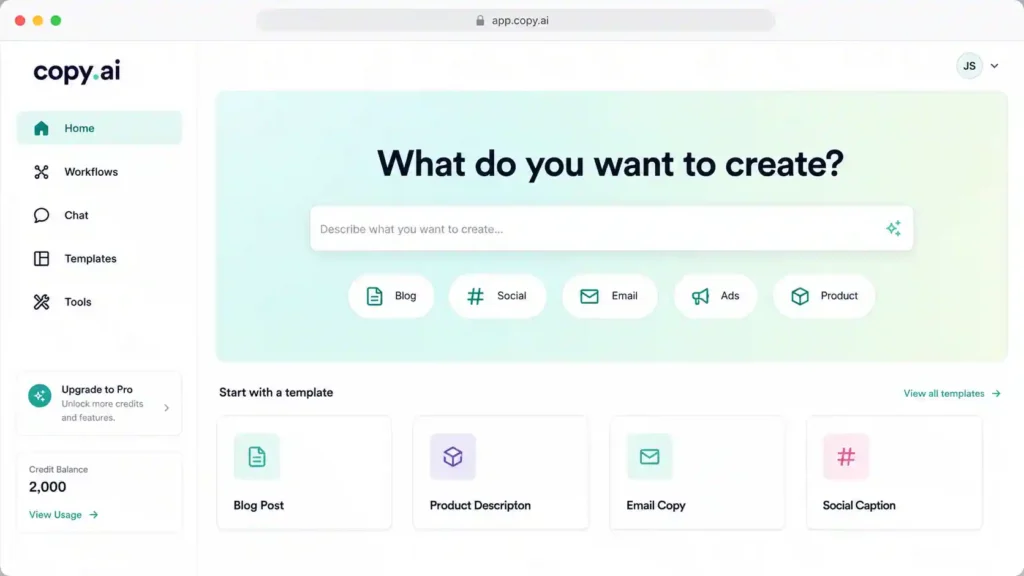
Best For: Sales and marketing automation
Copy.ai helps businesses create persuasive marketing materials quickly. It is designed for sales teams, marketers, and entrepreneurs who need content for campaigns.
Key Features:
- Sales copy generation
- Email writing
- Product descriptions
- Social media posts
- Marketing workflows
Copy.ai helps reduce the time required to create customer-focused content.
View Copy.ai details
6. Writesonic
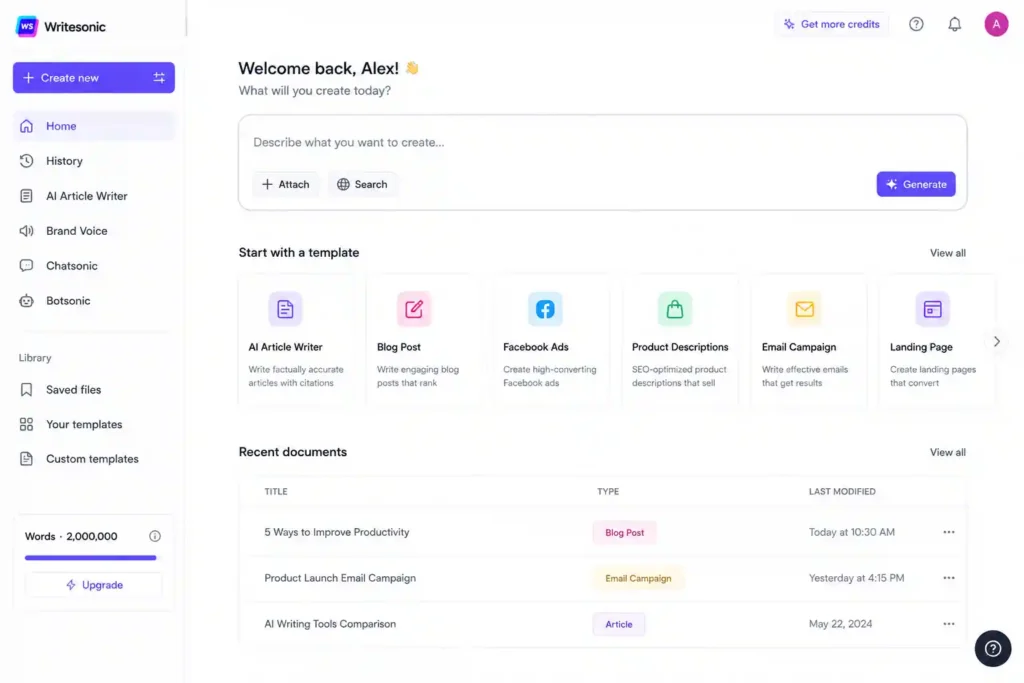
Best For: SEO content and blog writing
It focuses on creating search-engine-friendly content.
Key Features:
- SEO blog generation
- Article outlines
- Product descriptions
- Landing page copy
- AI content optimization
Writesonic is popular among digital marketers who want to create content faster.
View Writesonic details
7. Perplexity AI
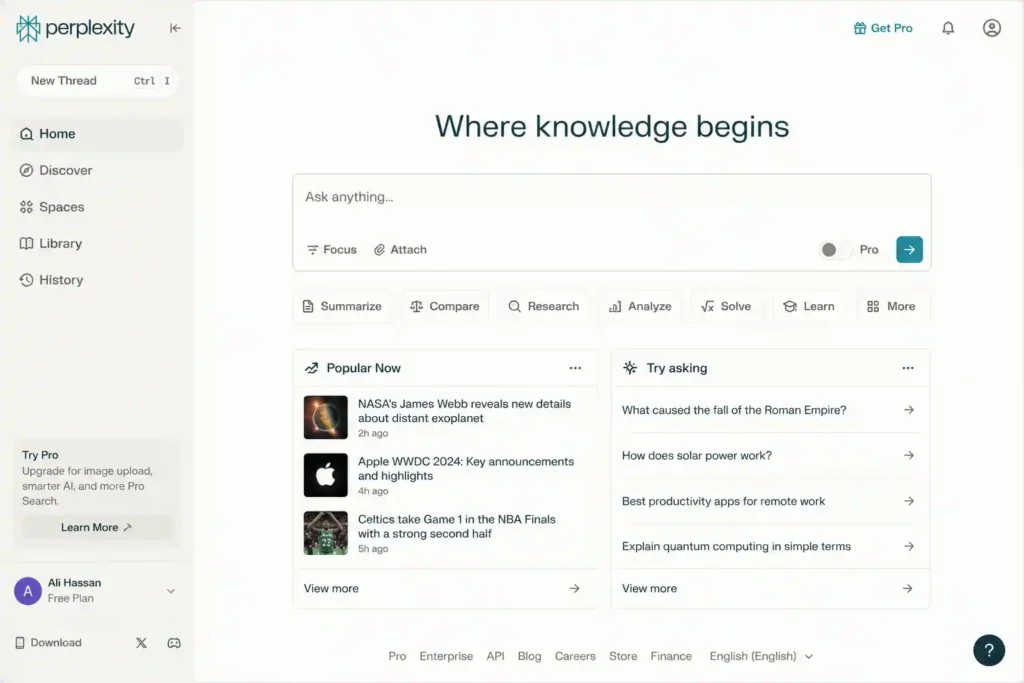
Best For: AI-powered search and research
Perplexity AI is an intelligent search assistant that combines traditional search with artificial intelligence. Unlike standard search engines that provide only links, Perplexity generates direct answers with sources and explanations.
It is widely used by researchers, writers, marketers, and students who need quick and reliable information.
Key Features:
- AI-powered web search
- Source-based answers
- Research summaries
- Follow-up questions
- Information discovery
Perplexity is useful when you need to understand a topic quickly without opening dozens of websites.
View Perplexity AI details
8. NotebookLM
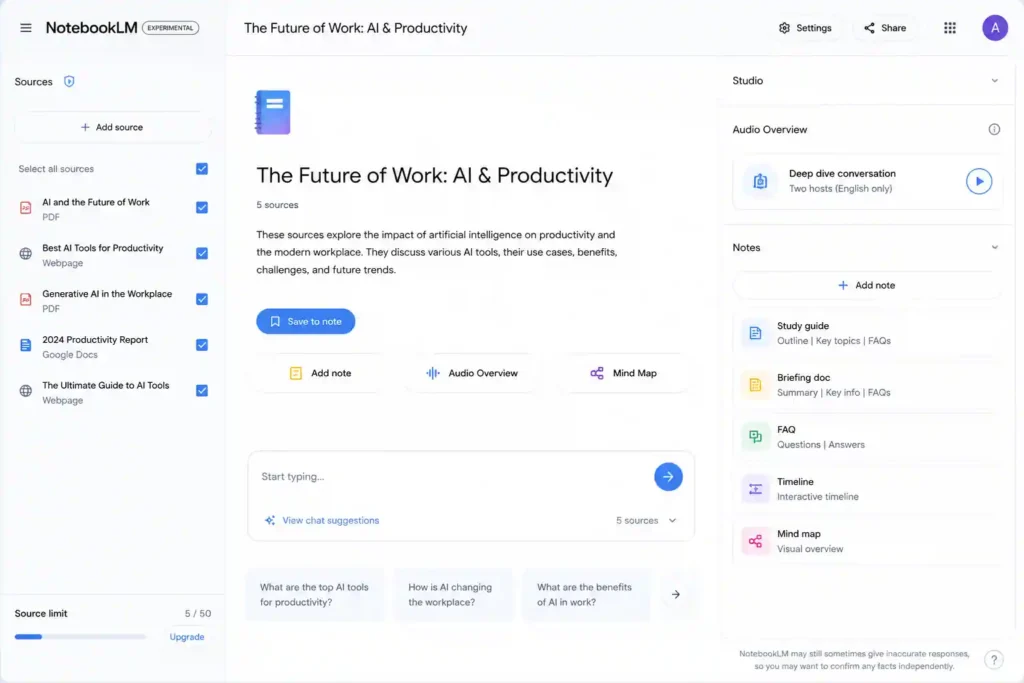
Best For: Document analysis and personal knowledge management
NotebookLM is Google’s AI-powered research assistant that helps users interact with their own documents. Users can upload PDFs, articles, reports, and notes, then ask questions about the information.
It works like having a personal research assistant who understands your uploaded materials.
Key Features:
- Document summarization
- AI-powered note organization
- Question answering from documents
- Research assistance
- Knowledge discovery
NotebookLM is especially helpful for students, researchers, and professionals managing large amounts of information.
View NotebookLM details
9. Elicit
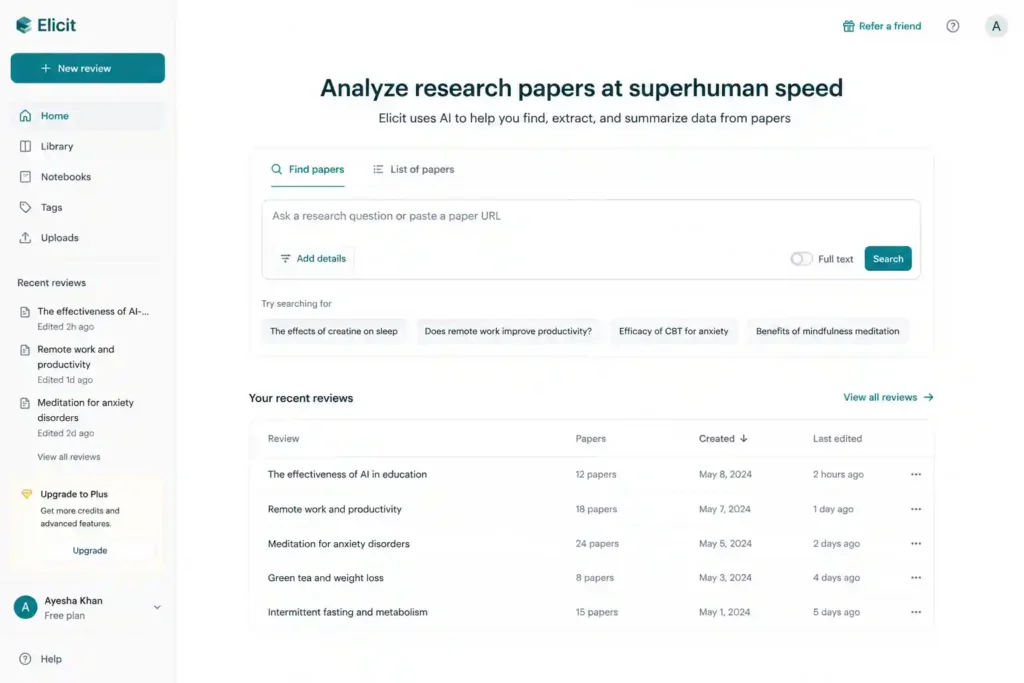
Best For: Academic research and literature reviews
Elicit is an AI research assistant designed mainly for scientific and academic work. It helps researchers find relevant papers, summarize studies, and compare research findings.
Key Features:
- Research paper discovery
- Literature review assistance
- Scientific information analysis
- Paper summarization
Elicit saves researchers significant time when exploring academic topics.
View Elicit details
10. Consensus
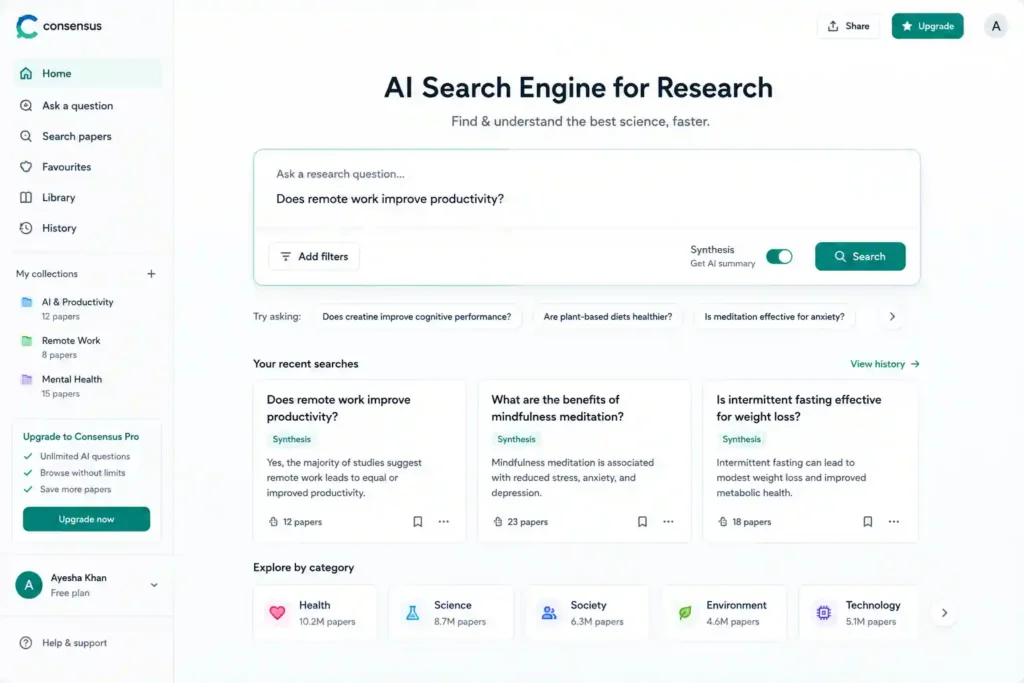
Best For: Evidence-based research
Consensus is an AI search engine focused on scientific studies. It helps users find answers based on published research papers.
Key Features:
- Scientific search
- Research summaries
- Evidence-based answers
- Academic insights
Researchers and professionals use Consensus when they need information supported by scientific literature.
View Consensus details
11. Scholarcy
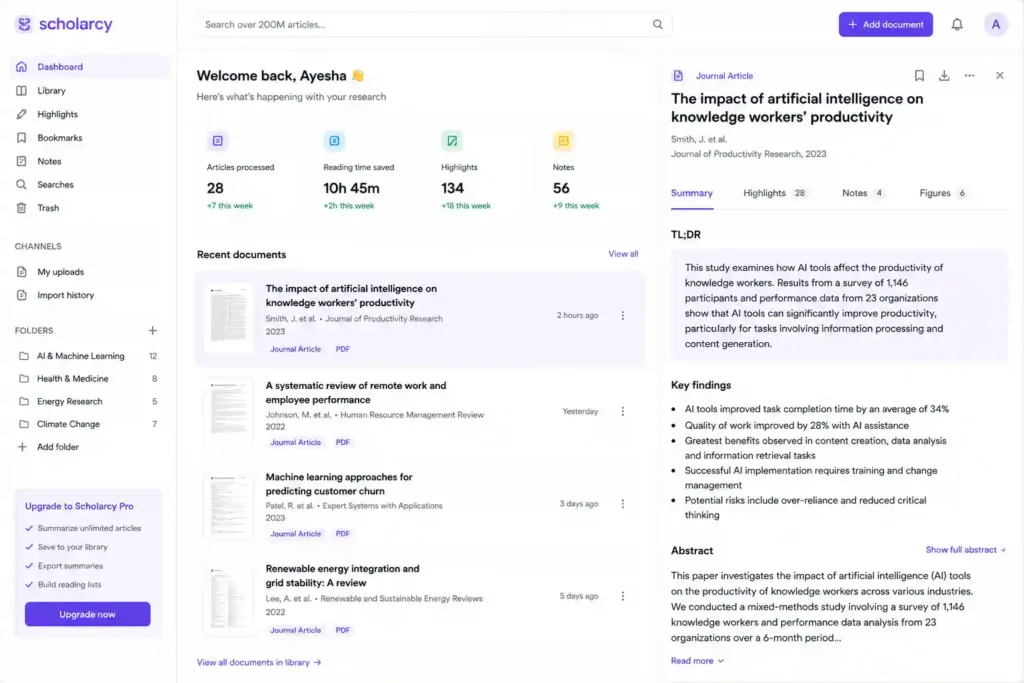
Best For: Summarizing academic papers
Scholarcy uses artificial intelligence to transform lengthy research papers into easy-to-understand summaries.
It extracts important information such as:
- Research objectives
- Methods
- Results
- Key findings
- References
This makes it valuable for students, researchers, and academics.
View Scholarcy details
12. Scite
Best For: Research validation
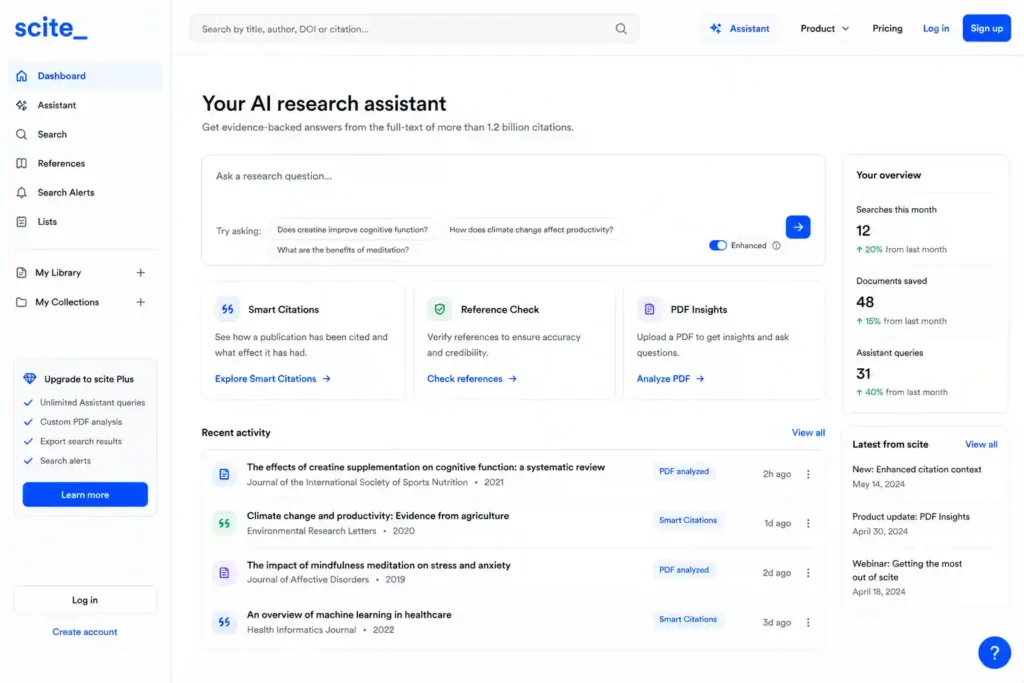
Scite helps researchers understand how scientific papers are cited by other studies.
Instead of simply showing citations, it explains whether other researchers supported, criticized, or mentioned a study.
Key Features:
- Citation analysis
- Research credibility checking
- Scientific literature insights
Scite helps researchers make more informed decisions.
View Scite details
Best AI Meeting and Communication Tools in 2026
Meetings are essential for teamwork, but they can also consume large amounts of time. Many professionals attend meetings and later spend additional hours writing notes, summarizing discussions, and tracking action items.
AI meeting assistants eliminate this problem by automatically recording conversations, creating summaries, and identifying important tasks.
13. Otter.ai
Best For: Automatic meeting transcription
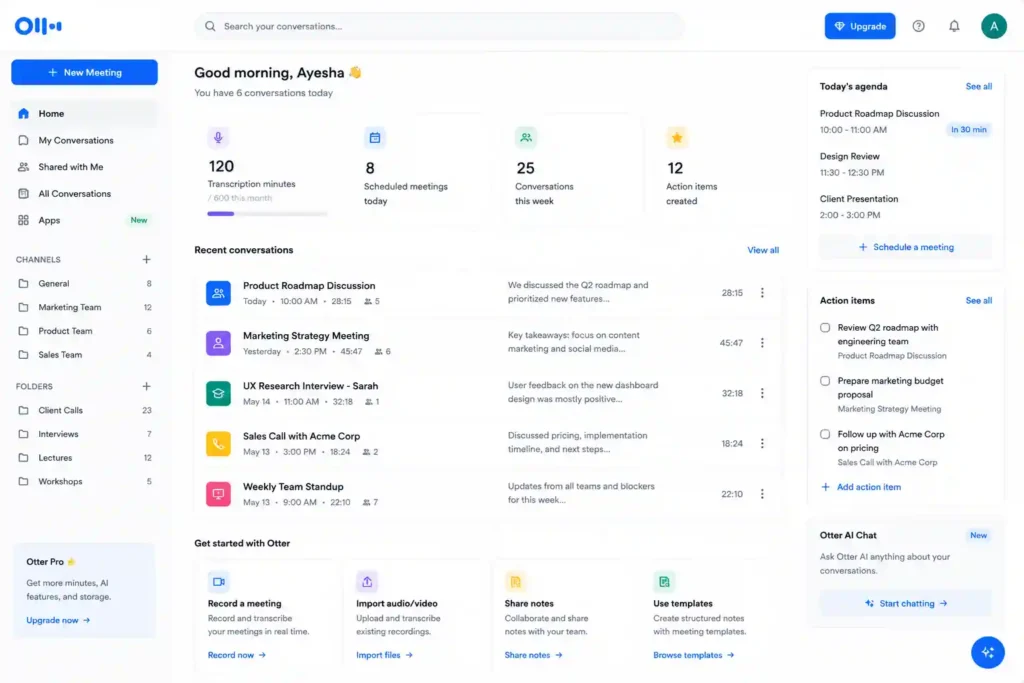
Otter.ai is one of the most popular AI meeting assistants. It converts spoken conversations into accurate written transcripts.
It is commonly used by businesses, journalists, educators, and remote teams.
Key Features:
- Real-time transcription
- Meeting summaries
- Speaker identification
- Searchable conversations
- Action item extraction
Otter.ai helps teams stay organized without having to take notes manually.
View Otter.ai details
14. Fireflies.ai
Best For: Business meetings and team collaboration
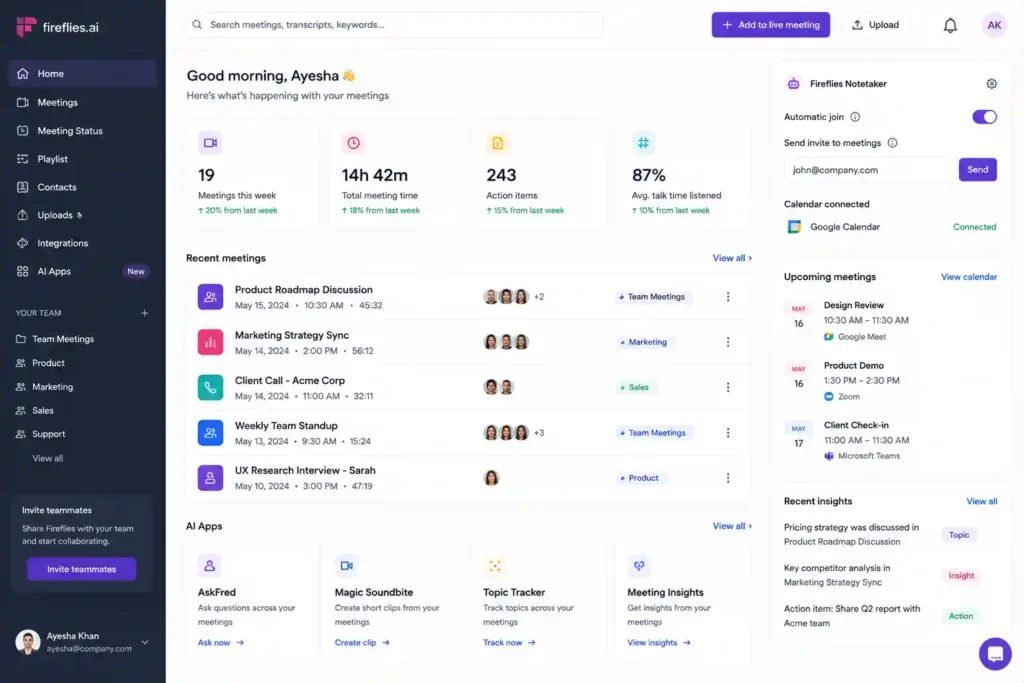
Fireflies.ai records meetings, creates transcripts, and provides AI-generated summaries.
It integrates with popular platforms such as Zoom, Google Meet, and Microsoft Teams.
Key Features:
- Automated meeting notes
- Conversation analysis
- Task tracking
- CRM integration
Sales teams especially benefit from Fireflies because it helps analyze customer conversations.
View Fireflies AI details
15. Fathom
Best For: Free AI meeting summaries
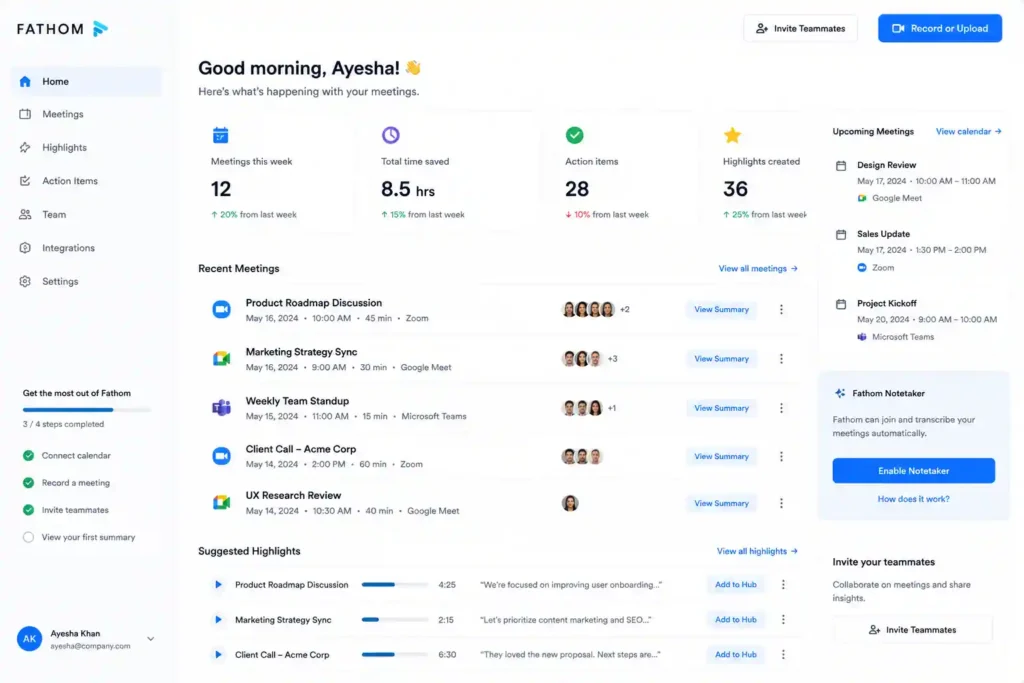
Fathom is an AI meeting assistant designed to automatically capture important moments from online meetings.
Key Features:
- Meeting recording
- AI summaries
- Highlight creation
- Sharing important sections
It helps professionals focus on conversations instead of writing notes.
View Fathom details
16. Avoma
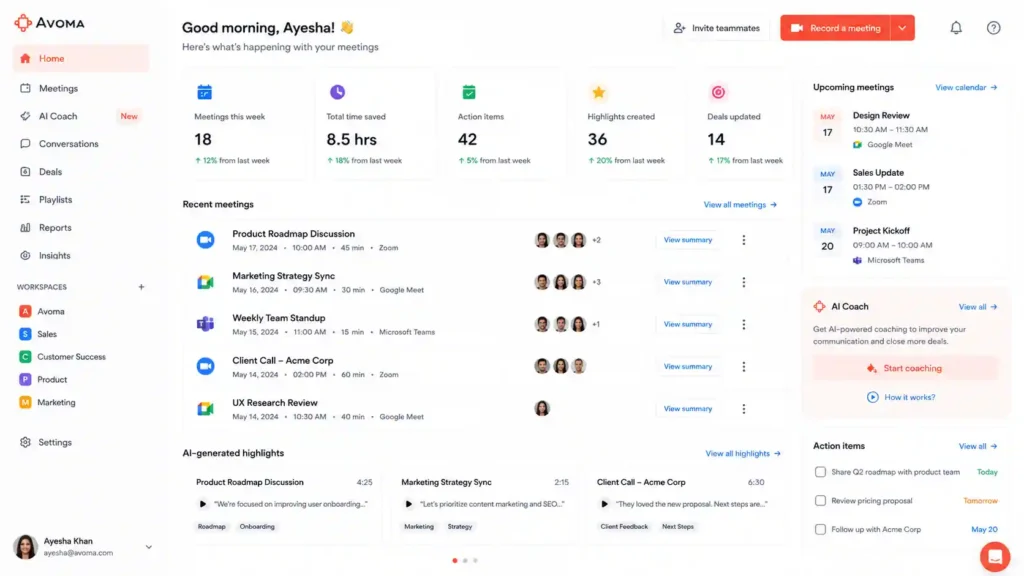
Best For: Sales and customer meetings
Avoma combines meeting intelligence with sales support. It helps businesses understand customer conversations and improve communication.
Key Features:
- Meeting transcription
- Sales coaching
- Conversation analysis
- CRM integration
View Avoma details
17. Read AI
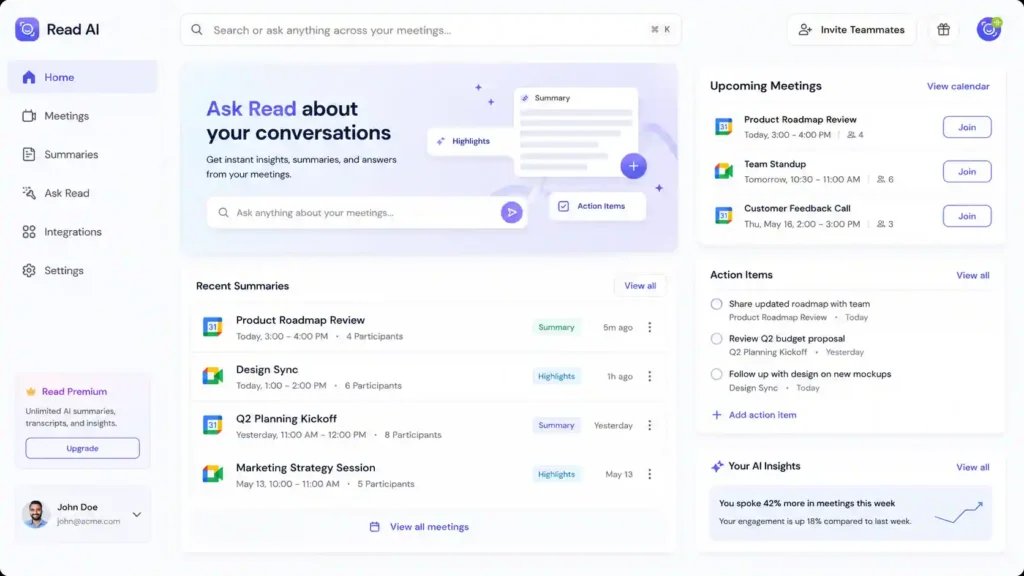
Best For: Communication analytics
Read AI analyzes meetings, emails, and messages to provide insights about communication patterns.
Key Features:
- Meeting analytics
- Engagement measurement
- AI summaries
- Productivity insights
View Read AI details
Best AI Project Management and Automation Tools
Managing projects requires organization, planning, and continuous communication. AI project management tools help teams prioritize tasks, automate workflows, and improve collaboration.
These platforms are becoming essential for companies handling multiple projects simultaneously.
18. Notion AI
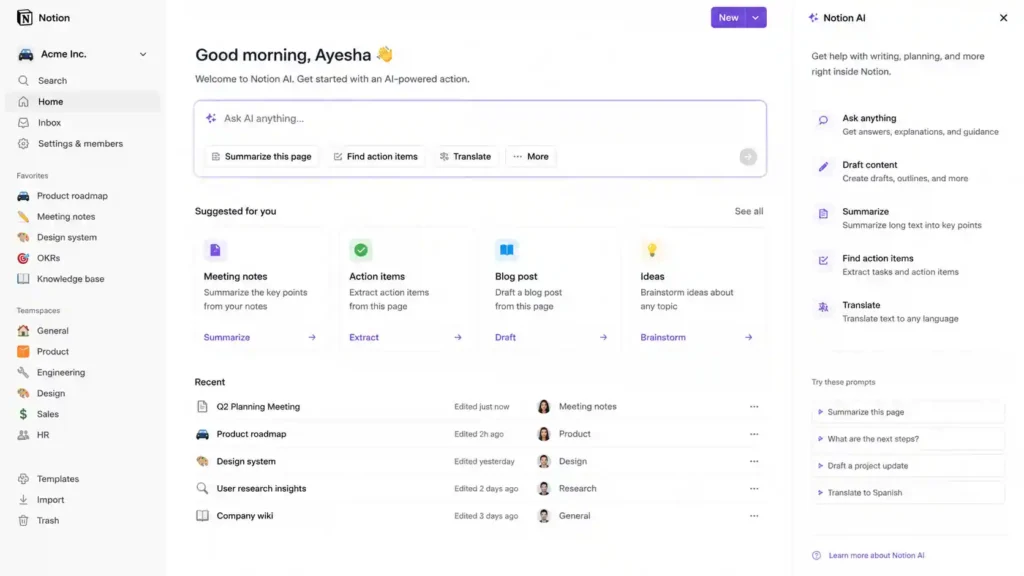
Best For: All-in-one workspace productivity
Notion AI combines note-taking, project management, databases, and artificial intelligence in one platform.
Users can create documents, manage projects, organize knowledge, and generate content using AI.
Key Features:
- AI writing assistance
- Task management
- Document creation
- Knowledge organization
- Team collaboration
Notion AI is popular among entrepreneurs, students, and remote teams.
View Notion AI details
19. ClickUp AI
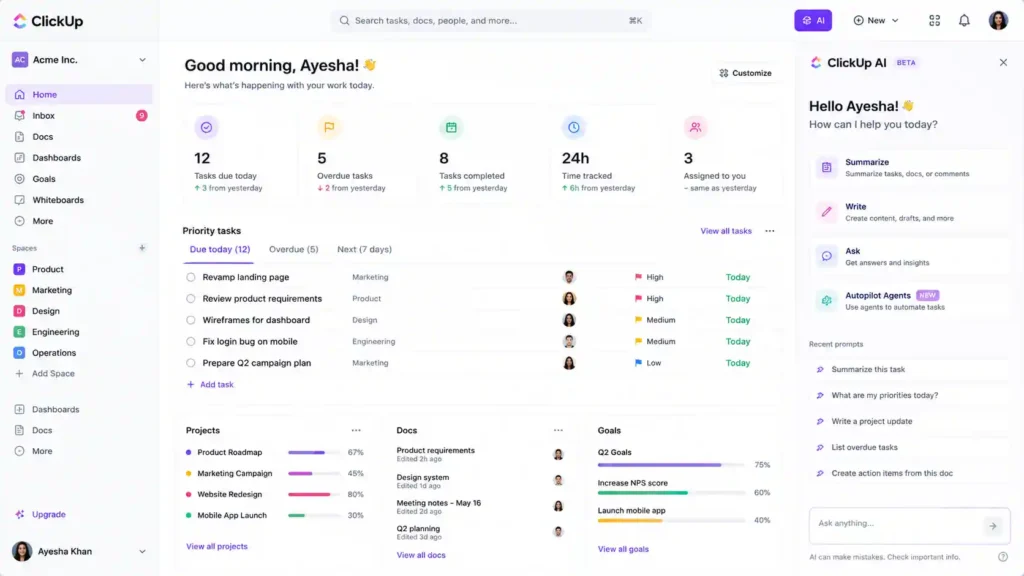
Best For: Team productivity and project management
ClickUp AI adds artificial intelligence features to the ClickUp project management platform.
It helps teams create tasks, summarize updates, generate reports, and improve workflow efficiency.
Key Features:
- AI task creation
- Project summaries
- Document generation
- Workflow automation
ClickUp AI is useful for organizations managing complex projects.
View ClickUp AI details
20. Asana Intelligence
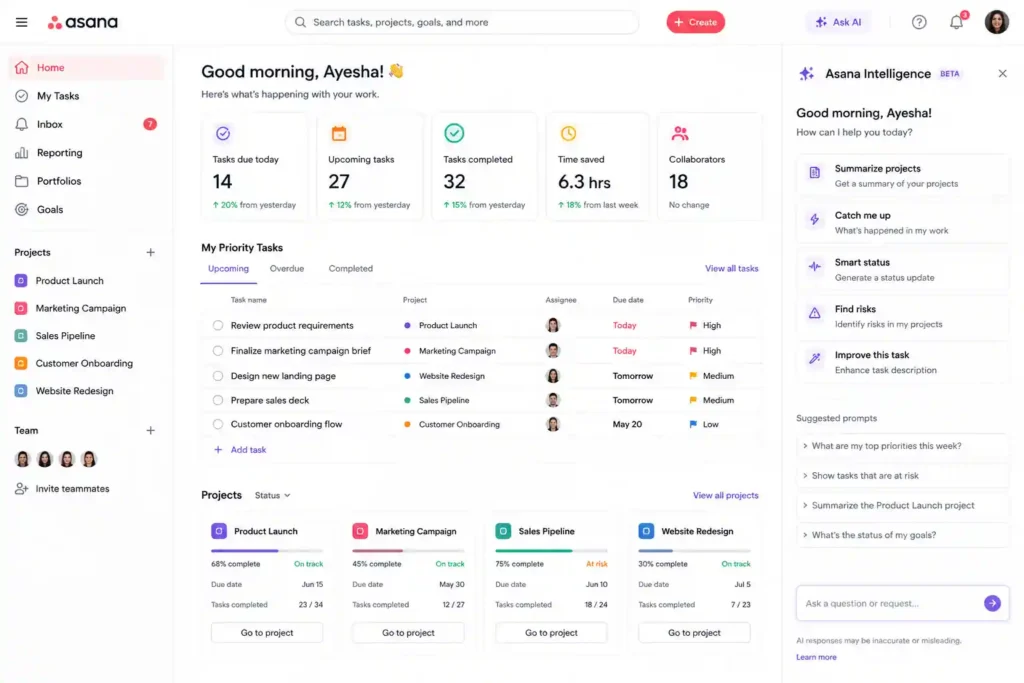
Best For: Enterprise project management
Asana Intelligence uses AI to help teams manage work more effectively.
Key Features:
- Smart task recommendations
- Project insights
- Automated workflows
- Goal tracking
It helps companies improve productivity and team coordination.
View Asana Intelligence details
21. Monday AI
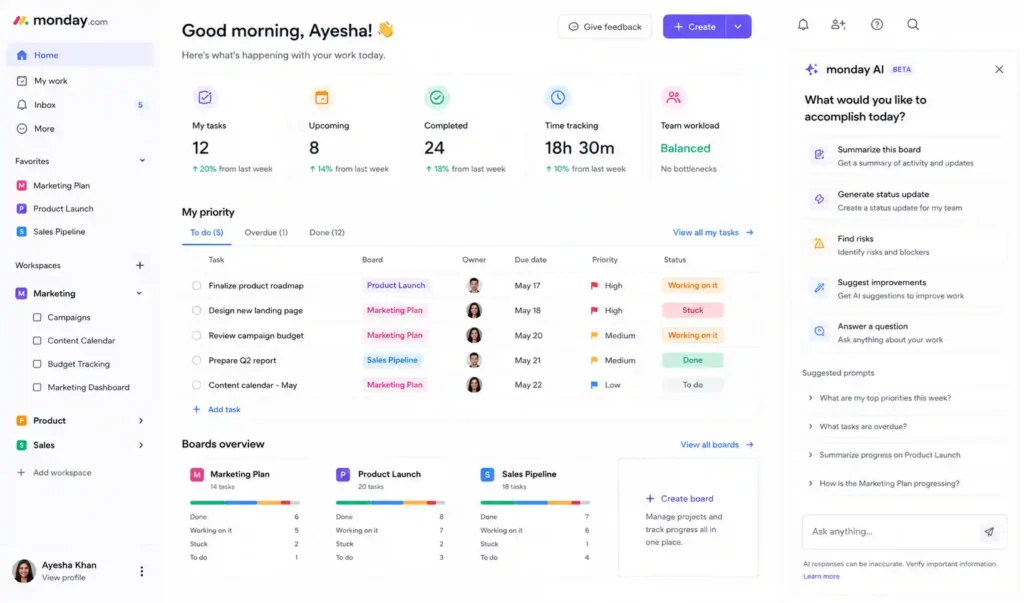
Best For: Business workflow automation
Monday AI adds intelligent automation features to the popular Monday.com work management platform.
Key Features:
- Automated task creation
- Data analysis
- Workflow suggestions
- Team management
It helps businesses reduce manual project management tasks.
View Monday AI details
22. Trello AI
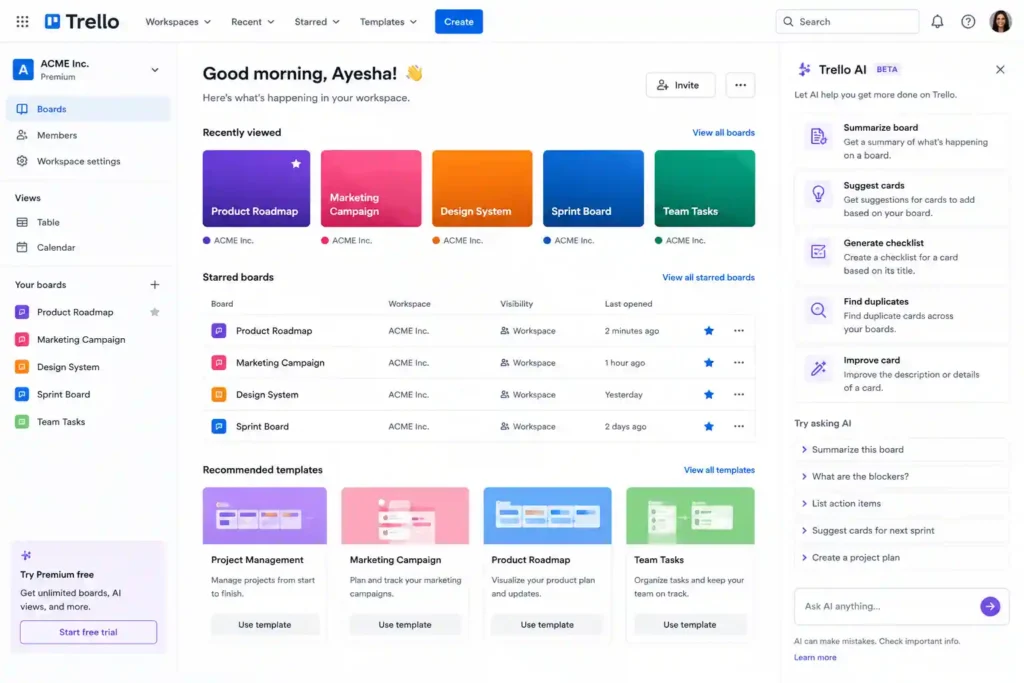
Best For: Simple task organization
Trello AI improves the popular visual board system with artificial intelligence features.
Key Features:
- Task summaries
- Smart suggestions
- Workflow automation
- Productivity insights
Trello AI is suitable for individuals and small teams.
View Trello AI details
23. Motion
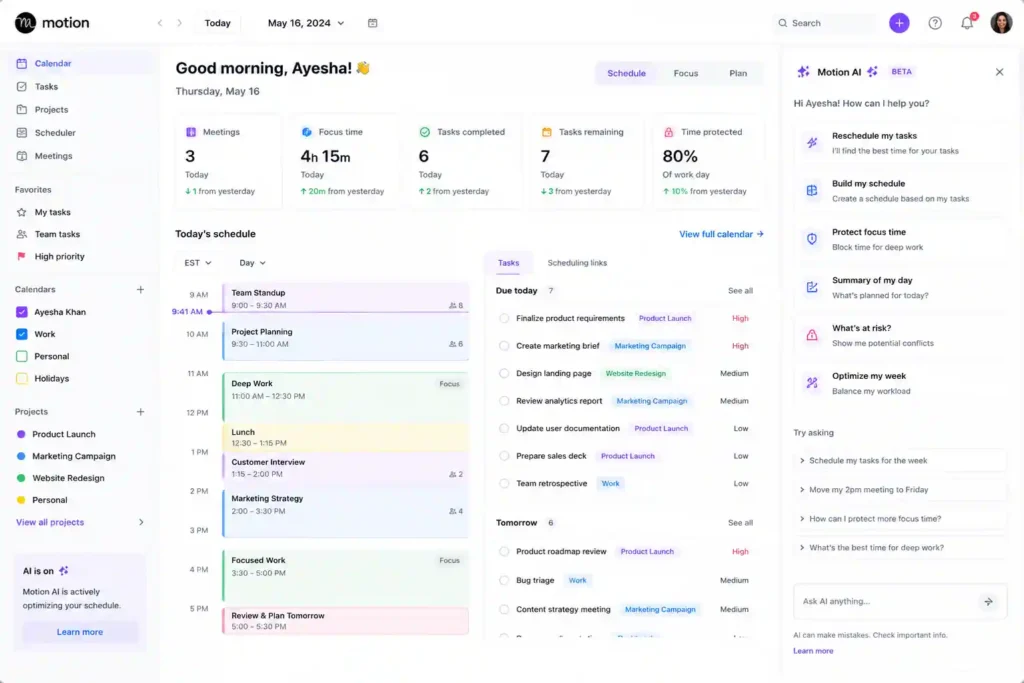
Best For: AI calendar and scheduling
Motion combines task management, calendar planning, and AI scheduling.
It automatically organizes your day based on deadlines and priorities.
Key Features:
- AI scheduling
- Task prioritization
- Calendar management
- Time optimization
Motion is ideal for busy professionals who want better time management.
View Motion details
24. Reclaim AI
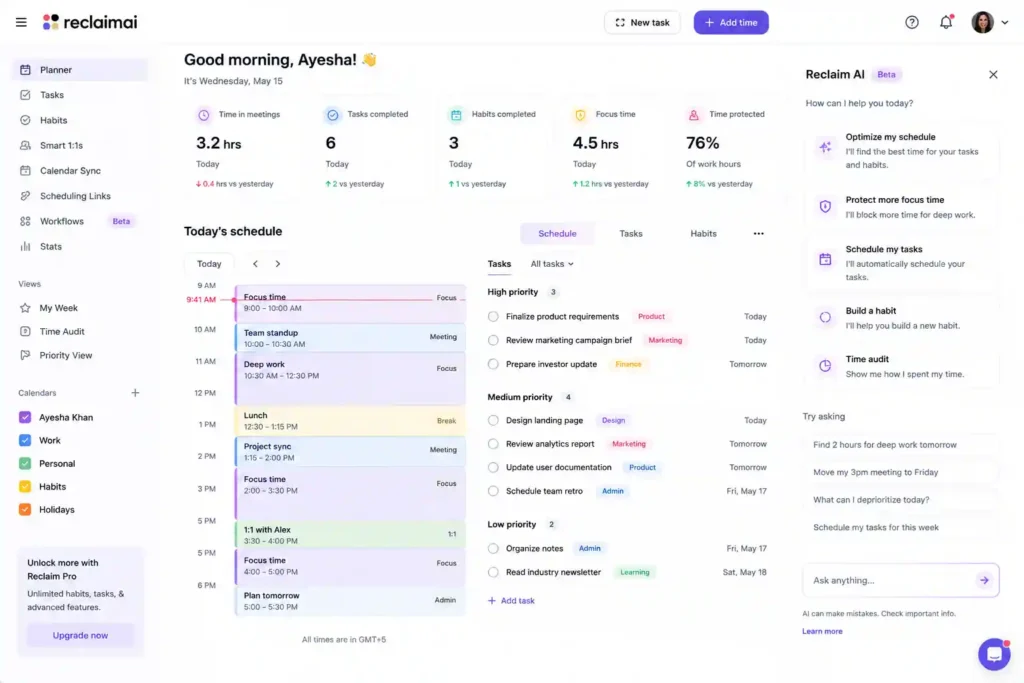
Best For: Smart calendar management
Reclaim AI protects time for important tasks by automatically scheduling work around meetings and commitments.
Key Features:
- Intelligent scheduling
- Habit planning
- Calendar optimization
- Team availability management
View Reclaim AI details
Best AI Design and Creative Tools in 2026
Artificial intelligence has transformed creative industries. Designers, marketers, photographers, and video creators now use AI tools to generate ideas, create visuals, and speed up production.
AI does not remove creativity; instead, it gives creators more opportunities to experiment.
25. Canva AI
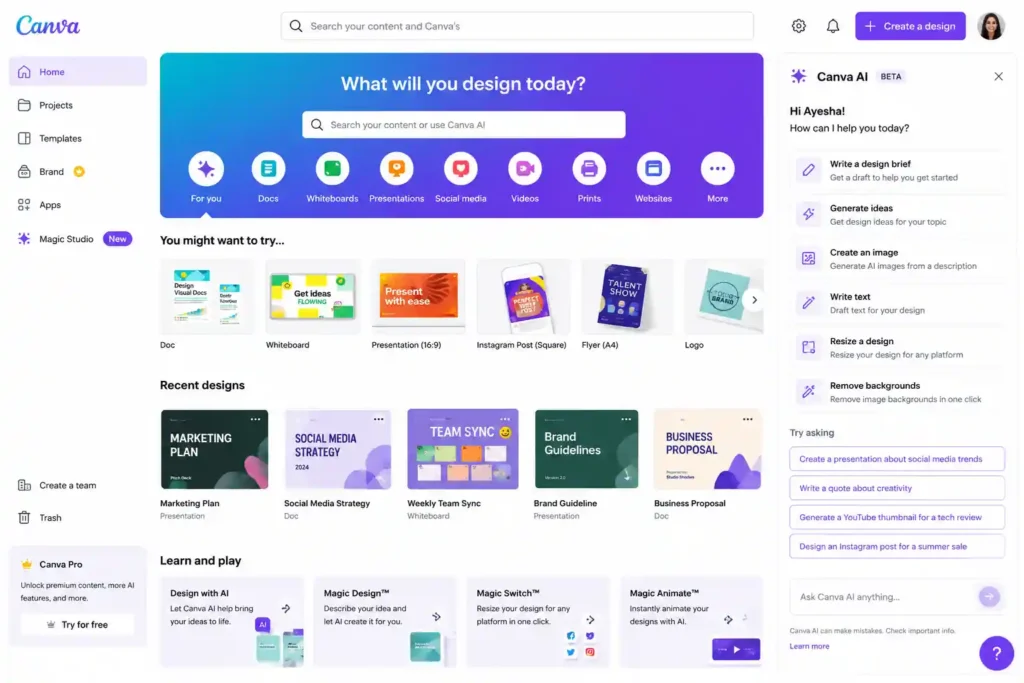
Best For: Graphic design and social media content
Canva AI brings artificial intelligence features into Canva’s popular design platform.
Users can create presentations, posters, social media graphics, and marketing materials faster.
Key Features:
- AI image generation
- Design suggestions
- Presentation creation
- Background removal
- Content generation
Canva AI is perfect for beginners and professionals.
View Canva AI details
26. Midjourney
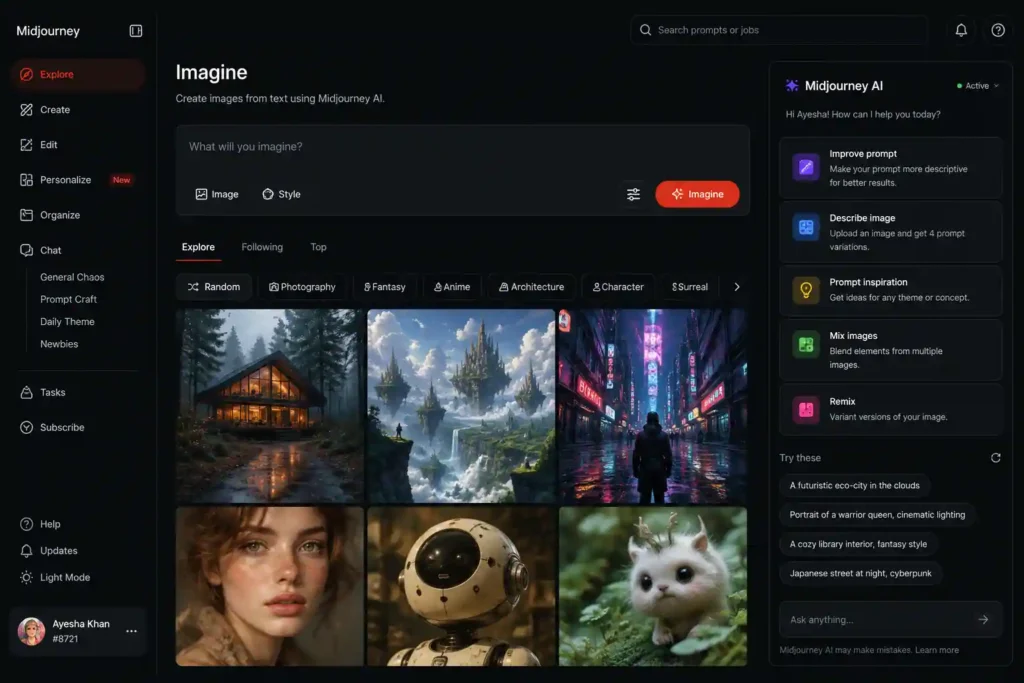
Best For: AI-generated images and creative concepts
Midjourney is one of the most advanced AI image generation tools available.
It creates realistic and artistic images from simple text descriptions.
Key Features:
- AI artwork generation
- Creative concept development
- Marketing visuals
- Design inspiration
Artists, marketers, and businesses use Midjourney for visual creativity.
View Midjourney details
27. Adobe Firefly
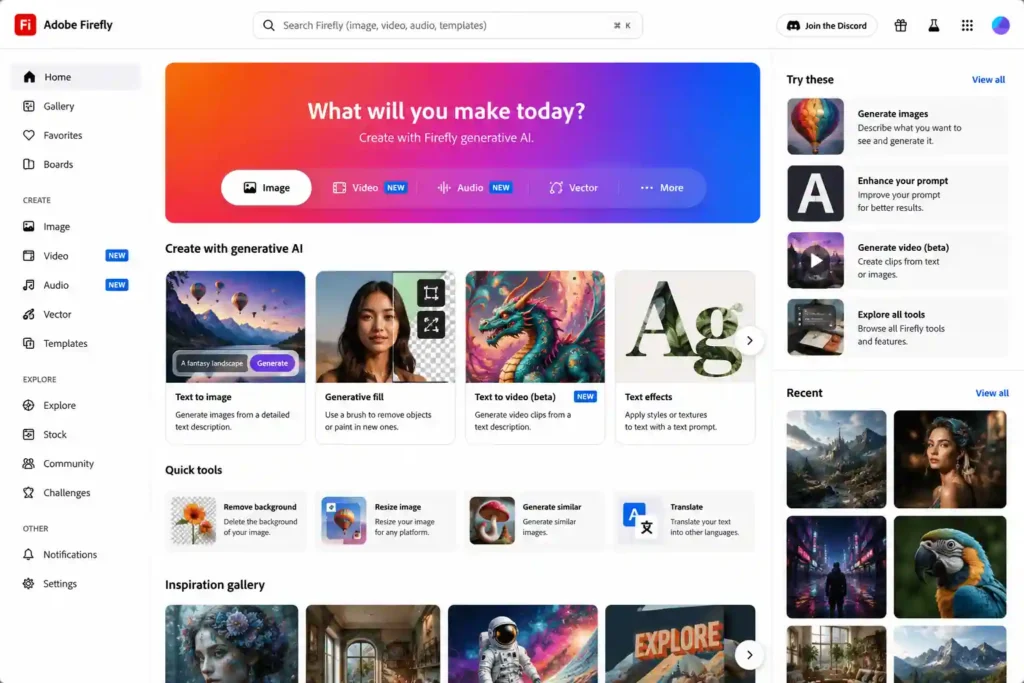
Best For: Professional AI design
Adobe Firefly integrates AI-powered creativity into Adobe’s design ecosystem.
Key Features:
- Image generation
- Photo editing
- Text effects
- Creative automation
It is especially useful for professional designers.
View Adobe Firefly details
28. Leonardo AI
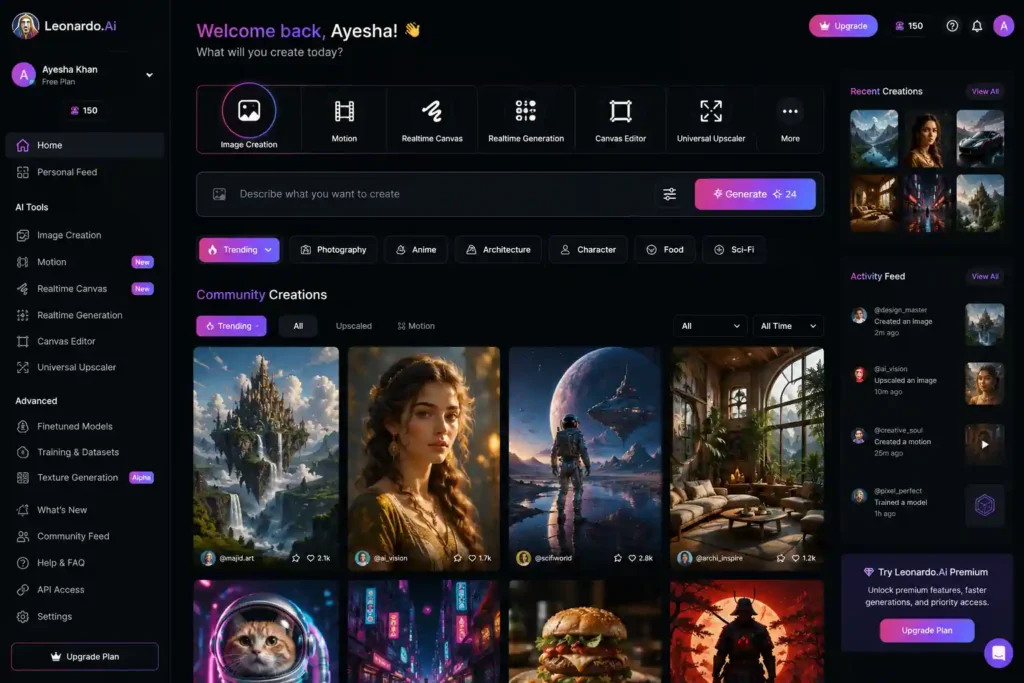
Best For: AI artwork and product visuals
Leonardo AI helps users create high-quality images for marketing, gaming, branding, and creative projects.
Key Features:
- Image generation
- Character design
- Product visualization
- Creative editing
View Leonardo AI details
29. Runway AI
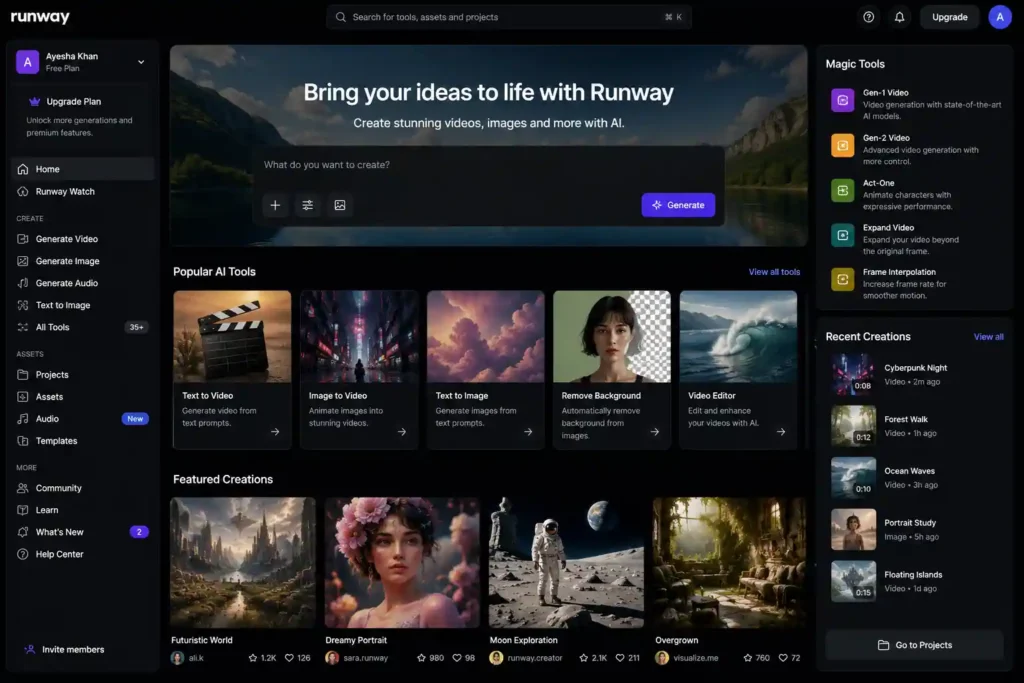
Best For: AI video creation
Runway AI allows creators to generate and edit videos using artificial intelligence.
Key Features:
- Text-to-video generation
- Video editing
- Background replacement
- Visual effects
It is widely used by filmmakers and content creators.
View Runway AI details
Best AI Coding Tools in 2026
Software development has become one of the industries most influenced by artificial intelligence. Developers no longer need to spend hours searching for solutions to common programming problems because AI coding assistants can provide suggestions, explain complex code, detect errors, and even generate complete functions.
AI coding tools are not replacing programmers. Instead, they work as intelligent programming partners that help developers write cleaner code, learn new technologies faster, and reduce repetitive tasks. Whether you are a beginner learning programming or an experienced developer building advanced applications, AI coding assistants can significantly improve productivity.
30. GitHub Copilot
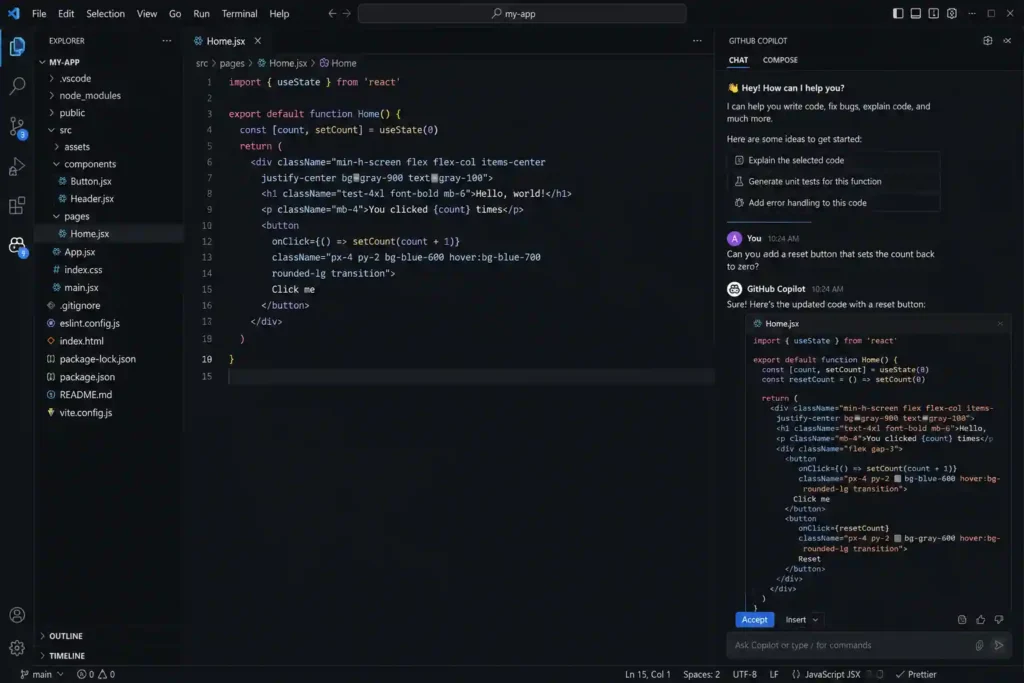
Best For: AI-powered programming assistance
GitHub Copilot is one of the most popular AI coding assistants in the world. Developed by GitHub and OpenAI, it helps developers write code faster by suggesting functions, completing code, and explaining programming concepts.
It supports multiple programming languages, including Python, JavaScript, Java, C++, and many others.
Key Features:
- AI code completion
- Code explanation
- Bug detection
- Programming suggestions
- Documentation generation
GitHub Copilot is especially useful for developers who want to reduce coding time and improve software development efficiency.
View GitHub Copilot details
31. Cursor AI
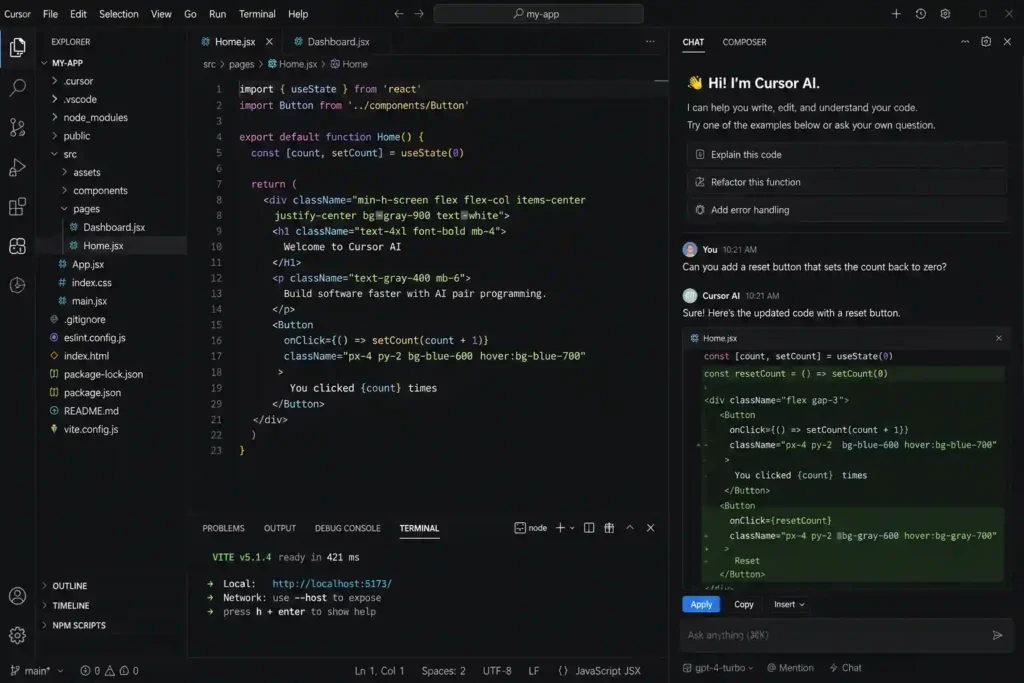
Best For: AI-powered code editing
Cursor AI is an intelligent code editor designed around artificial intelligence. It allows developers to communicate with their codebase using natural language.
Instead of manually searching through thousands of lines of code, developers can ask Cursor questions and receive AI-powered assistance.
Key Features:
- AI code editing
- Codebase understanding
- Bug fixing
- Code generation
- Developer chat assistant
Cursor is becoming popular among software engineers who want a faster development workflow.
View Cursor AI details
32. Amazon CodeWhisperer
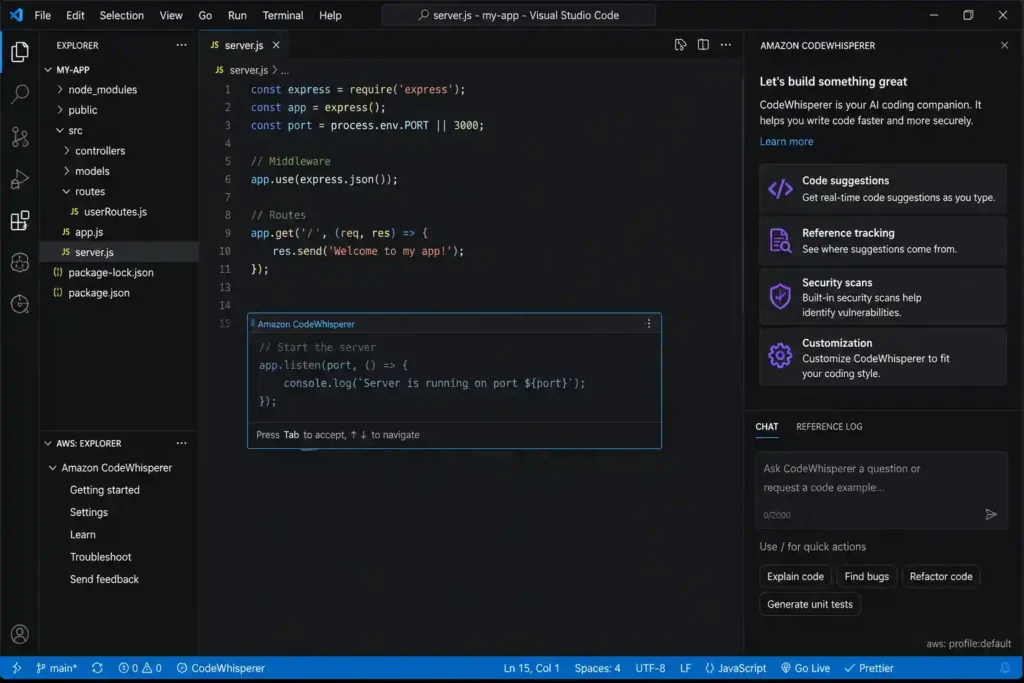
Best For: Cloud developers and AWS users
Amazon CodeWhisperer is an AI coding assistant created by Amazon. It helps developers write secure and efficient code, especially when building applications using AWS services.
Key Features:
- AI code suggestions
- Security scanning
- AWS integration
- Programming assistance
It is valuable for developers working in cloud computing environments.
View Amazon CodeWhisperer details
33. Tabnine
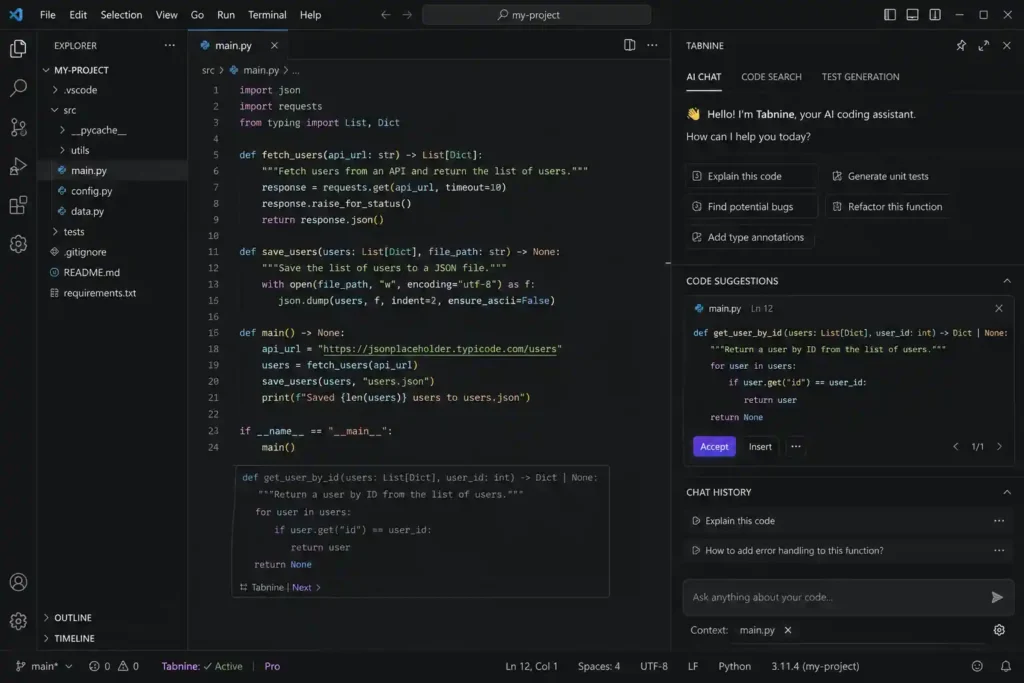
Best For: Privacy-focused AI coding
Tabnine is an AI coding assistant designed for developers who need intelligent code completion while maintaining greater control over their data.
Key Features:
- Code predictions
- Multiple language support
- Private AI models
- Developer productivity improvement
Tabnine is popular among companies that prioritize security.
View Tabnine details
34. Replit AI
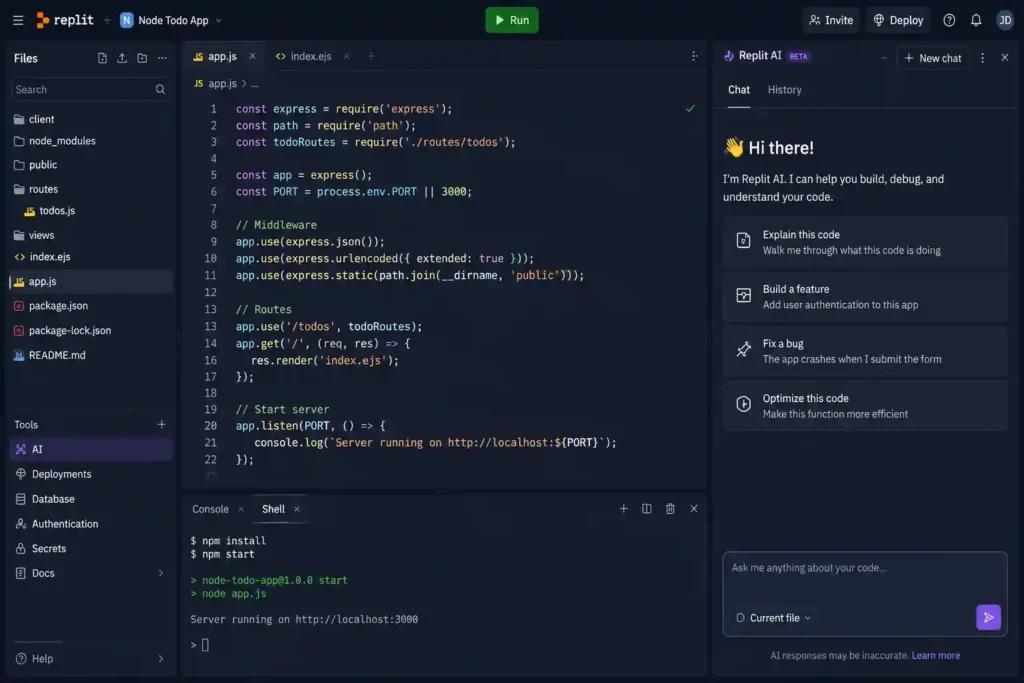
Best For: Beginners and rapid application development
Replit AI combines coding, learning, and artificial intelligence in an online development environment.
It helps users create applications by describing what they want to build.
Key Features:
- AI code generation
- Debugging assistance
- Online coding environment
- Programming education
Replit AI is excellent for beginners and developers who want to prototype ideas quickly.
View Replit AI details
Best AI Presentation and Document Creation Tools
Creating presentations, reports, and professional documents can take hours. AI presentation tools simplify this process by generating layouts, writing content, and designing professional slides automatically.
35. Gamma AI
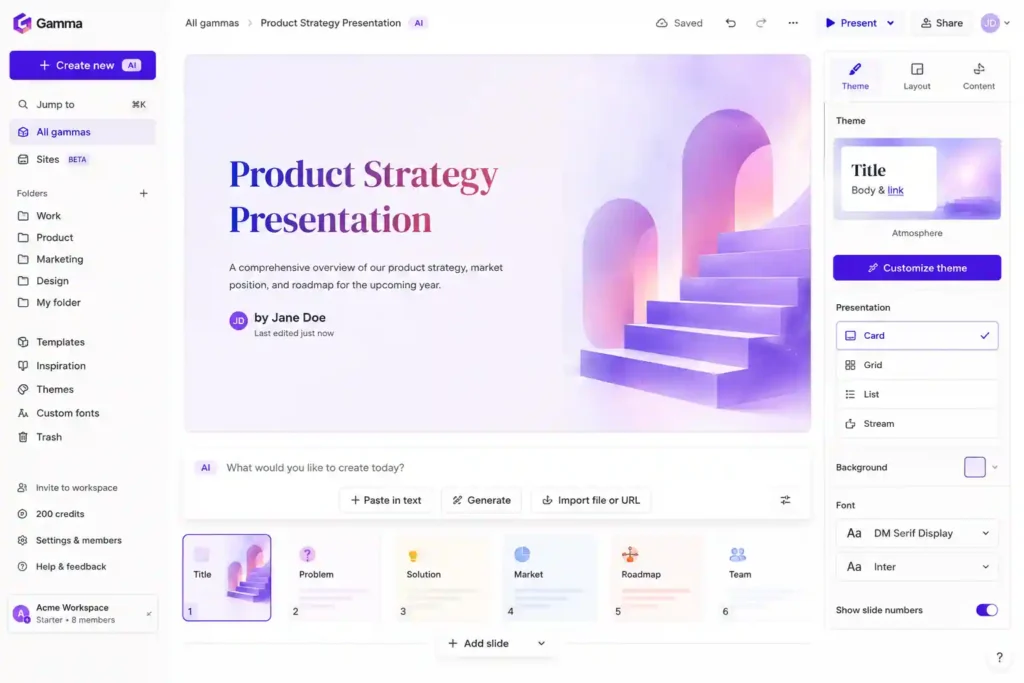
Best For: AI-generated presentations and documents
Gamma AI creates presentations, documents, and webpages using artificial intelligence.
Users can provide a simple idea, and Gamma generates structured content with attractive designs.
Key Features:
- AI presentations
- Document creation
- Webpage generation
- Automatic formatting
Gamma AI is useful for entrepreneurs, educators, marketers, and business professionals.
View Gamma AI details
36. Beautiful.ai
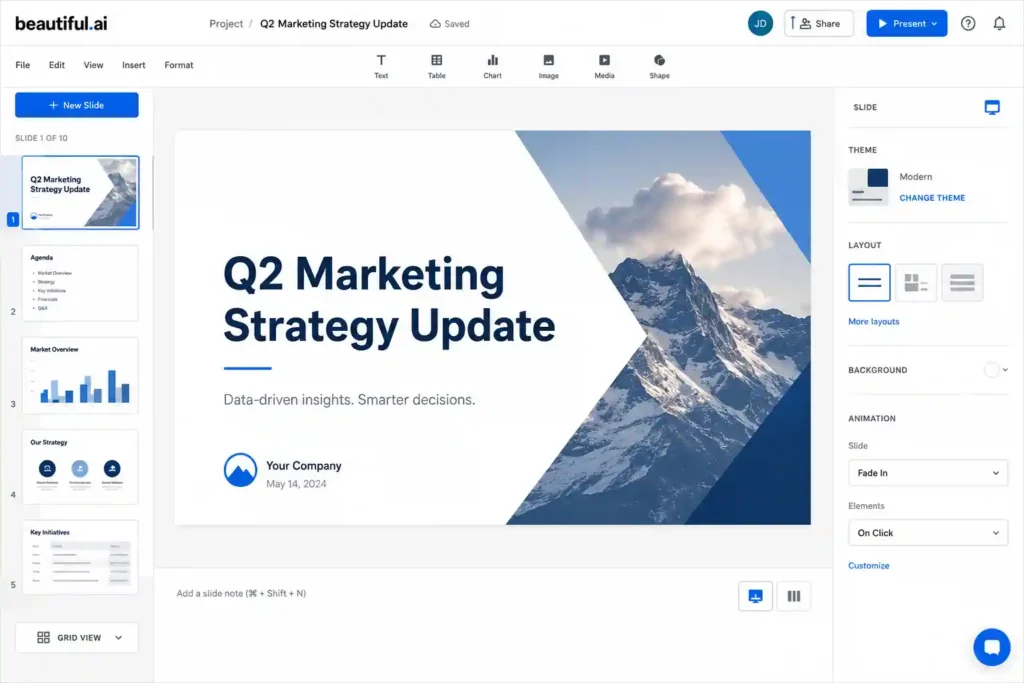
Best For: Professional presentations
Beautiful.ai uses artificial intelligence to automatically design presentation slides.
Instead of manually adjusting layouts, users can focus on their message while AI handles the visual structure.
Key Features:
- Smart slide designs
- Presentation templates
- Automatic formatting
- Team collaboration
View Beautiful AI details
37. Tome AI
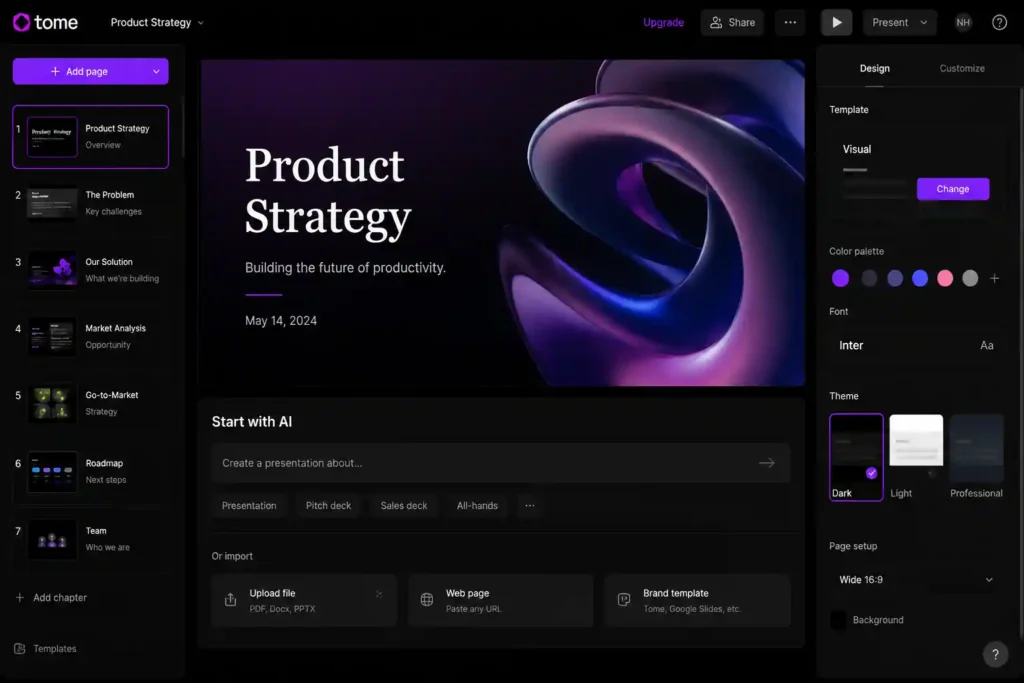
Best For: Storytelling presentations
Tome AI helps users create visually engaging presentations using AI-generated content and designs.
Key Features:
- AI storytelling
- Image generation
- Presentation creation
- Business pitches
It is useful for startups and professionals preparing presentations.
View Tome AI details
Best AI Automation Tools in 2026
AI automation tools connect different applications and allow businesses to complete tasks without manual effort.
From sending emails to updating databases, AI automation reduces repetitive work.
38. Zapier AI
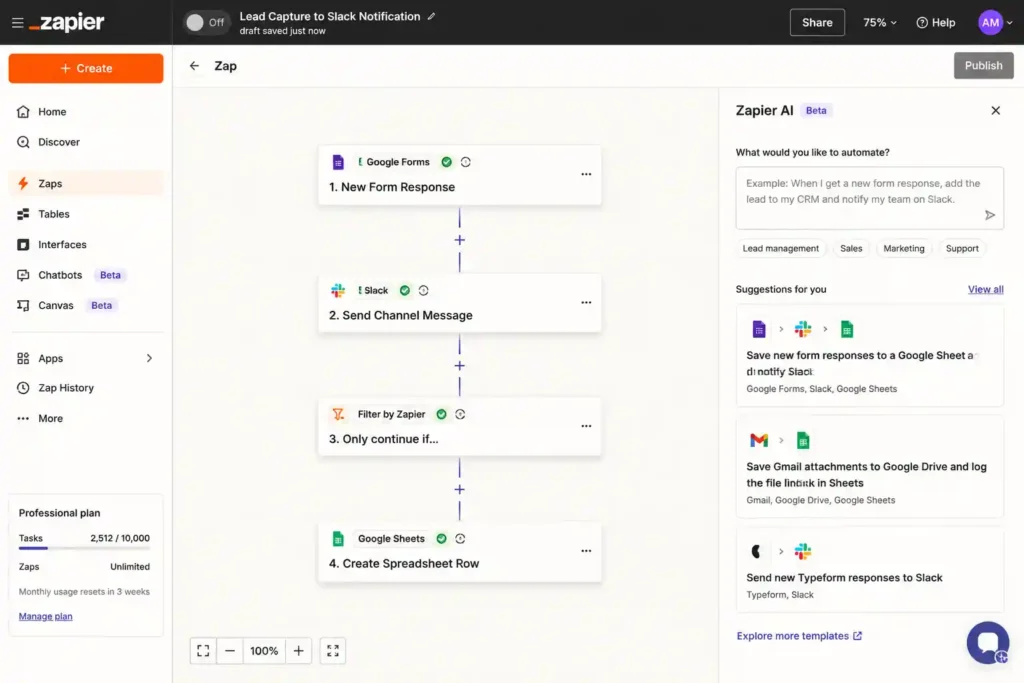
Best For: Workflow automation
Zapier AI connects thousands of applications and automates business processes.
For example, it can automatically save email attachments, create tasks from messages, or update customer information.
Key Features:
- App integrations
- AI workflow creation
- Automated tasks
- Business process optimization
Zapier AI is widely used by businesses and marketers.
View Zapier AI details
39. Make AI
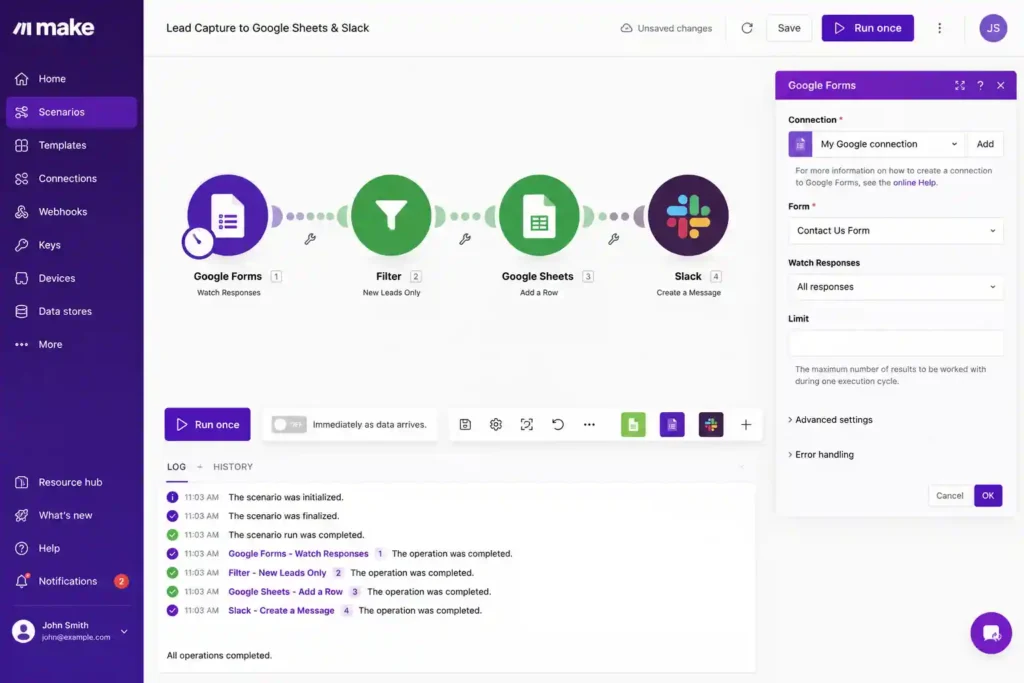
Best For: Advanced automation workflows
Make AI allows users to build complex automated workflows between different software applications.
Key Features:
- Visual automation builder
- AI-powered workflows
- Data processing
- Application connections
It is ideal for businesses requiring customized automation systems.
View Make AI details
40. HubSpot AI
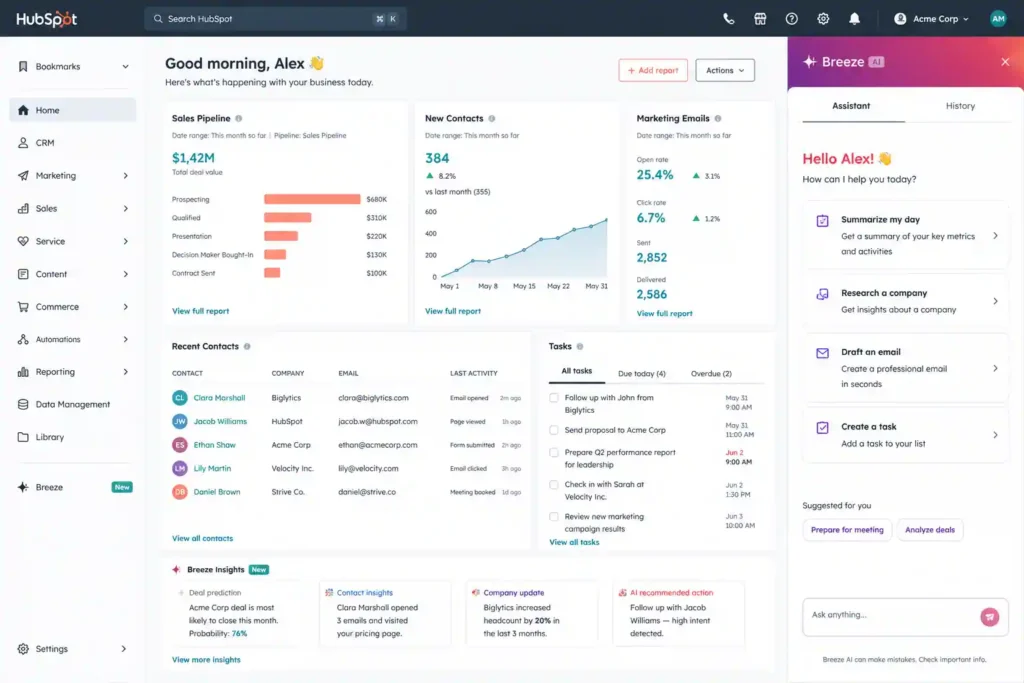
Best For: Marketing and customer relationship management
HubSpot AI integrates artificial intelligence into marketing, sales, and customer service platforms.
Key Features:
- AI email writing
- Customer insights
- Marketing automation
- Sales assistance
Businesses use HubSpot AI to improve customer engagement.
View HubSpot AI details
41. Salesforce Einstein
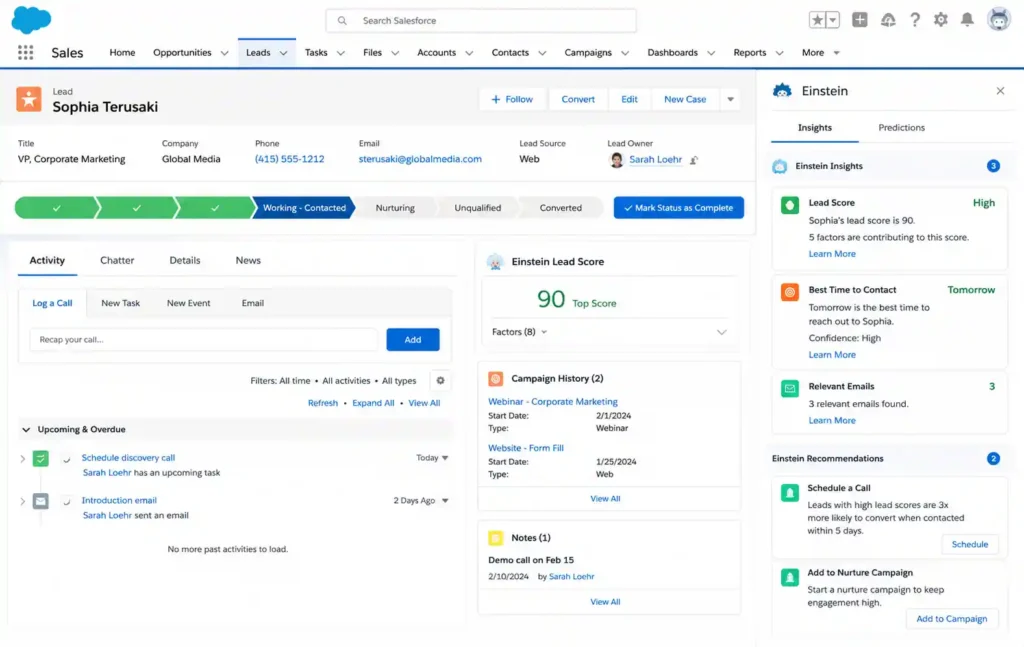
Best For: Enterprise AI automation
Salesforce Einstein provides AI capabilities inside Salesforce’s customer relationship management platform.
Key Features:
- Sales predictions
- Customer analysis
- Automated recommendations
- AI assistants
It helps large organizations make data-driven decisions.
View Salesforce Einstein details
Best AI Marketing Productivity Tools
Marketing requires creativity, research, analysis, and constant content production. AI marketing tools help companies create campaigns faster and understand customer behavior.
42. Surfer SEO AI
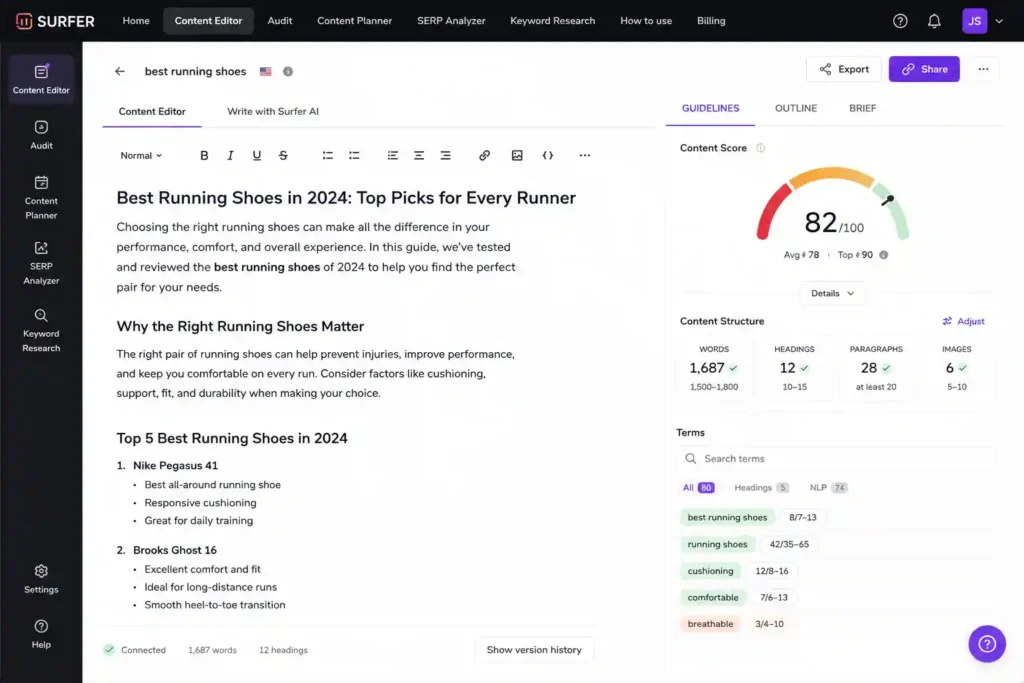
Best For: SEO content optimization
Surfer SEO AI helps marketers create search-engine-friendly content by analyzing ranking pages and providing optimization suggestions.
Key Features:
- SEO analysis
- Keyword recommendations
- Content optimization
- AI writing assistance
Bloggers and digital marketers widely use it.
View Surfer Seo details
43. Semrush AI Tools
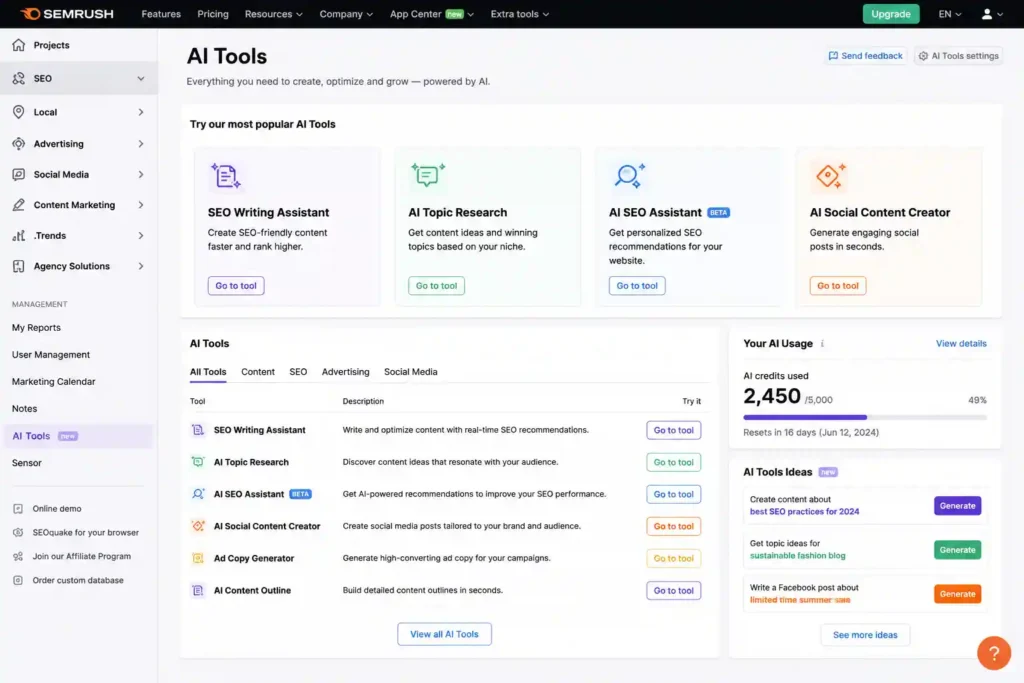
Best For: SEO and digital marketing research
Semrush provides AI-powered features for keyword research, content optimization, competitor analysis, and marketing strategy.
Key Features:
- SEO research
- Keyword analysis
- Competitor tracking
- Content improvement
It helps businesses improve their online visibility.
View Semrush AI details
44. Frase AI
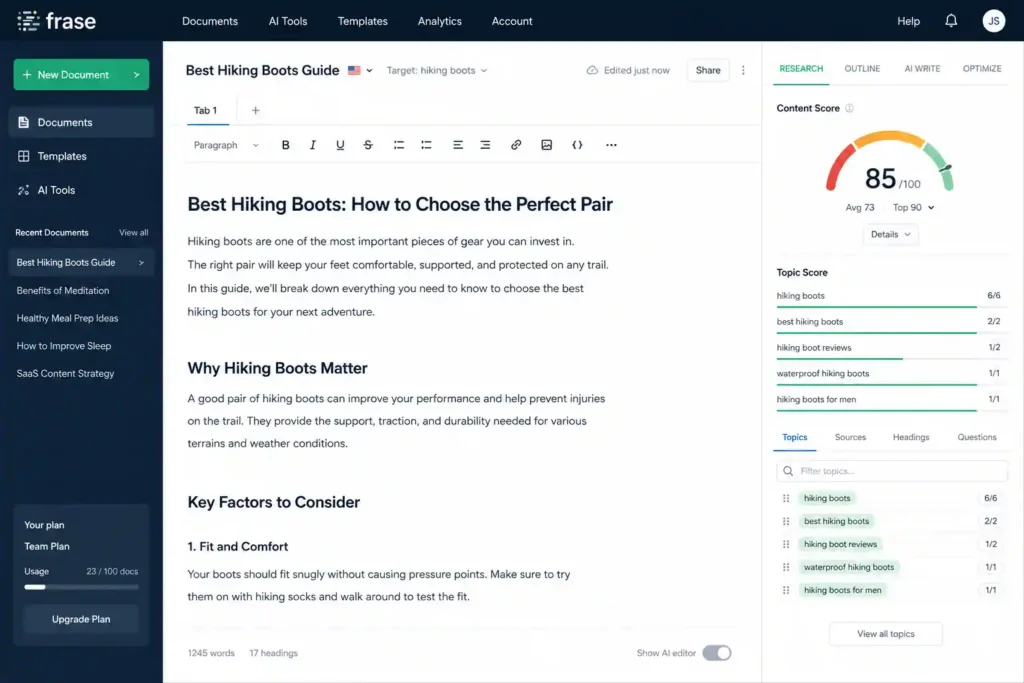
Best For: SEO article creation
Frase AI combines content research and AI writing to help marketers create optimized articles.
Key Features:
- Content briefs
- SEO research
- AI writing
- Competitor analysis
View Frase AI details
45. Buffer AI
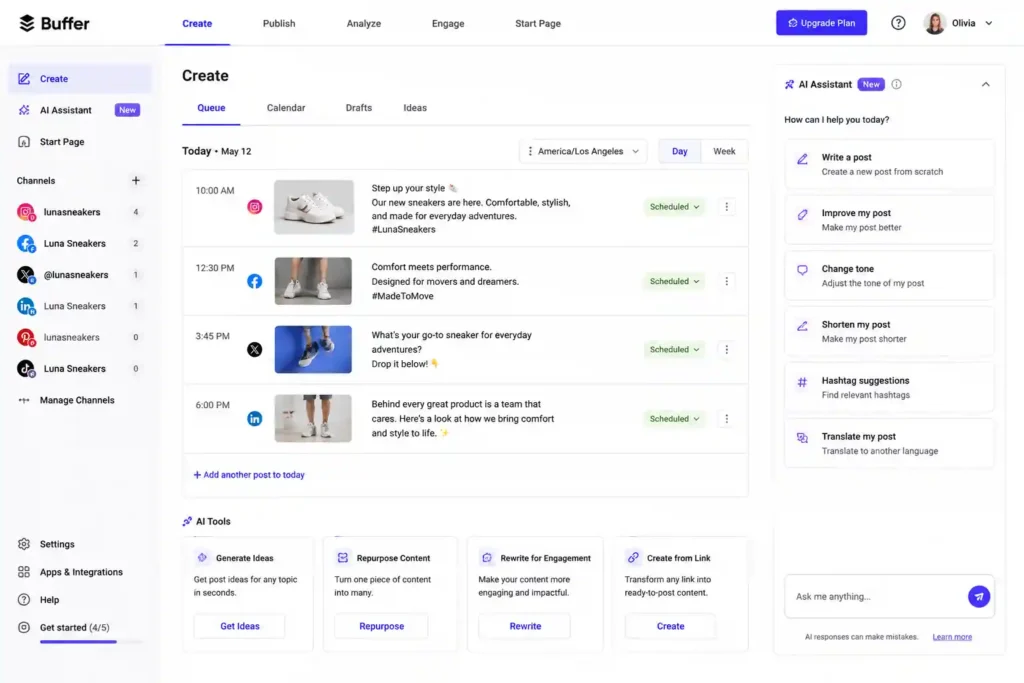
Best For: Social media management
Buffer AI helps businesses create and manage social media content.
Key Features:
- Post ideas
- Caption generation
- Content scheduling
- Social media planning
View Buffer AI details
46. Hootsuite AI
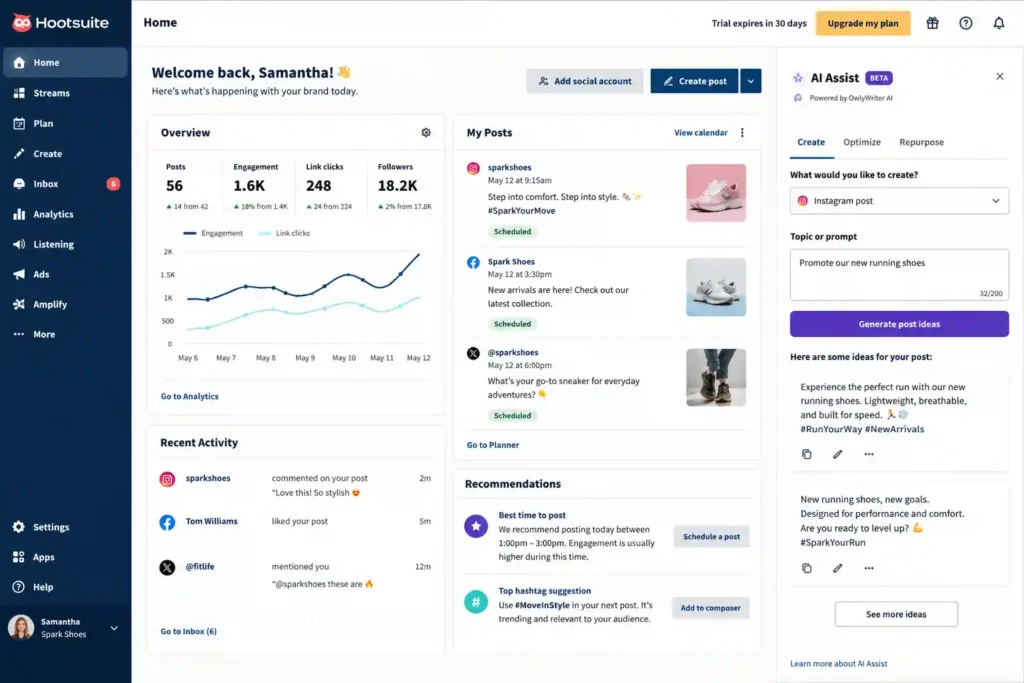
Best For: Social media automation
Hootsuite AI helps brands manage multiple social media channels efficiently.
Key Features:
- AI content suggestions
- Social monitoring
- Scheduling
- Analytics
View Hootsuite AI details
Complete List of 50+ Best AI Productivity Tools
Below is a quick overview of additional AI apps that can improve productivity across different industries.
| No. | AI Tool | Description |
| 1 | ChatGPT | General AI assistant for writing, research, coding, and productivity tasks. |
| 2 | Claude AI | Advanced AI assistant for document analysis and professional writing. |
| 3 | Google Gemini | AI assistant integrated with Google Workspace applications. |
| 4 | Microsoft Copilot | AI assistant for Microsoft Office and business productivity. |
| 5 | Perplexity AI | AI search engine for fast research and information discovery. |
| 6 | Jasper AI | Marketing-focused AI writing platform. |
| 7 | Copy.ai | AI tool for sales and marketing content. |
| 8 | Writesonic | SEO content generation and optimization platform. |
| 9 | Grammarly AI | Writing improvement and grammar assistance tool. |
| 10 | Wordtune | AI rewriting and sentence improvement assistant. |
| 11 | QuillBot | AI paraphrasing and summarization tool. |
| 12 | Notion AI | AI workspace for notes, documents, and project management. |
| 13 | NotebookLM | AI-powered document research assistant. |
| 14 | Elicit | Academic research assistant for scientific papers. |
| 15 | Consensus | Research search engine based on scientific studies. |
| 16 | Scholarcy | AI research paper summarization tool. |
| 17 | Scite | Scientific citation analysis platform. |
| 18 | Otter.ai | AI meeting transcription and note-taking tool. |
| 19 | Fireflies.ai | Automated meeting recording and summaries. |
| 20 | Fathom | AI meeting highlights and summaries. |
| 21 | ClickUp AI | AI-powered project management assistant. |
| 22 | Asana Intelligence | AI workflow and team management tool. |
| 23 | Monday AI | Business workflow automation platform. |
| 24 | Trello AI | AI-enhanced task management system. |
| 25 | Motion | AI calendar and scheduling assistant. |
| 26 | Reclaim AI | Smart calendar optimization tool. |
| 27 | Canva AI | AI graphic design and content creation platform. |
| 28 | Midjourney | AI image generation tool. |
| 29 | Adobe Firefly | Professional AI design assistant. |
| 30 | Leonardo AI | AI image and creative design generator. |
| 31 | Runway AI | AI video generation and editing platform. |
| 32 | GitHub Copilot | AI programming assistant. |
| 33 | Cursor AI | AI-powered coding environment. |
| 34 | Tabnine | Privacy-focused AI coding assistant. |
| 35 | Replit AI | AI coding and app development platform. |
| 36 | Gamma AI | AI presentation and document creator. |
| 37 | Beautiful.ai | Automated presentation design tool. |
| 38 | Tome AI | AI storytelling presentation platform. |
| 39 | Zapier AI | AI workflow automation system. |
| 40 | Make AI | Advanced automation builder. |
| 41 | HubSpot AI | AI-powered marketing and CRM assistant. |
| 42 | Salesforce Einstein | Enterprise AI business assistant. |
| 43 | Surfer SEO AI | AI SEO optimization platform. |
| 44 | Semrush AI | AI marketing research tools. |
| 45 | Frase AI | AI SEO writing assistant. |
| 46 | Buffer AI | Social media content assistant. |
| 47 | Hootsuite AI | Social media management automation. |
| 48 | Descript | AI audio and video editing tool. |
| 49 | Pika | AI video generation platform. |
| 50 | Rytr | AI writing assistant for quick content creation. |
| 51 | Mem AI | AI-powered note organization tool. |
| 52 | Motion AI | Intelligent productivity scheduling assistant. |
Free vs Paid AI Productivity Tools in 2026: Which Option Is Better?
When choosing AI productivity tools, one of the biggest questions users ask is whether they should use free AI apps or invest in premium versions. The answer depends on your goals, workflow requirements, and how frequently you use artificial intelligence.
They are excellent for students, beginners, freelancers, and individuals who want to explore AI before committing to a subscription.
However, paid AI productivity software usually provides more advanced capabilities, higher usage limits, better integrations, improved accuracy, and professional features designed for businesses and advanced users.
A free AI writing assistant might be enough for creating occasional emails or social media posts, but a marketing agency producing hundreds of articles every month may require a premium AI content platform with automation features.
Similarly, a student may use free AI research tools for learning, while a professional researcher may need advanced AI applications with deeper analysis capabilities.
The best approach is to start with free versions, understand your requirements, and upgrade when you need additional features.
| Category | Free AI Tools | Paid AI Tools |
| Writing | Basic content generation and editing | Advanced writing, brand voice, automation |
| Research | Limited searches and summaries | Deep research, larger document analysis |
| Design | Basic templates and AI generation | Professional creative controls |
| Coding | Basic code suggestions | Advanced programming assistance |
| Business | Limited automation | Enterprise workflows and integrations |
How AI Productivity Tools Improve Business Efficiency
Businesses in almost every industry are adopting artificial intelligence to improve productivity, reduce costs, and create better customer experiences.
Traditional business processes often involve repetitive activities such as data entry, customer responses, reporting, scheduling, and content creation. AI productivity tools automate these activities and allow employees to focus on higher-value responsibilities.
For example, a customer service department can use AI chat assistants to answer common questions instantly. Marketing teams can use AI content tools to create campaigns faster. Sales teams can use AI analytics to understand customer behavior and identify better opportunities.
The impact of AI productivity software is especially significant for small businesses. Previously, companies needed large teams for tasks like marketing, design, research, and customer support. Today, AI allows small teams to access powerful capabilities at a much lower cost.
AI Tools for Marketing Teams
Marketing departments use AI productivity apps for:
- Creating blog content
- Generating social media posts
- Optimizing SEO strategies
- Analyzing competitors
- Designing advertisements
- Understanding customer behavior
AI tools allow marketers to test more ideas, create campaigns faster, and improve results.
For example, instead of spending several days creating a marketing campaign, an AI-powered workflow can help generate ideas, write copy, create visuals, and schedule content within a few hours.
AI Tools for Remote Teams
Remote work has increased the need for better collaboration tools. AI helps distributed teams stay connected by improving communication and organization.
AI meeting assistants create automatic summaries, project management platforms organize tasks, and AI communication tools reduce unnecessary meetings.
Remote teams can use AI to:
- Track project progress
- Summarize discussions
- Automate updates
- Manage schedules
- Improve teamwork
This makes remote collaboration more efficient and transparent.
AI Tools for Entrepreneurs and Small Businesses
Entrepreneurs often handle many responsibilities at once. AI productivity tools help business owners save time and operate more efficiently.
A small business owner can use AI for:
- Writing website content
- Creating advertisements
- Managing customer emails
- Generating business ideas
- Preparing presentations
- Analyzing market trends
AI acts like a virtual team member that helps entrepreneurs accomplish more without increasing expenses.
How AI Productivity Tools Help Students and Researchers
Education and research are also being transformed by artificial intelligence. Students can use AI learning assistants to understand difficult concepts, organize notes, and improve writing skills.
Researchers benefit from AI tools that summarize scientific papers, analyze information, and discover connections between studies.
Some of the most useful AI applications for students include:
- ChatGPT for learning assistance
- NotebookLM for document analysis
- Perplexity AI for research
- Grammarly AI for writing improvement
- Elicit for academic research
However, AI should be used as a learning assistant rather than a replacement for critical thinking. Students still need to verify information and develop their own understanding.
Future Trends of AI Productivity Software
The future of AI productivity tools is moving toward more intelligent, personalized, and autonomous systems.
In the coming years, AI will become less like a simple chatbot and more like a complete digital assistant capable of managing complex workflows.
Several important trends will shape the future of AI productivity.
1. AI Agents Will Automate Complete Workflows
One of the biggest developments in artificial intelligence is the rise of AI agents.
Unlike traditional AI tools that respond to individual requests, AI agents can complete multi-step tasks independently.
For example, an AI business assistant could:
- Research competitors
- Create a marketing strategy
- Generate content
- Schedule campaigns
- Analyze performance
This will significantly change how professionals approach work.
2. More Personalized AI Assistants
Future AI tools will become highly personalized.
Instead of using the same AI system as everyone else, users will have AI assistants that understand:
- Their working style
- Personal preferences
- Professional goals
- Communication habits
- Daily routines
This personalization will make AI productivity tools much more effective.
3. AI Integration Across All Software
AI will become a standard feature inside almost every application.
Email platforms, calendars, design software, project management tools, and business systems will include built-in AI capabilities.
Users will not need to switch between different AI applications because intelligence will already exist inside their everyday software.
4. Voice-Based AI Productivity
Voice interaction will become increasingly important.
Instead of typing instructions, users will simply talk to AI assistants.
For example, professionals may say:
“Prepare a summary of today’s meetings and create follow-up tasks.”
The AI assistant will complete the workflow automatically.
5. AI-Powered Decision Making
Businesses will increasingly use AI to analyze data and support important decisions.
AI systems will help organizations:
- Predict market trends
- Analyze customer behavior
- Improve operations
- Identify opportunities
This will make businesses more agile and competitive.
How to Choose the Best AI Productivity Tool for Your Needs
With hundreds of AI applications available, choosing the right one can be difficult. The best AI productivity tool depends on your specific goals.
Consider these questions before selecting a tool:
What task do you want to improve?
Choose tools based on your biggest productivity challenge.
For example:
- Writing → ChatGPT, Jasper, Writesonic
- Research → Perplexity, NotebookLM, Elicit
- Design → Canva AI, Midjourney
- Coding → GitHub Copilot, Cursor
- Meetings → Otter.ai, Fireflies
- Project management → Notion AI, ClickUp AI
Does it integrate with your current workflow?
A powerful AI tool should work smoothly with the software you already use.
Integration saves time and prevents unnecessary complexity.
Does it protect your data?
For businesses and professionals, privacy is extremely important.
Always check how AI tools handle your information before using them for sensitive projects.
Common Mistakes When Using AI Productivity Tools
Although AI tools provide many benefits, users often make mistakes that reduce their effectiveness.
- Depending Completely on AI
- AI should support human intelligence, not replace it.
- Always review AI-generated content, verify information, and apply your own expertise.
- Using Too Many Tools
- Having dozens of AI applications can create confusion.
- A better approach is choosing a few powerful tools that solve your main problems.
- Ignoring Learning and Improvement
- AI tools become more valuable when users understand how to use them effectively.
- Learning proper AI prompting and workflow design can dramatically improve results.
The Future Belongs to People Who Work With AI
The best AI productivity tools in 2026 are changing the way people work, create, communicate, and solve problems. From AI writing assistants and research platforms to automation systems, coding assistants, and creative applications, artificial intelligence has become one of the most powerful productivity technologies available today.
The biggest advantage of AI is not simply completing tasks faster. It is helping people focus their energy on meaningful work. By handling repetitive activities, organizing information, and providing intelligent support, AI allows humans to become more creative and efficient.
Whether you are a student, entrepreneur, marketer, developer, designer, researcher, or business owner, there is an AI productivity tool that can improve your workflow.
The future of work will not be humans versus AI. It will be humans working together with AI.
Those who learn how to use artificial intelligence effectively will have a major advantage in productivity, creativity, and innovation.
FAQs
1. What are the best AI productivity tools in 2026?
The best AI productivity tools in 2026 include ChatGPT, Claude AI, Google Gemini, Notion AI, Microsoft Copilot, Perplexity AI, Canva AI, GitHub Copilot, Motion, and ClickUp AI. The best choice depends on your specific needs, such as writing, research, design, coding, or automation.
2. Are AI productivity tools safe to use?
Most reliable AI productivity platforms use security measures to protect user data. However, users should always review privacy policies and avoid sharing sensitive personal or business information unless they trust the platform.
3. Can AI productivity tools replace employees?
AI productivity tools are designed to assist employees rather than completely replace them. They automate repetitive tasks and help people work faster while allowing humans to focus on creativity, strategy, and decision-making.
4. Which AI tool is best for content writing?
ChatGPT, Jasper AI, Writesonic, Copy.ai, and Grammarly AI are among the most popular AI writing tools. They help with blog writing, SEO content, marketing copy, emails, and editing.
5. What is the future of AI productivity tools?
The future of AI productivity tools will focus on autonomous AI agents, personalized assistants, voice-based interaction, and deeper integration into everyday software. AI will become a natural part of professional and personal workflows.