
Teachers often don’t get enough recognition for the behind-the-scenes work that goes into just one class period. Before a single student opens a textbook, the teacher has already set learning objectives, gathered reading materials, planned activities, created quizzes, and probably reworked the slide deck because last year’s version didn’t fit this group.
All this preparation can take 10 to 15 hours each week—on top of actual teaching time. Thankfully, AI tools for teachers are starting to change that, making lesson prep faster and more manageable in ways that feel long overdue.

This isn’t about replacing teachers. Anyone who has spent time in a real classroom knows that the human touch—spotting when a student is quietly struggling or adjusting the tone mid-lesson—is irreplaceable. What AI tools for teachers can do is handle repetitive, time-consuming tasks, freeing educators to focus on the parts of teaching that truly require a human presence.
Here’s a practical look at how AI tools for teachers are making the biggest difference in classrooms today.
Lesson planning used to be done on Sundays
Ask most teachers what they do on Sunday afternoons, and the answer is depressingly predictable: lesson plans. Mapping out objectives, sequencing activities, aligning everything to standards, writing the opening hook — it’s a multi-hour process even for experienced teachers who’ve taught the same unit before.
AI lesson planning tools change the workflow significantly. A teacher can type something like “I need a 45-minute lesson on the water cycle for 6th graders, aligned to NGSS, with a hands-on activity” and get a structured plan in under a minute. That plan will include learning objectives, a suggested sequence, discussion questions, an activity, and an exit ticket.
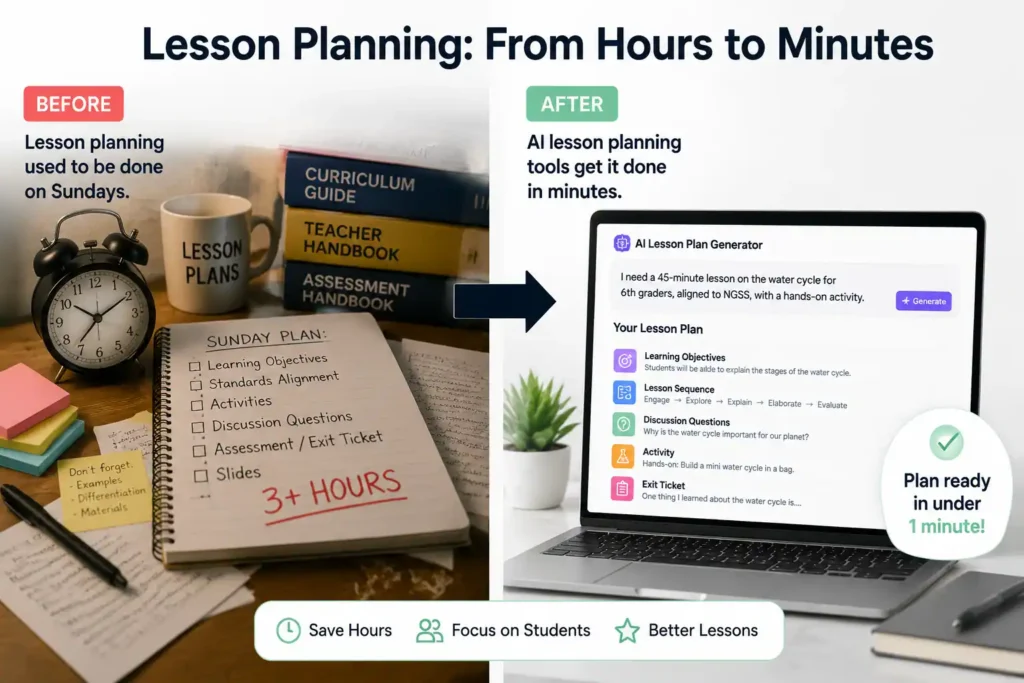
Is it perfect? Rarely, on the first pass. But it’s a solid draft that cuts 90 minutes of work down to 15 minutes of editing. That’s nothing.
Tools like MagicSchool AI and Eduaide.ai are built specifically for this. They understand educational frameworks, can target specific grade bands and standards, and generate content that actually sounds like it was written for a classroom rather than a corporate document. Teachers who’ve used them consistently report getting back several hours a week — hours that go into feedback, relationships, and the parts of teaching that actually move students forward.
There’s also a quality argument here that gets overlooked. When a teacher is writing their fourth lesson plan of the weekend, and it’s past 10 pm, the lesson plan suffers. AI doesn’t get tired.
Quiz and assessment generation: the task nobody misses
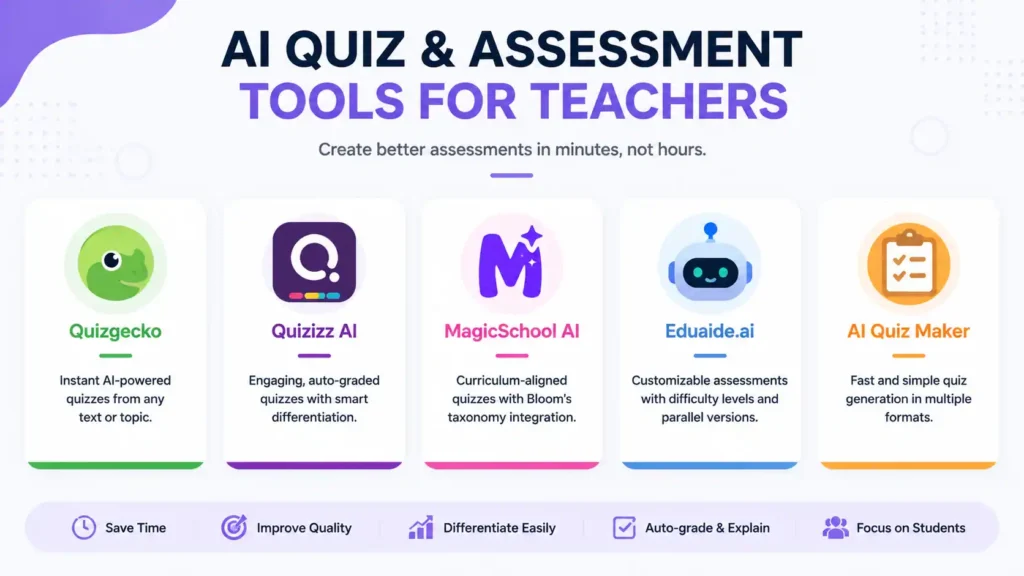
Creating effective quizzes and assessments is one of the most time-consuming parts of teaching, yet it’s critical for measuring student understanding. Teachers must craft questions at different cognitive levels, write clear distractors for multiple-choice items, balance recall with application, ensure language is accessible, format the quiz, and often make multiple versions to prevent answer-sharing—tasks that can take hours. AI quiz generators for teachers are transforming this process, allowing educators to generate complete, curriculum-aligned assessments in seconds. By simply inputting a reading passage, lesson notes, or a topic, specifying the format—multiple choice, true/false, short answer, or a combination—setting grade level and difficulty, teachers can receive a ready-to-edit quiz almost instantly. Platforms like Quizgecko, Quizizz AI, and the MagicSchool AI quiz generator not only speed up the process but also enable differentiation, producing parallel versions of the same assessment at varied complexity levels, which is otherwise extremely difficult and time-consuming. Advanced features include Bloom’s taxonomy integration, allowing teachers to request a specific number of knowledge, comprehension, and application questions, as well as automatic answer keys with explanations.
This makes formative assessment tasks—like exit tickets, bell-ringers, and discussion prompts—quick and flexible, letting teachers focus more on student engagement rather than repetitive production work. For example, a high school biology teacher can transform a 90-minute genetics quiz prep into a fully structured, AI-generated quiz in under 10 minutes, complete with difficulty stratification and auto-graded answers. Keywords like
- AI quiz maker
- Automated test generator
- AI-powered assessments
- Instant classroom quizzes
- Online quiz AI
Highlight how these tools are revolutionizing assessment planning, saving time, and enhancing instructional quality for teachers everywhere.
Here’s a shortlist of the best AI tools for quiz creation that teachers can use:
- Quizgecko – Instant AI-powered quizzes from lesson notes or text.
- Quizizz AI – Generates engaging, auto-graded quizzes with differentiation.
- MagicSchool AI – Curriculum-aligned quizzes with Bloom’s taxonomy integration.
- Eduaide.ai – Customizable assessments with difficulty stratification and parallel versions.
AI Notes: Create Structured Learning Materials in Minutes
One of the biggest advantages of AI in education is note creation. Writing clear, organized, and engaging notes for students can take hours—especially when teachers want differentiated materials for learners at different levels. AI note generators can transform raw text into concise, student-friendly notes almost instantly, saving teachers valuable time.
What AI Notes Include:
- Key concept extraction: Highlights important topics automatically.
- Summaries and explanations: Condense content into easy-to-read formats.
- Customizable depth: Notes can be brief for struggling learners or detailed for advanced students.
- Student-focused layout: Structured headings, bullet points, and illustrative examples.
- Language adaptability: Notes can be generated in multiple languages, ideal for inclusive classrooms or English language learners.
Top AI Tools for Teachers:
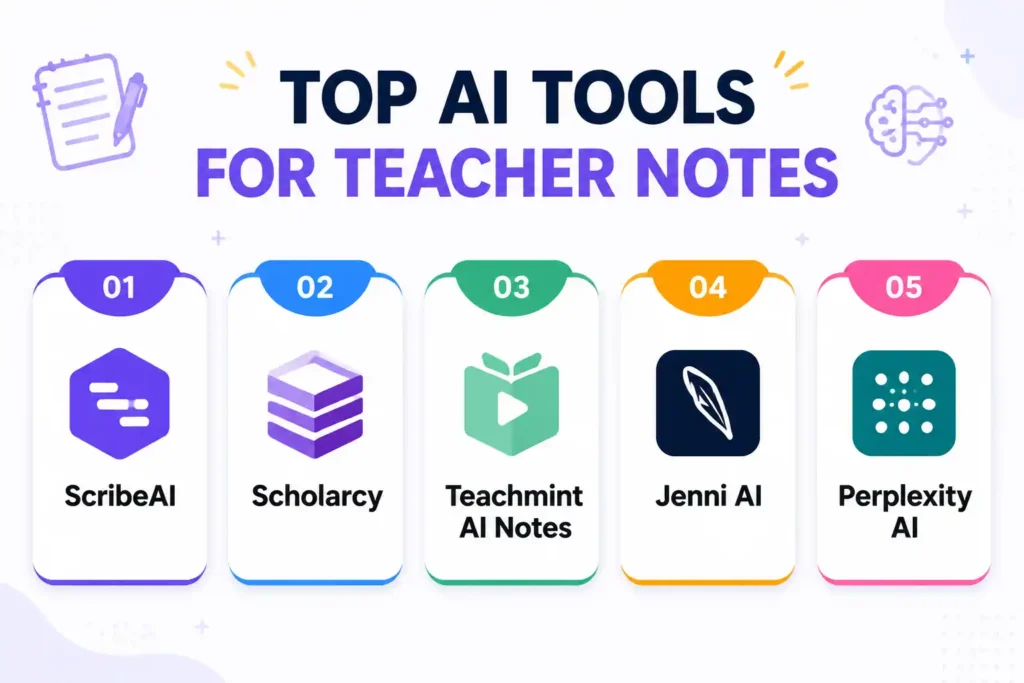
Teachers can use tools like ScribeAI, Scholarcy, Teachmint AI Notes, Jenni AI, and Perplexity AI to generate structured notes from lesson plans, reading passages, or lecture transcripts. These platforms allow teachers to create differentiated notes efficiently, providing simplified versions for struggling students and detailed explanations for advanced learners.
Case Study: English Literature Class
Mr. John teaches literature to a class with diverse learning needs. By using AI tools like ScribeAI and Scholarcy, he produces:
- Simplified notes for struggling students
- In-depth analyses for advanced learners
- Thematic comparisons side-by-side
This approach ensures all students have accessible, comprehensive materials while saving teachers hours of preparation each week.
Keywords for Notes:
AI note generator, automated lesson summaries, digital learning notes, teacher AI notes, AI study materials
Slide design: from functional to actually good
Creating lesson slides is essential but often time-consuming for teachers. Thankfully, AI tools for teachers can now generate fully formatted, interactive, and visually appealing slides directly from text or notes, saving hours of prep work.
AI Slide Generation Workflow:
- Upload lesson content to the AI tool.
- Choose a preferred slide template or visual theme.
- The AI automatically formats content into slides, including:
- Visuals, diagrams, and infographics
- Headings, bullet points, and key highlights
- Speaker notes and talking points
- Teachers review and tweak the slides before classroom use.
Some platforms also include interactive features, such as polls, embedded quizzes, or animated visuals, making lessons more engaging and immersive.
Top AI Tools for Slide Creation:
Teachers can use AI tools like:
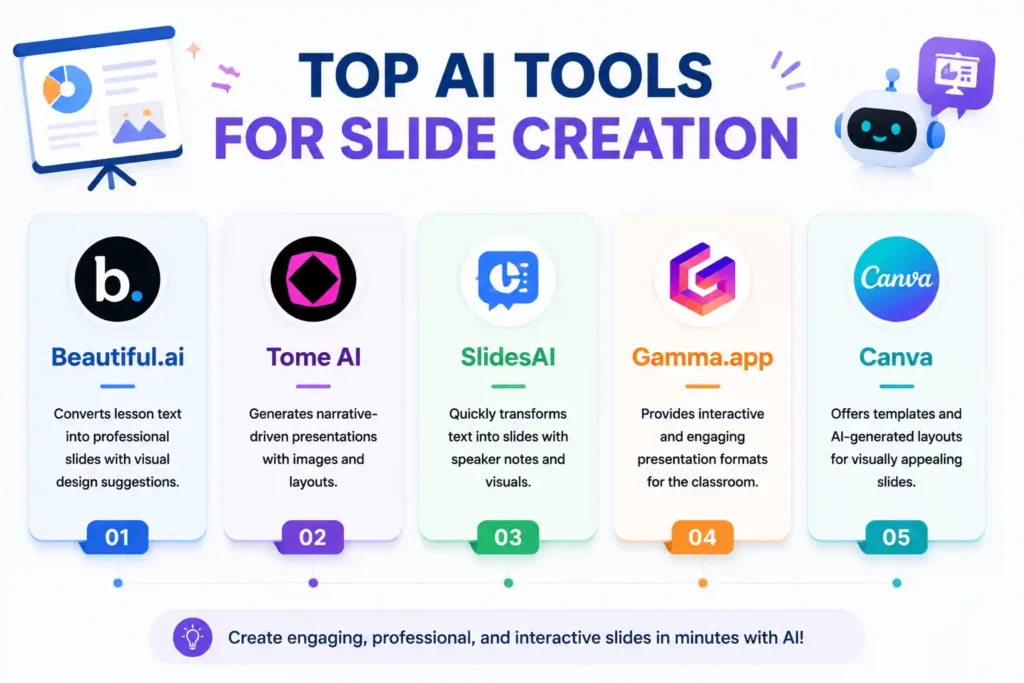
- Beautiful.ai – Converts lesson text into professional slides with visual design suggestions.
- Tome AI – Generates narrative-driven presentations with images and layouts.
- SlidesAI – Quickly transforms text into slides with speaker notes and visuals.
- Gamma.app – Provides interactive and engaging presentation formats for the classroom.
- Canva – Offers templates and AI-generated layouts for visually appealing slides.
Case Study: History Class Slides
Mrs. Clarke, a world history teacher, uploads a text document on the Renaissance into an AI slide generator. Within minutes, she receives:
- Timelines and maps
- Key imagery and infographics
- Interactive discussion prompts
Students can even preview these slides before class, supporting a flipped classroom experience that enhances learning engagement.
Keywords for Slides:
AI slide creator, automated presentation maker, teacher AI slides, AI classroom slides, digital lesson slides
Real-World Benefits of AI in Education
Time Savings and Efficiency
AI reduces hours of prep time to minutes. For example:
- Quizzes generated instantly
- Notes auto-summarized
- Slides formatted and ready for classroom use
This efficiency allows teachers to focus on student engagement and instruction, rather than administrative work.
Differentiated Instruction
AI supports personalized learning:
- Adjusting notes for reading levels
- Creating multiple quiz versions
- Customizing slide content for specific student needs
Enhanced Engagement
Interactive AI slides, adaptive quizzes, and student-friendly notes make lessons more engaging and help students retain knowledge better.
Best Practices for Using AI Tools in the Classroom
1. Clear Prompts Yield Better Results
The quality of AI-generated content depends on how you frame your request. Include:
- Subject and grade level
- Content type (notes, slides, quiz)
- Desired format and length
- Tone (formal or casual)
2. Always Review Content
AI tools are fast, but they aren’t perfect. Teachers should review outputs for:
- Factual accuracy
- Alignment with curriculum standards
- Cultural appropriateness
3. Personalize Outputs
Enhance AI-generated materials by adding:
- Your teaching insights and explanations
- Examples from your classroom
- Interactive elements for engagement
This ensures the content is unique, relevant, and meaningful for students.
Future of AI in Education
The future of AI in education promises even more advanced tools to support teachers and students alike. Real-time classroom assistance will allow AI to suggest content dynamically during lessons, helping educators adjust instruction on the fly. Learning analytics powered by AI can predict student performance, identify areas for improvement, and guide personalized interventions. Voice-activated content creation will enable teachers to dictate lessons while AI generates slides, quizzes, and notes instantly. Virtual simulations and AI-powered interactive labs will provide immersive learning experiences, making complex concepts easier to understand.
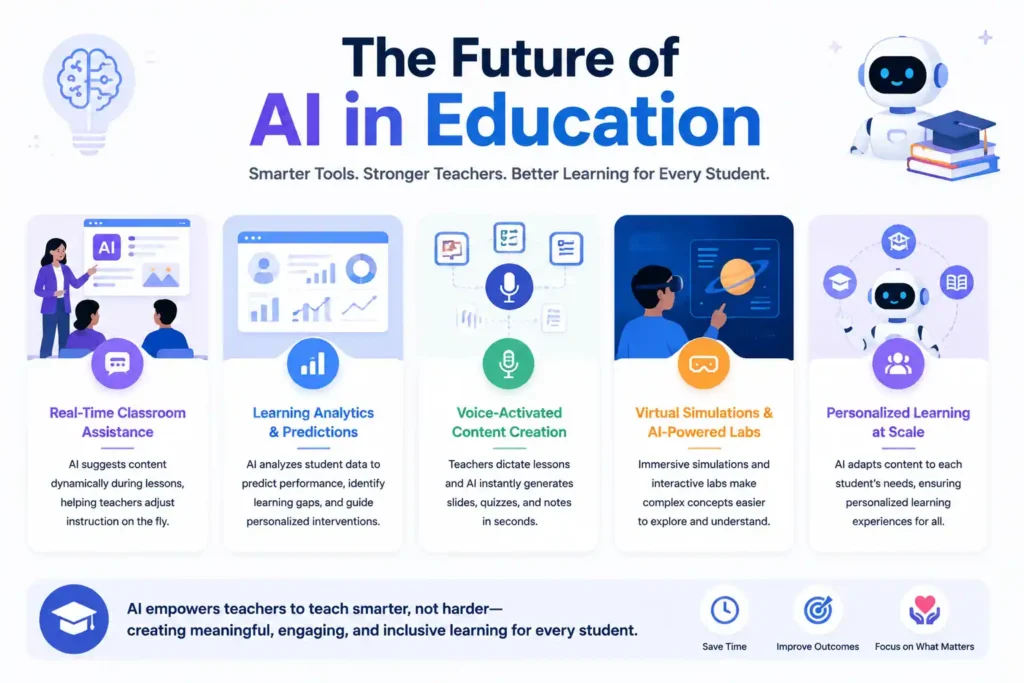
As these technologies continue to evolve, the future of AI in education will increasingly empower teachers to enhance instruction, boost efficiency, and improve student engagement. By integrating these tools responsibly, educators can focus on high-impact teaching activities, providing personalized support and creating meaningful learning experiences for every student.
The bigger picture
Teaching is a profession where the visible work — the 45 minutes in front of students — represents maybe a third of the actual job. The invisible work, the planning, the grading, the differentiation, the communication, has always been where teachers run out of time and energy.
AI tools for teachers don’t fix the structural problems in education: underfunding, large class sizes, and inadequate support. But they do give individual teachers a way to work more sustainably without sacrificing quality. That’s worth taking seriously.
The teachers getting the most out of these tools aren’t using them to do less work. They’re using them to redirect effort — away from producing materials and toward using them well. More time for feedback. More time for the student who’s falling behind. More time for the conversation after class that a student needed to have.
That’s what good tools are supposed to do. These ones are finally delivering on it.
FAQ from AI Tools for Teachers
Q1: Can AI tools generate quizzes for all subjects?
Yes, AI-powered quizzes can be created for a wide range of subjects, from STEM topics to language arts, providing curriculum-aligned and classroom-ready assessments.
Q2: Are AI-generated notes effective for learning?
Absolutely. When reviewed and customized, AI-generated notes improve comprehension, retention, and accessibility for students at different learning levels.
Q3: Can AI slide decks be used directly in class?
Yes, AI-generated slides can be used for lessons, though a quick review ensures accuracy and alignment with curriculum standards.
Q4: Do teachers need technical expertise to use AI tools?
Most AI tools for teachers are user-friendly, requiring minimal technical knowledge while still producing professional-quality notes, quizzes, and slides.
Q5: Can AI create interactive quizzes?
Yes, AI-powered quizzes can include interactive elements such as polls, timers, and branching scenarios to engage students more effectively.
Q6: Will AI replace teachers?
No. AI in education is a productivity and teaching support tool. Teachers remain essential for guidance, human judgment, and personalized instruction.