

Upscayl
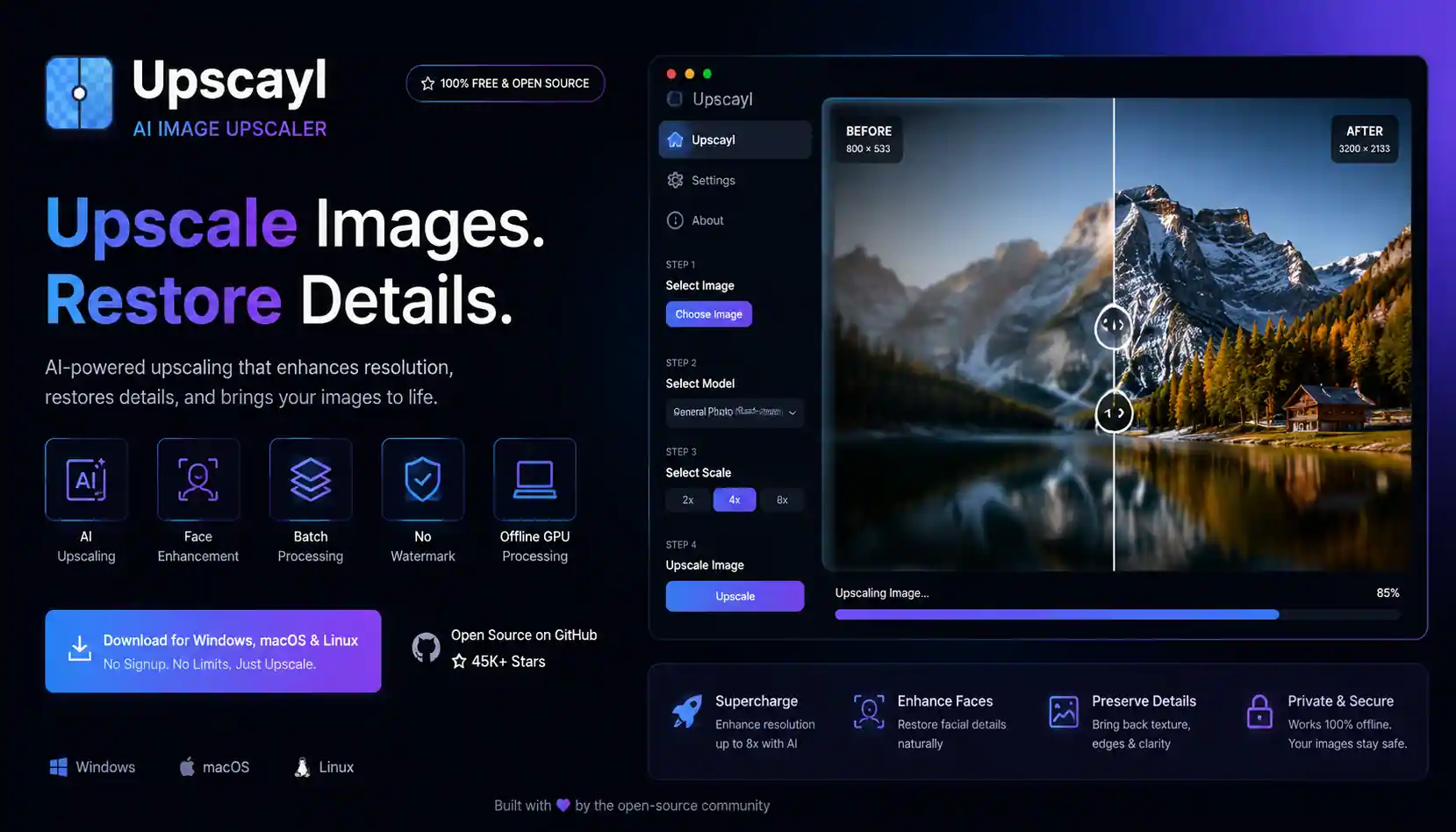
Upscayl is a free open-source AI image upscaler that enhances low-resolution images into high-quality HD photos using advanced AI models. It works offline on your computer and provides professional-level image enhancement without watermarks or usage limits.
Starting price Freemium
Tool Information
Upscayl is a powerful open-source AI image upscaling tool designed to convert low-resolution images into sharp, high-quality visuals. Built on advanced deep learning models like Real-ESRGAN, it intelligently generates missing details to enhance clarity, texture, and resolution.
Unlike cloud-based tools, Upscayl runs directly on your local machine, ensuring full privacy and offline usage. It is widely used by designers, photographers, content creators, and developers who need high-quality image enhancement without paying for expensive software.
The tool supports multiple AI models optimized for different types of images such as photos, anime, illustrations, and digital artwork. With batch processing and GPU acceleration, Upscayl can upscale images up to 4x or even higher depending on the mode used.
In addition to its free desktop version, Upscayl also offers a cloud-based service for users who want faster processing without requiring a powerful GPU.
F.A.Q (4)
Pros and Cons
Pros
- Completely free and open-source
- Works offline with full privacy
- No watermarks or limits
- High-quality AI upscaling results
- Supports Windows Mac and Linux
Cons
- Requires good GPU for best performance
- Not ideal for extreme blur correction
- Basic UI compared to paid tools
- Cloud version is paid
- Limited advanced editing features
Reviews
You must be logged in to submit a review.
No reviews yet. Be the first to review!


Similar Tools
Asana Intelligence is an AI-powered collection of work management features built into the Asana platform. It helps teams understand project activity create summaries prepare status reports improve written communication and automate repetitive processes. Asana Intelligence is now commonly included under the wider Asana AI platform which also features AI Studio smart workflows workplace assistants and configurable AI Teammates.
2026-08-01
Freemium

Jasper AI is an AI-powered writing assistant that generates high-quality content for blogs, marketing, and social media with speed and consistency.
2026-04-23
Paid

ClosersCopy is an AI copywriting platform that helps users write sales pages, blogs, emails, ads, landing pages, product descriptions, and SEO-focused marketing content faster.
2026-07-20
Paid
