
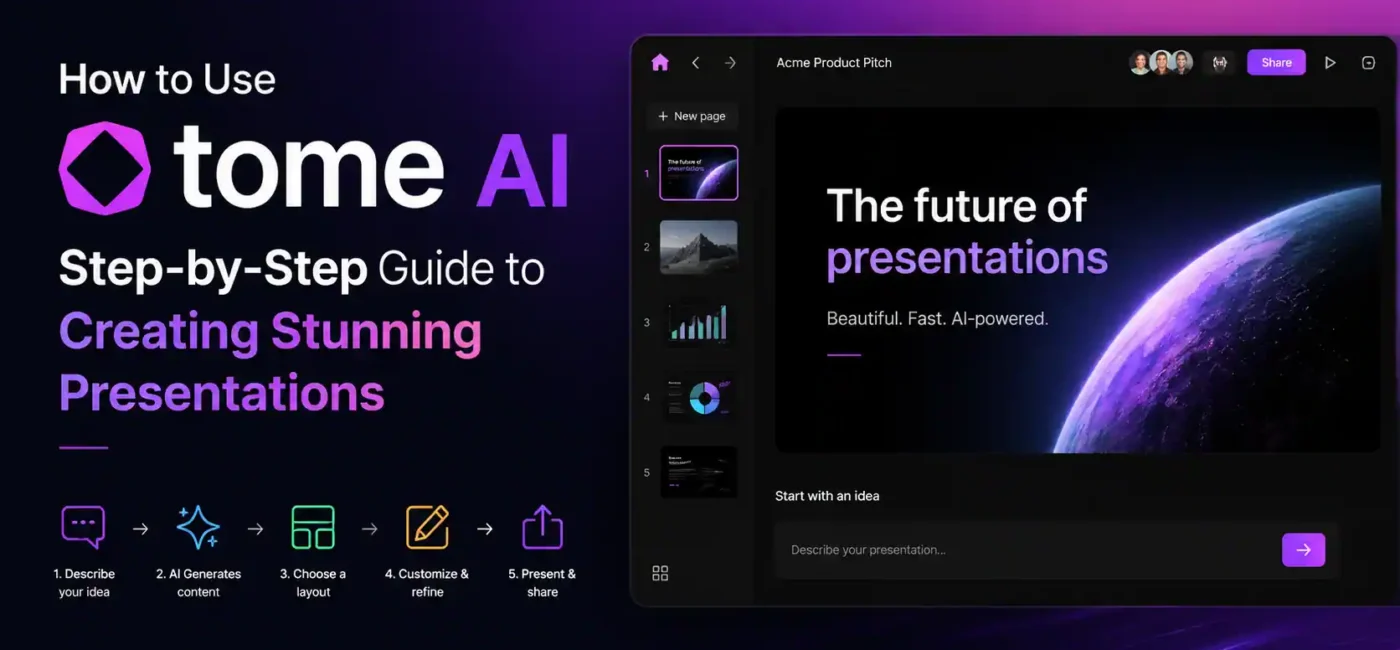
In today’s fast-moving digital world, presentations are no longer just slides filled with bullet points. They have become storytelling tools that shape ideas, pitch businesses, and communicate complex concepts in a simple way. Whether you are a student preparing a project, a startup founder pitching investors, or a content creator building visual stories, presentation quality matters more than ever.
But creating professional presentations traditionally takes time—hours of design work, formatting, structuring content, and searching for visuals. This is exactly where Tome AI changes the game.
Tome AI is not just another presentation tool. It is an AI-powered storytelling platform that builds complete presentations from a simple idea. Instead of designing slides manually, you describe what you want, and the tool generates a structured, visually appealing presentation in seconds.
It also helps users think more clearly by organizing ideas into logical flow and narrative structure. This makes complex topics easier to present and understand. Many users also prefer it because it reduces dependency on design skills and allows faster content production without compromising quality.
This guide explains everything about Tome AI—from basics to advanced usage, real-world applications, limitations, and expert tips that help you get the best results.
What is Tome AI?
Tome AI is an artificial intelligence-powered platform designed to create presentations, documents, and visual stories automatically. Unlike traditional tools like PowerPoint or Google Slides, where you start from scratch, Tome AI uses generative AI to build content structure, text, and visuals for you.
At its core, Tome AI combines three major technologies:
- Natural Language Processing (NLP)
- AI content generation
- Automated design and layout system
When a user enters a topic, the system analyzes the input and creates a complete narrative flow. It doesn’t just generate random slides; it builds a structured story.
For example:
If you type “AI in digital marketing,” Tome AI may create sections like:
- Introduction to AI marketing
- Current trends
- Benefits for businesses
- Real-world applications
- Future of AI in marketing
This storytelling approach makes presentations more engaging and logical.
Why Tome AI is Becoming So Popular?
The rise of Tome AI is not random. It is driven by real needs in modern digital workflows.
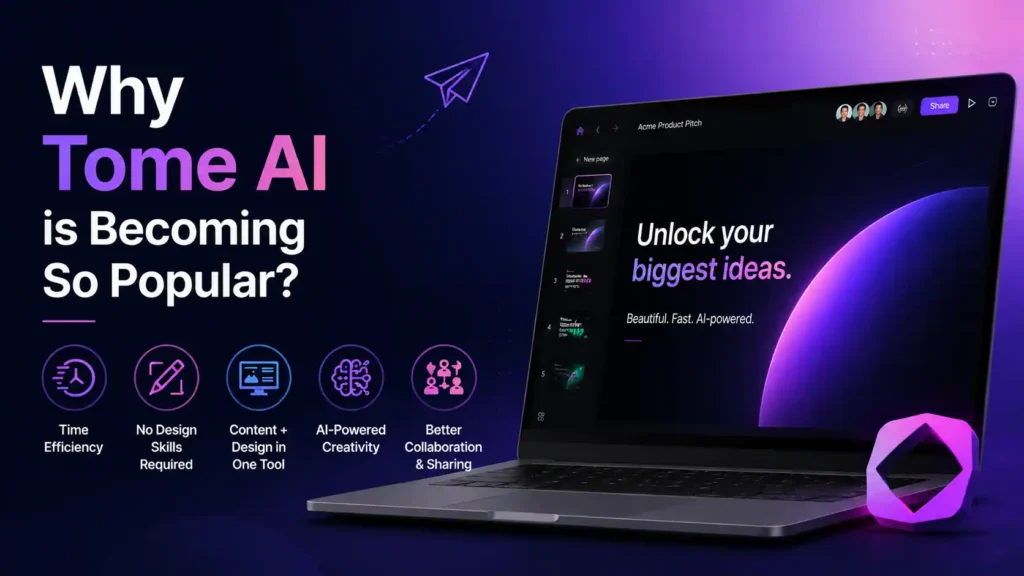
Time Efficiency
Traditional presentations take hours or even days. Tome AI reduces this to minutes. Users simply enter an idea, and the system builds the structure instantly. This allows professionals and students to focus more on ideas and less on formatting or design work. It is especially useful for tight deadlines where speed matters.
No Design Skills Required
Not everyone is a designer. Tome AI removes the need for layout skills, typography knowledge, or visual design experience. Even beginners can create clean, modern, and professional-looking presentations without struggling with complex tools. This makes it highly accessible for users from different backgrounds.
Content + Design in One Tool
Instead of using separate tools for writing and designing, Tome AI merges both into a single system. This integration reduces workflow complexity and eliminates the need to switch between multiple applications. Everything from idea generation to final presentation happens in one place, making the process smoother and more efficient.
AI-Powered Creativity
The platform suggests ideas, improves structure, and enhances storytelling quality. It helps users think beyond basic slides by offering better flow, layouts, and narrative suggestions. This results in more engaging and impactful presentations that are easier for audiences to understand and remember.
Better Collaboration and Sharing
Tome AI also supports easy sharing through links, which makes collaboration simple. Teams can work on presentations together in real time, reducing communication gaps and improving productivity. This is especially useful for remote teams, startups, and educators working with groups of students.
Perfect for Multiple Users
Tome AI is designed to be flexible and useful for a wide range of users across different fields. It adapts to various needs by automatically adjusting content structure and presentation style based on the user’s purpose. Whether someone is creating educational material, business reports, or marketing content, the platform provides smart assistance that improves productivity and output quality.
- Students
- Business professionals
- Startups
- Educators
- Marketers
Each group benefits differently but equally. Students use it for assignments, project reports, and presentations that save time and improve quality. Business professionals rely on it for meetings, reports, and client communication. Startups use it to create strong pitch decks and attract investors quickly. Educators can design structured lessons and teaching materials with ease. Marketers use it for campaigns, proposals, and storytelling content that engages audiences. Overall, Tome AI adapts to different needs, making it a flexible tool for both personal and professional use across multiple industries and workflows.
How Tome AI Works Behind the Scenes
Tome AI uses AI models trained on large datasets of written content, design layouts, and storytelling patterns.
When a user inputs a prompt, the system:
- Understands the topic
- Breaks it into sections
- Generates relevant content
- Creates slide structure
- Adds visual suggestions
- Organizes flow logically
This process happens within seconds.
Unlike template-based tools, Tome AI adapts dynamically to each input.
Step-by-Step Guide: How to Use Tome AI
Now let’s go through the complete usage process.
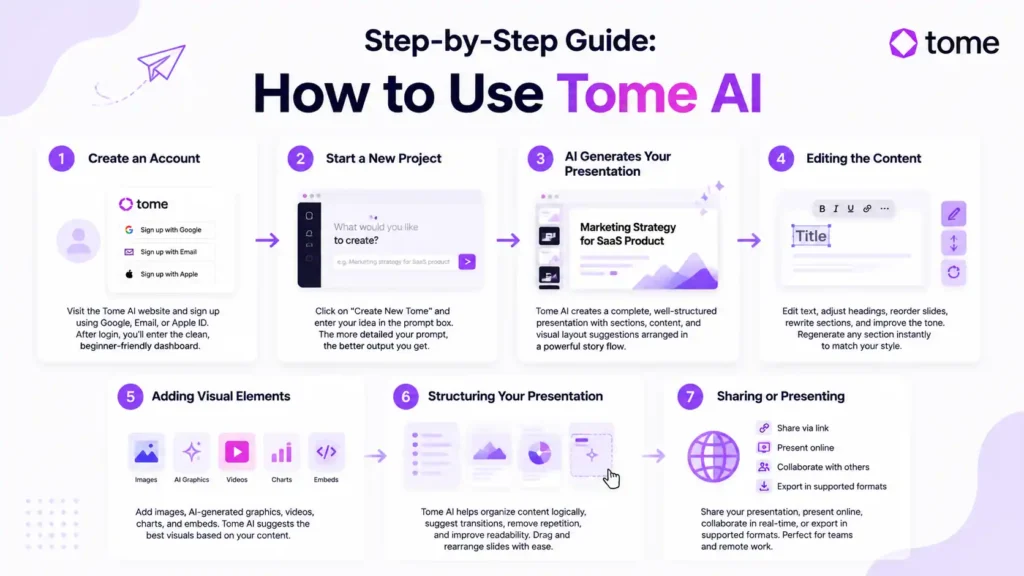
Step 1: Create an Account
Visit the Tome AI website and sign up using:
- Google account
- Apple ID
After login, you enter the dashboard where all your projects are stored.
The interface is minimal and beginner-friendly.
Step 2: Start a New Project
Click on “Create New Tome.”
You will see a prompt box asking what you want to create.
This is the most important step because the AI depends on your input.
Example prompts:
- “Marketing strategy for SaaS product”
- “AI tools in digital marketing presentation”
- “Business pitch deck for startup idea”
- “School project on renewable energy”
The more detailed your prompt, the better output you get.
Step 3: AI Generates Your Presentation
After submitting your idea, Tome AI generates a complete presentation.
It includes:
- Title slide
- Structured sections
- Explanations
- Supporting content
- Visual layout suggestions
The content is arranged like a story rather than random slides.
For example:
Problem → Analysis → Solution → Outcome
This makes presentations more powerful and easier to understand.
Step 4: Editing the Content
AI does most of the work, but editing is still important.
You can:
- Change text
- Adjust headings
- Reorder slides
- Rewrite sections
- Improve tone
If a section doesn’t match your style, you can regenerate it instantly.
Step 5: Adding Visual Elements
One of Tome AI’s strongest features is its visual system.
You can add:
- Images
- AI-generated graphics
- Videos
- Charts
- Embeds
Instead of searching manually, the system suggests visuals based on context.
This saves a lot of time and improves design quality.
Step 6: Structuring Your Presentation
A good presentation needs flow.
Tome AI helps by:
- Organizing sections logically
- Removing repetition
- Suggesting transitions
- Improving readability
You can drag and rearrange slides easily.
Step 7: Sharing or Presenting
Once your work is ready, you can:
- Share via link
- Present online
- Collaborate with others
- Export in supported formats
This makes it ideal for teamwork and remote work environments.
Real-World Use Cases of Tome AI
Tome AI is not just a presentation tool; it is a practical solution used across education, business, marketing, and content creation industries. Its ability to turn simple ideas into structured, visually appealing presentations makes it valuable in real-world scenarios where speed, clarity, and communication matter. Instead of spending hours designing slides and organizing information, users can focus more on their ideas while AI handles structure and design.
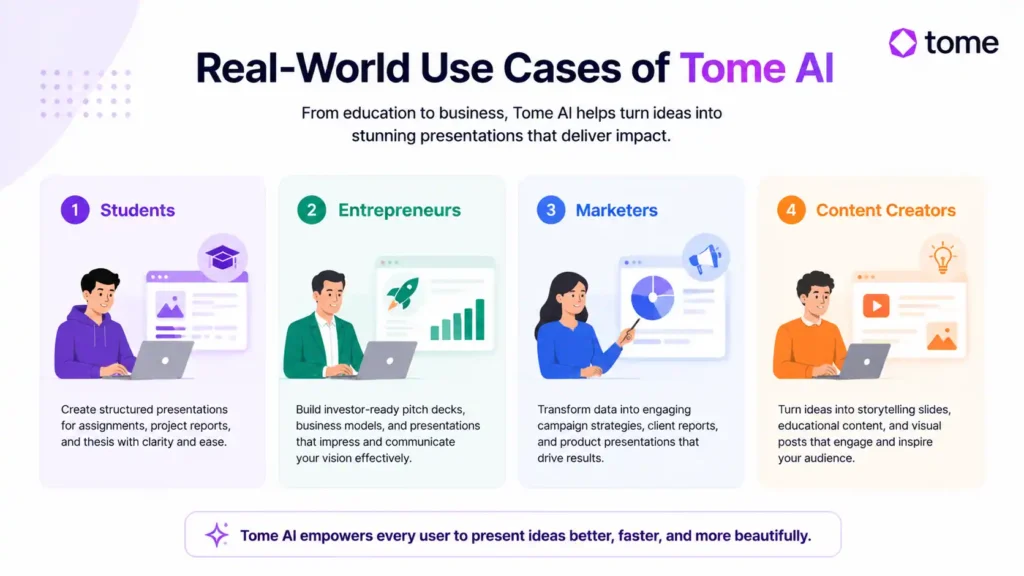
1. Students
Students use Tome AI to simplify academic work and present ideas more clearly. Instead of manually designing slides, they can quickly generate structured presentations for school or university projects. It helps in assignments, project reports, and thesis presentations where clarity and structure are important. Even complex topics can be broken down into simple, well-organized slides. This improves both understanding and presentation quality while saving a lot of time.
2. Entrepreneurs
Entrepreneurs use Tome AI to create professional pitch decks, investor presentations, and business models. Startups often need fast and effective communication tools, and Tome AI helps turn raw ideas into structured presentations that look polished and investor-ready. It reduces the need for designers and speeds up the preparation process. This is especially useful during fundraising or client meetings where first impressions matter a lot.
3. Marketers
Marketers rely on Tome AI for campaign strategies, client reports, and product presentations. It helps transform data-heavy information into simple and visually engaging slides. Instead of long reports, marketers can present insights in a storytelling format that clients and teams can easily understand. This improves communication and makes marketing strategies more impactful.
4. Content Creators
Content creators use Tome AI for storytelling slides, educational content, and visual posts. It helps convert ideas into engaging presentations that can be shared on social media or used in videos. This allows creators to focus more on creativity while AI handles structure and design. As a result, content production becomes faster, cleaner, and more professional.
Advanced Tips to Get Better Results
Using Tome AI effectively is not just about entering a prompt—it is about guiding the AI with the right structure, clarity, and intent. The better your input, the more refined and professional your output will be. Small improvements in how you create prompts and structure ideas can significantly change the quality of your final presentation.
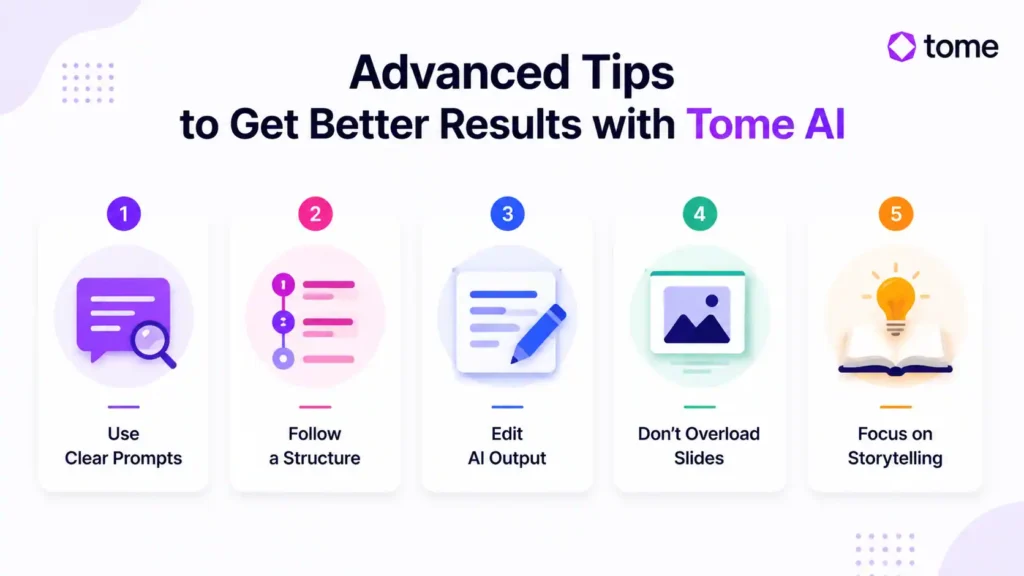
Use Clear Prompts
Clear prompts help Tome AI understand context, audience, and purpose, which leads to more accurate and relevant presentations.
Bad prompt:
“Marketing presentation”
Good prompt:
“AI-powered digital marketing strategy for SaaS startups in 2026”
Follow a Structure
This structure helps organize ideas in a storytelling format, making presentations easier to understand and more impactful for viewers.
Try:
- Problem
- Solution
- Strategy
- Results
Edit AI Output
Always refine content manually for best quality. AI-generated slides are a strong starting point, but human editing ensures accuracy, tone consistency, and personalization. Adding your own insights makes the presentation more professional and unique.
Don’t Overload Slides
Keep visuals simple and focused. Too much information on a single slide reduces clarity and weakens audience engagement. Clean design with minimal text always performs better in presentations.
Focus on Storytelling
Good presentations tell a story, not just information. Instead of listing facts, try to guide the audience through a journey. Story-based presentations are more memorable and persuasive.
Advantages of Tome AI
Tome AI also improves productivity by reducing the need for manual formatting and design work. It helps users focus more on ideas rather than slide building, which makes workflow much smoother. For teams, it also improves collaboration by allowing quick edits and sharing through simple links.
- Fast content creation
- Beginner-friendly
- AI-powered storytelling
- Clean modern design
- Time-saving
- No technical skills required
Limitations of Tome AI
Tome AI may not fully replace advanced tools like PowerPoint for users who need deep customization or complex animations. However, for speed, simplicity, and AI-driven presentation creation, it performs extremely well and is suitable for most modern users including students, creators, and business professionals.
- Limited advanced design control
- Requires internet connection
- AI may need editing
- Some features are paid
Still, benefits outweigh limitations for most users.
Comparison: Tome AI vs Traditional Tools
| Feature | Tome AI | PowerPoint |
|---|---|---|
| Speed | Very fast | Slow |
| Design Skills Needed | No | Yes |
| AI Features | Yes | No |
| Automation | High | Low |
| Ease of Use | Very easy | Moderate |
FAQ
1. What is Tome AI used for?
Tome AI is used to create presentations, pitch decks, visual stories, and AI-powered documents. It helps users generate structured slides from simple prompts, making it useful for students, creators, marketers, and business professionals.
2. Is Tome AI good for beginners?
Yes, Tome AI is beginner-friendly because it does not require design or technical skills. Users only need to enter a clear topic, and the platform can generate a complete presentation with text, structure, and visuals.
3. Can students use Tome AI for projects?
Yes, students can use Tome AI for school projects, university assignments, research presentations, and academic reports. It helps organize ideas clearly and saves time on slide design.
4. Is Tome AI better than PowerPoint?
Tome AI is better for fast AI-generated presentations, while PowerPoint gives more manual design control. If you want speed and automation, Tome AI is useful. If you need detailed custom formatting, PowerPoint may be better.
5. Does Tome AI create presentations automatically?
Yes, Tome AI can automatically create presentations from prompts. Users can enter a topic, and the tool generates slides, headings, content, and layouts. However, editing the final output is still recommended for better quality.